



Fully Stocked
by Prediko

Your Go-To Hub for Learning Inventory Management & Forecasting

Get A Demo

Latest Articles

5 min
Nov 23, 2026

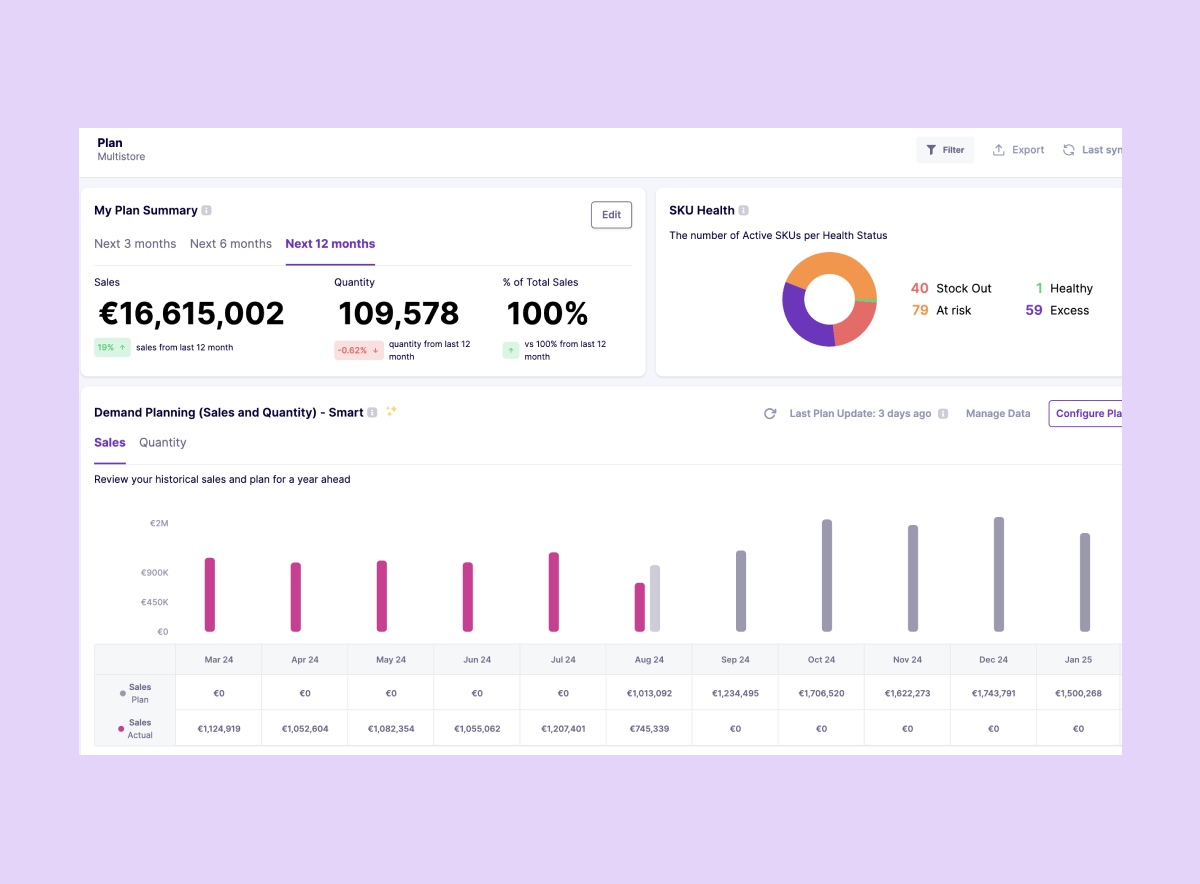
Inventory Velocity Explained: Why It Matters and How to Improve It

Learn what inventory velocity is, how it impacts your cash flow, and the strategies to improve it, especially for Shopify stores.

Read Blog

82% of small businesses fail because of poor cash flow. One of the biggest reasons? Inventory that doesn’t move.

When products sit on shelves too long, your cash gets stuck. You can’t reinvest, restock, or stay flexible. 

D2C merchants experience this all the time. Low inventory velocity makes cash flow tighter than it needs to be.

That’s why maintaining a healthy inventory velocity ratio matters. 

We spoke with several retail brand owners to put this guide together. Below, you’ll learn what inventory velocity is, why it matters, and how to calculate it and improve it.

What is Inventory Velocity?

Inventory velocity measures how quickly your products sell and are replaced over a given period. In simpler terms, it tells how fast your inventory turns into revenue, helping you understand which SKUs need reordering.

A higher inventory velocity means products are selling quickly and being restocked regularly, while a lower velocity suggests slow-moving inventory that may be tying up capital and taking up storage space. 

What inventory velocity is not

Inventory velocity is not just about selling fast; it’s about selling efficiently. 

High velocity doesn’t necessarily mean high profits. If you’re selling quickly but constantly restocking the wrong items or relying on heavy discounts to move products, it may indicate deeper inefficiencies. 

It’s also not the same as turnover rate in accounting, which looks at the broader cost of goods sold. Inventory velocity is a more focused, operational view on how effectively you’re moving the right products at the right pace.

Curious about how to calculate inventory turnover rate? Read the full guide here.

Why Inventory Velocity matters for eCommerce businesses

Before we learn how inventory velocity can be calculated, we need to understand why it matters. 

1. Better cash flow

The faster your products move, the faster your cash flows.

Inventory velocity directly impacts how quickly cash tied up in inventory returns to your business, and in e-commerce, that liquidity can be the difference between scaling up or stalling out.

“By improving our inventory velocity, we were able to significantly improve cash flow. We did this by focusing on the most in-demand items and rotating stock quickly. This allowed us to keep cash circulating in the business, freeing up resources to reinvest in growth without worrying about tying up money in unused stock.” - Daniel Vasilevski, Owner, Pro Electrical

Just like Daniel, if your stock is sitting too long on the shelves, you’re essentially freezing money that could be put to better use, whether that’s restocking faster-moving items, investing in marketing, or improving customer experience. 

Higher velocity unlocks that capital and keeps your business financially agile. 

2. Reduced inventory carrying costs

Holding inventory takes up shelf space and also comes with a financial burden. Storage fees, insurance, depreciation, and the risk of damage or obsolescence all add up. And the longer products sit unsold, the more they eat into your profits. 

High carrying costs can slow down your ability to adapt and reinvest. Capital that’s tied up in slow-moving stock can’t be used to buy fast-selling products, launch campaigns, or respond to changing market trends. 

What looks like a full warehouse might actually be a sign of frozen potential.

This rings especially true in environments with high storage costs, as highlighted by Philip Carls, former pricing lead at Walmart and Amazon Europe, “For some retailers, carrying costs are not so great but for others, it’s a significant cost and, in high inflationary environments, inventory velocity is particularly critical, as retailers have high holding costs. 

Seasonality is key, too. You don’t want to be sitting on 100,000 BBQ grills over the winter. Then there’s not only the holding cost to consider but also the opportunity cost of not carrying items which could sell in the first place.”

3. Adapting to demand changes

When demand shifts suddenly, whether it’s due to seasonality, trends, or external factors, your Shopify store needs the flexibility to act fast. 

High inventory velocity gives you that flexibility. When inventory is moving quickly, you’re not stuck with last month’s stock. You’ve got the cash and the shelf space to restock high-demand products, shift direction, or test new SKUs.

But that kind of responsiveness only works when it’s paired with strong forecasting. Without visibility into what’s about to come, you won’t know what to act on, or when. 

How to Calculate Inventory Velocity

Sales velocity of inventory is typically calculated using one of two formulas. Both help you understand how efficiently you’re moving products, either by value or by unit.

Inventory Velocity Formula 1: Based on the cost of goods sold (COGS)

Inventory Velocity = Cost of Goods Sold (COGS) / Average Inventory

  • COGS is the total cost of products sold during a specific period (usually annually).
  • Average Inventory is the average value of inventory held during that period, calculated using (Beginning Inventory + Ending Inventory) / 2

Let’s say your store sold $120,000 worth of products last year (COGS), and you carried an average inventory of $30,000. Then, Inventory Velocity = $120,000 / $30,000 = 4.

Inventory Velocity Formula 2: Based on units sold

Inventory Velocity = Total Units Sold / Average Units in Stock

  • Use this if you track inventory by units instead of value
  • Units Sold is your total sales volume over a period
  • Average Units in Stock is the average quantity of items on hand calculated using (Beginning Inventory + Ending Inventory) / 2 

Now, let’s say you sold 6,000 units over the year, and your average inventory was 1,500 units. Then, Inventory Velocity = 6,000 units / 1,500 units = 4.

Both formulas give the same result in this inventory velocity example, just from different angles, one in dollars, one in units. Choose the one that aligns best with how you track performance in your business.

What’s a “good” inventory velocity?

It depends on your business. For fast-moving categories like groceries or personal care, a velocity of 8–12 might be normal. For slower-moving items like furniture or seasonal products, even 2–3 can be healthy.

The key is this: a “good” velocity is one that keeps your cash flowing without risking stock outs or overstocks, and that will vary based on your seasonality, lead times, and product life cycles.

Effective Strategies to Improve Inventory Velocity

Below are some proven strategies to increase inventory movement and free up working capital.

1. Implement smart demand forecasting 

Poor forecasting puts you in a constant tug-of-war between stock surplus and shortage. This is why you need accurate demand forecasting. 

To do just that, you need to factor in past sales, seasonal patterns, and upcoming marketing plans. When done right, it keeps your inventory balanced, responsive, and profitable.

Prediko pulls 12 months of sales data from your store and uses AI to forecast demand, factoring in seasonality and growth patterns.

It gives you reorder recommendations based on real trends, not rough guesses, so you can plan with confidence instead of reacting.

2. Go lean with your inventory

Lean inventory means carrying just enough stock to meet demand, no more, no less. It doesn’t mean understocking or risking delays. It means getting efficient.

You free up cash, reduce waste, and simplify operations by trimming the excess that doesn’t move.

Here’s what you can do to implement lean inventory

  • Shorten your purchase cycles. Instead of ordering large batches every few months, order smaller quantities more frequently. This keeps your stock fresher and more responsive to real demand.
  • Know your supplier lead times. When you know exactly how long it takes to restock, you can order just in time, not just in case.
  • Use real-time inventory tracking. Don’t rely on gut feel or manual stock checks. A good inventory software like Prediko helps you see exactly what’s moving and when to reorder in real-time.
  • Apply the ABC method. Run an ABC analysis on your products. A-items are your fastest movers and should be prioritized for restocking. B- and C-items can be ordered more cautiously.

If you want to learn more about doing a Shopify ABC analysis, here’s the full guide. 

3. Use pricing and product swaps to increase inventory velocity

If your inventory isn’t moving, it’s not just sitting on shelves; it’s blocking better products from taking their place. 

That’s why one of the most effective ways to improve inventory velocity is to actively manage what stays and what goes.

Start by identifying slow-moving SKUs, marking them down, and replacing them with products that have higher demand and a faster sales cycle.

For example, Lou Haverty, CEO of Tank Retailer, discounts products that aren’t selling quickly and replaces them with items customers want more. This improves cash flow and frees up money to reinvest in better products.

He shares, “You also need to take the additional step of marking down prices on slow-moving inventory and replacing that slow-moving inventory with higher demand products.”

The strategy is simple. Discount what’s dragging you down, double down on what’s moving. Over time, your catalog evolves to include more high-velocity products, and your inventory becomes easier (and cheaper) to manage.

4. Reorder using data

Poorly set reorder points can quietly hurt your inventory performance. 

Without real-time data, you’re either setting reorder points too high or too low, leaving you overstocked or at risk of stockouts without knowing it.

A reorder system must look at three things: how quickly each product sells, how long your suppliers take to deliver, and how much buffer stock you need.

When you combine these inputs, you get a reorder point. Use this formula to calculate it manually.

Reorder Point = (Daily Units Sold × Lead Time in Days) + Safety Stock

Now, calculating reorder points is a manual process that needs constant updating. 

Prediko automates this, adjusting reorder points in real time based on demand and lead times. It then sends reorder alerts so you can act quickly.

Here’s a step-by-step bonus guide on automating your restock workflows.

How Prediko Helps Improve Inventory Velocity

An inventory management software like Prediko can make a big difference in improving your inventory velocity. How? 

Inventory velocity improves when your demand forecasting is accurate, your reordering is automated, and your workflows are built for how you actually sell. Prediko does all of that, from one dashboard.

1. Automation that speeds up stock movement

Prediko removes delays in your inventory workflows with AI-powered automation. This reduces manual reordering tasks and keeps your operations moving.

  • Automated PO creation: It generates purchase orders based on real-time inventory levels and demand forecasts. Brands like Sync Protein, who use Prediko, report saving hours each week compared to manual spreadsheet workflows.
  • Smart alerts: Automatic reminders for both overstocks and stockouts based on sales velocity, safety stock, and lead time.
  • BOM & raw material tracking: If you manage production, Prediko can sync raw materials and finished goods, helping you restock both in line with demand. 

This kind of automation eliminates bottlenecks in reordering and speeds up decision-making across the supply chain.

2. Analytics that prioritize high-velocity products

One of the key ways to improve inventory velocity is by knowing what sells fast and doubling down on it. Prediko’s analytics dashboard gives you the clarity to do just that. 

  • AI-powered demand & supply planning: It predicts sales based on seasonality, market trends, and your inputs. It tells you what and how much to order exactly when it’s needed.
  • ABC analysis & sales metrics: Prediko shows you which SKUs are selling and which ones are dragging performance. This helps you shift capital toward high-performing inventory.
  • Custom reports: Use 100+ filters to build your reports or choose from presets like sell-through, COGS, and stockout risk. All reports can be scheduled for automatic delivery to your inbox.

When you’re making decisions with this kind of insight, you’re more likely to stock what moves, and avoid what doesn’t.

3. Built for Shopify

Prediko doesn’t just integrate with Shopify, it’s built around it. That means zero setup hassle, real-time sync, and native workflows that fit how you already sell.

For growing brands, having purpose-built inventory management for Shopify ensures that velocity improvements translate directly into operational efficiency — from reorders to restocks.

  • Live inventory updates: Stock levels update in real-time after every order or restock, keeping reorder triggers and inventory levels accurate.
  • Multi-location visibility: You can manage warehouses and stores from one dashboard.
  • One-click setup: No lengthy onboarding. And it works with over 60+ apps (WMS, 3PL providers, eCommerce platforms) for a fully connected backend.

Take the First Step Towards Improving Inventory Velocity

We’ve covered why inventory velocity matters, what a healthy number looks like, and how improving it starts with better planning, smarter purchasing, and more responsive stock management.

Prediko helps you execute just this: automating the forecasting, reporting, and reordering process so you can move inventory faster and smarter.

Start your 14-day free trial and take the first step with Prediko.
Frequently Asked Questions (FAQs) on Inventory Velocity

1. How to increase inventory velocity?

You can improve inventory velocity by forecasting demand accurately, keeping lean stock, reordering based on data, and gradually eliminating slow-moving SKUs.

2. What is the stock velocity formula?

Inventory Velocity = Cost of Goods Sold ÷ Average Inventory or Units Sold ÷ Average Units in Stock

3. How often should inventory velocity be calculated?

Most businesses review the inventory velocity report monthly, but if you sell fast-moving products, a weekly check-in works better.

4. Can inventory velocity vary between products?

Yes, it varies depending on demand, seasonality, and product type. Some SKUs naturally sell faster than others.

5 min
Nov 23, 2026

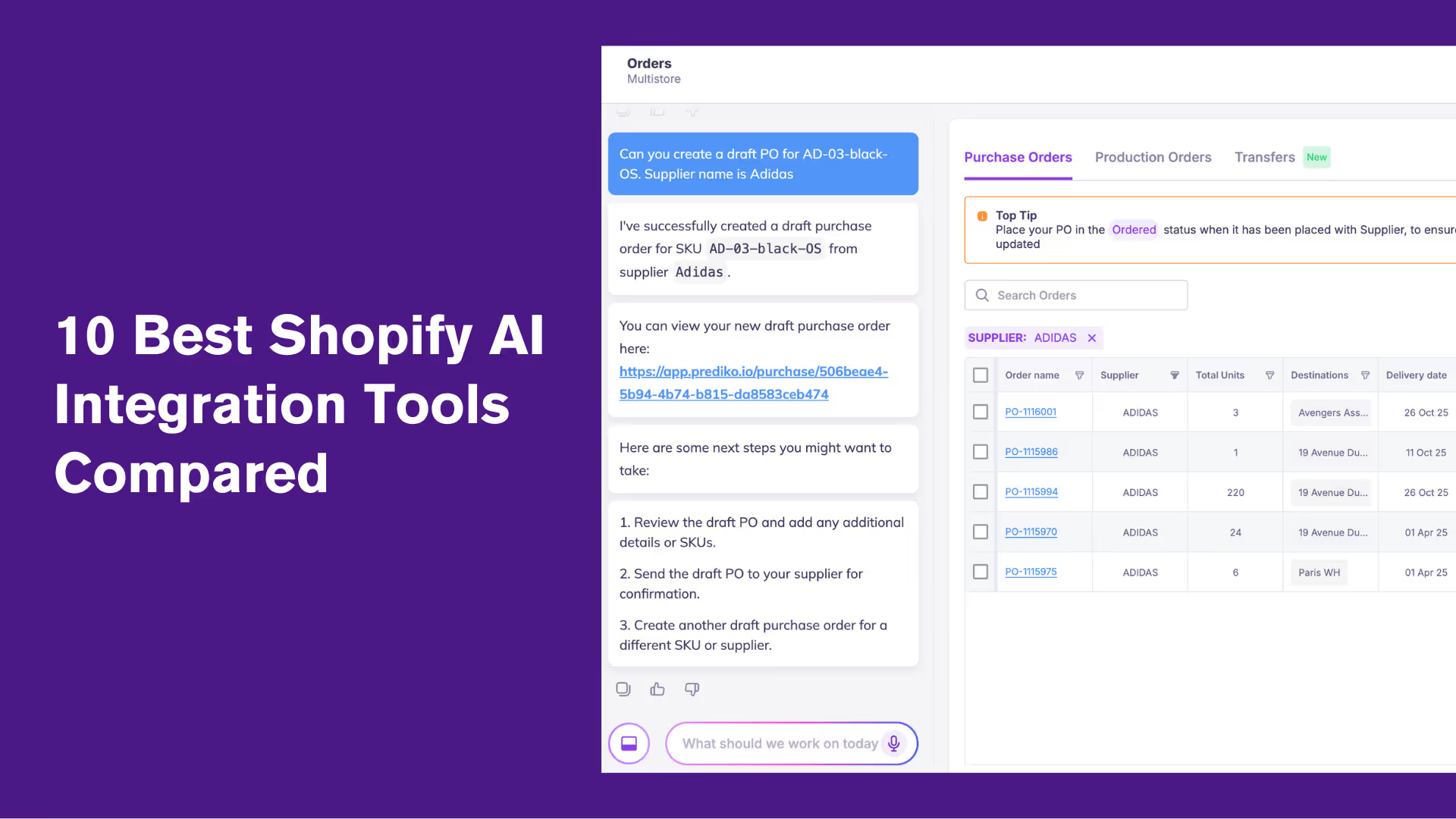
Top 10 Shopify AI Integrations You Need in 2026

Prediko and other top Shopify AI integrations help brands automate inventory forecasting, purchase orders, customer support, marketing, and merchandising with real time data, customizable workflows, and AI actions that keep stores efficient and scalable in 2026.

Read Blog

Running Shopify store in 2026 means wearing a lot of hats: Marketer, analyst, inventory planner, customer support rep, and sometimes, all at once. That’s where AI comes in.

From writing product descriptions and replying to reviews to forecasting stock and personalizing shopping experiences, AI tools are quietly becoming every merchant’s secret weapon.

No wonder over 44% of retailers say they’re using AI for predictive analytics. 

We’ve rounded up 10 of the best Shopify AI integrations that can help you work smarter, not harder, so you can focus on scaling your brand while the bots handle the busywork.

Must-Have Features of a Shopify AI Integration in 2026

If you’re out hunting for the perfect Shopify AI integration tool, here’s what to keep an eye on (and why each feature counts).

1. Real-time Shopify data sync

Your AI integration should pull the latest product, inventory, or relevant data the moment anything changes. Real-time syncing ensures decisions, whether forecasting, marketing, or automation, are always based on accurate, up-to-date information instead of outdated data.

2. Ease of setup & use

A good Shopify AI integration shouldn’t require engineering effort. Merchants should be able to install it, connect data, and start using it within minutes. Clear onboarding, intuitive dashboards, and simple configuration make AI adoption smoother and faster.

3. Customization & flexibility

Every brand operates differently, so the AI should adapt to your workflows, not force you into rigid templates. 

This means adjustable rules, thresholds, prompts, automations, and reporting views tailored to your processes, SKUs, channels, and customers. 

4. API-friendly & compatible with other apps

Your AI shouldn’t live in a silo. It must integrate cleanly with your WMS, ERP, marketing apps, analytics tools, and the rest of your tech stack. 
Open APIs and native connections are must to make the AI an important part of your ecosystem, not another isolated tab.

5. Automation triggers

Beyond insights, the AI should take action. That includes triggering replenishment alerts, PO reminders, email flows, segmentation updates, or workflow tasks based on real-time conditions. Automated actions reduce manual work and prevent delays.

6. Multi-store compatibility

Many brands now run multiple storefronts —regional sites, wholesale portals, sub-brands, etc. 

A strong Shopiy AI integration consolidates data across all Shopify stores so that forecasting, automations, and reporting work seamlessly for the entire business.

An Overview of Top Shopify AI Integrations

Shopify AI Integration Best for Key features Pricing
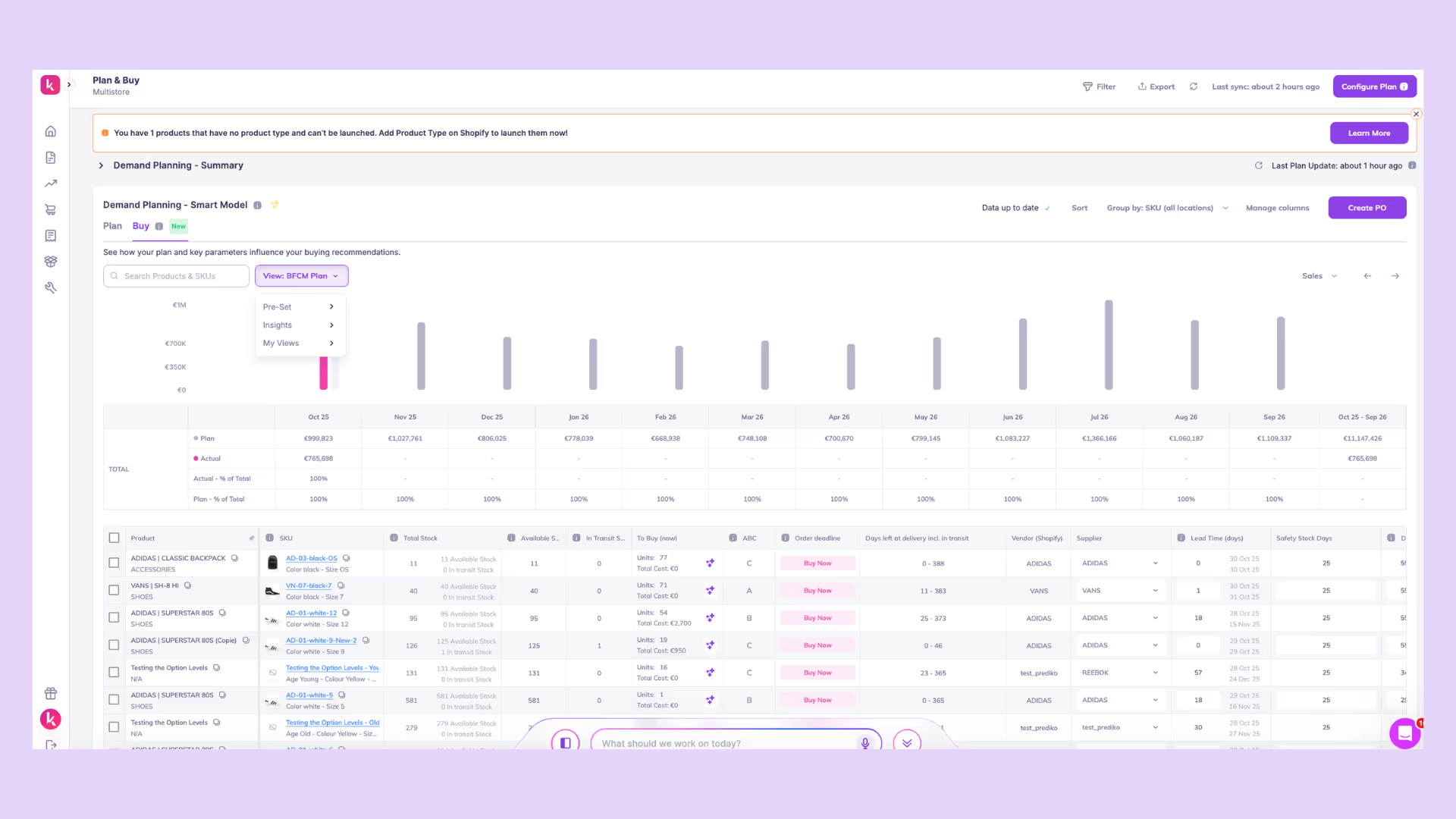
Prediko AI inventory planning & forecasting AI demand & supply planning, PO automation, raw material & bundle forecasting, low-stock alerts, 20+ reports and analytics, 150+ integrations Starts at $49/month
Tidio Customer support chatbot and live chat Real-time cart and order preview, AI agent (Lyro), multi-channel communication, pre-built no-code automation flows Starts at $24.17/month
Wiser Product recommendations and upsells AI-powered recommendations, multiple widgets, advanced search, filters, progress bar, analytics, and widget customizations Starts at $9/month
Klaviyo Marketing and customer communication Syncs Shopify data, prebuilt flows, dynamic segmentation, AI for optimal send times, churn prediction, predictive LTV, and centralized email/SMS/push Starts at $80/month
Entaice Collection sorting Pinned products, automatic ranking and reordering, sorting analytics, product boosts, AI-driven sorting with visual merchandising Starts at $48/month
Octane AI Quiz creation and personalization Build quizzes using AI, tags, and conditional logic; customizable designs; integrations with Recharge and Klaviyo; AI product recommendations Starts at $50/month
Atlas Store building for dropshipping Product links to generate Shopify pages, AI for designs/copy/logos, built-in bundle offers, cart upsells, and store templates Starts at $39/month
Tapita SEO and speed optimization AI-powered multi-language SEO tags, bulk image optimization, JSON-LD data, broken link detection, and backlink insights Starts at $9.99/month
Wiz Abandoned cart recovery Automated email flows, template library, drag-and-drop editor, on-brand pop-ups, welcome forms, and analytics Starts at $14.99/month
Trustoo Collection and management of product reviews Smart sorting and AI-generated summaries, multi-source review collection, automatic review requests, customizable widgets, multi-language support, sentiment and performance trends Starts at $11.99/month

Top Shopify AI Integrations You Should Have in 2026

We did the digging, so you don’t have to. Here are 10 Shopify AI integrations that actually live up to the hype.


1. Prediko: AI inventory planning and management software

First up, we have Prediko, a 5-star-rated, powerful AI inventory management Shopify integration for scaling brands and enterprises.

Inventory is the backbone of every retail business, and Prediko strengthens it by helping brands eliminate stockouts and overstocks. It turns sales and inventory data into actionable forecasts so teams can plan reorders, manage suppliers and raw materials, track bundles, and monitor key metrics, all from one clean, connected dashboard.

It's one of the most effective ways to use AI for optimizing retail, helping Shopify brands automate repetitive planning tasks while freeing up time for growth.

What truly sets Prediko apart from other Shopify AI agent integrations is its in-house AI engine. Trained on over 25 million SKUs across 15 industries, it factors in seasonality, sales velocity, and real-time trends to deliver forecasts that are both smart and reliable.

Key features

Pros

  • Reliable and well-trained AI for inventory operations 
  • AI agents to execute tasks for you
  • Intuitive interface suitable for growing brands moving past spreadsheets
  • Handles complex variants and bundles across channels 
  • Responsive support team 

Cons

  • Integrations with some WMS/3PLs are still in development 
  • May be more complex than needed for very small stores

Healf Achieved 75× ROI with Prediko

UK-based wellness retailer Healf slashed stockouts from 4 % to 1 % in just two months using Prediko’s AI-driven forecasting. 

By replacing spreadsheets with real-time demand insights and automated reordering, they unlocked a 75× ROI and saved 10 hours every week on inventory management. Read more here. 

This success was powered by AI-powered Shopify inventory forecasting for health, wellness, and fitness brands, helping retailers cut stockouts and scale with confidence.

Pricing 

Prediko offers tiered pricing based on your store’s revenue. Plans start at just $49/month for small businesses and scale up to $119, $199, and $349/month for more advanced needs. All plans include unlimited SKUs, purchase orders, and users. 

2. Tidio: AI live chat and chatbot 

Tidio is one of the best AI chatbots for shopify integration that connects directly to offer customer support chat automation.

Its AI agent, Lyro, can answer questions about orders, products, and delivery without human input. 

You can see customer carts and order history inside the chat window, allowing personalized recommendations during conversations. 

Key features

  • Real-time cart and order preview inside chat for personalized recommendations
  • AI agent (Lyro) to automate recurring customer queries
  • Unifies multi-channel communication across live chat, email, and social platforms
  • Pre-built no-code automation flows for cart recovery, discounts, and upsells

Pros

  • Centralizes messages across channels for faster replies
  • Adapts to customer languages with multilingual AI

Cons

  • Expensive with limited customization options 
  • Some learning curve to set up automation flows

Pricing

Plans start at $24.17 per month

Read More: 7 Best AI Demand Planning Software

3. Wiser AI: Product recommendations and upsells 

Next up is Wiser, an AI-powered recommendation engine that delivers intelligent product suggestions based on shopper behavior, browsing history, and purchase data. 

It automatically displays relevant products on product pages, in the cart, during checkout, and even in post-purchase content, helping increase average order value and customer retention.

Key features

  • AI-powered recommendations based on real-time shopper behaviour
  • Multiple widgets available, including related products, frequently bought together, new arrivals, and recently viewed
  • Advanced drawer cart for in-cart upsell with progress bar
  • Analytics to measure click-through, conversion, and revenue generated by recommendation widgets
  • Customizable widget set up with API access
  • Advanced search and filters to help find exactly what customers are looking for faster

Pros

  • Reliable and responsive support team
  • Highly customizable widgets 

Cons

  • Pricing is confusing 
  • Setup and customization may take a lot of time 

Pricing

Plans start at $9 per month

4. Klaviyo: Marketing and customer communications

Klaviyo is an email and SMS marketing platform that enables workflows such as welcome series, abandoned-cart campaigns, and post-purchase follow-ups. Its AI personalizes content, optimizes send times, and refines audience segmentation.

The app also offers AI agents to create on-brand, launch-ready campaigns, resolve customer issues, and sell 24/7.

Key features

  • Syncs Shopify data, including orders, products, and customer activity in real time
  • Prebuilt flows for cart recovery, welcome series, post-purchase, and re-engagement
  • Dynamic segmentation using live Shopify data like viewed products and repeat orders
  • AI to identify the right send times, churn risk, and predictive lifetime value
  • Centralizes email, SMS, push, and pop-up campaigns

Pros

  • Detailed reporting for informed decisions  
  • Centralizes messages across channels for faster replies

Cons

  • Expensive for large contact lists
  • Occasional technical glitches and bugs reported by users

Pricing

Plans start at $60 per month

5. Entaice: AI collection sorting

Entaice is an AI-powered merchandising assistant that helps Shopify brands automatically sort, rank, and optimize their collections for higher conversions. 

Instead of manually dragging and dropping products every week, Entaice continuously analyzes real-time data like sales trends, inventory levels, and shopper behavior to keep your storefront fresh and performing at its best.

Key features

  • Pinned products to keep specific products at the top and move them down when they sell out 
  • Automatically ranks and reorders products based on performance, trends, and inventory
  • Track views, conversions, orders, and revenue at the product level, exportable as CSV reports
  • Temporarily pushes new products to the top of collections
  • AI-driven sorting with visual merchandising by grouping items by brand, type, or style

Pros 

  • The development team is highly responsive
  • Works well for massive collections with a lot of inventory movement

Cons

  • Requires periodic fine-tuning to align rankings with seasonal or campaign-specific goals

Pricing

Plans start at $48 per month

6. Octane AI: Quiz creation and personalization 

With Octane AI, you can deploy quizzes and chatbots that ask your customers what they really want, then use the answers to recommend the right product, trigger the right campaign, or segment your audience for future marketing. 

It integrates seamlessly with Shopify and connects with tools like Klaviyo so that everything stays synced. 

Key features

  • Build and launch your quizzes with plus 24/7 global chat support.
  • Create product quizzes using AI, tags, collections, and/or conditional logic
  • Customizable quiz design, including images, font, and layout, to full custom CSS
  • Integrates with Recharge, Klaviyo, Attentive, Zapier, etc 
  • Quiz templates for every industry and AI to recommend products for customers

Pros

  • Clear attribution of quiz-driven revenue in analytics
  • Quizzes feel native to Shopify storefront without clunky redirects

Cons

  • Layout customization requires CSS for non-standard designs
  • Advanced logic setup can be time-consuming for larger catalogs

Pricing

Plans start at $50 per month

7. Atlas: Store builder for dropshipping

Atlas helps Shopify users create complete, high-converting dropshipping stores by simply pasting a product link.

Within two minutes, it generates product pages, branded design, upsell flows, and even AI-enhanced photos. 

It’s built specifically for product testing at scale, allowing users to launch multiple stores rapidly without any coding or design work.

Key features

  • Generates complete Shopify pages with just product links 
  • AI to create designs, product copy, meta descriptions, layout, logos, and more 
  • Built-in bundle offers and cart upsells
  • Easily save your best stores as templates to reuse anytime

Pros

  • Fully compatible with Shopify admin and the latest Shopify themes
  • No extra apps needed for upsells or bundles
  • Ideal for testing multiple dropshipping products quickly

Cons

  • Hidden or unclear charges even after uninstall
  • Customization is somewhat limited compared to manually creating stores

Pricing

Plans start at $39 per month

8. Tapita AI: SEO and speed optimization

Tapita is a platform designed to help Shopify stores improve visibility, speed, and user experience, all from a single dashboard. 

Beyond SEO automation, Tapita’s suite covers everything from page speed improvement to UI/UX optimization and marketing support, making it a complete performance toolkit for growing e-commerce brands.

Key features

  • AI-powered and multi-language SEO meta tags 
  • Bulk image optimization for better page speed and user experience
  • Ability to add JSON-LD structured data that helps search engines understand your store better
  • Automatically detect and fix broken links on your site for better SEO
  • Detailed report on backlinks to improve your link-building strategy

Pros

  • Clear and intuitive interface 
  • Free plan for smaller businesses and stores

Cons

  • App support has some negative reviews 
  • Users have also reported some script issues 

Pricing

Plans start at $9.99 per month

9. Wiz AI: Abandoned cart recovery 

Wiz AI is a fully automated AI-powered email marketing platform built to help Shopify merchants recover lost sales and engage customers with zero manual setup. It creates ready-to-use email flows, newsletters, and campaigns in just one click. 

From abandoned cart recovery and win-back campaigns to welcome sequences and branded newsletters, Wiz AI puts customer communications on autopilot. 

Key features

  • One‑click generation of automated email flows including abandoned cart, checkout recovery, welcome and win‑back
  • Pre-designed email templates and drag‑and‑drop editor to customise 
  • Create on-brand pop-ups and welcome forms to grow your subscriber list
  • Track open rates, click-throughs, conversions, and deliverability to optimize every campaign

Pros

  • Easy to set up and customize
  • Responsive support team

Cons

  • Some users may find the feature set more basic compared to advanced tools

Pricing

Plans start at $14.99 per month

10. Trustoo: Collection and management of product reviews

Last but not the least is Trustoo, an AI-powered review and UGC (user-generated content) platform designed to help Shopify stores build trust and improve conversions through authentic customer feedback. 

It automates the entire review collection process, from gathering text, photo, and video reviews to analyzing them for insights and displaying them beautifully on-site.

Key features

  • Automatically collect, analyze, and display reviews with smart sorting and AI-generated summaries
  • Multi-source review collection from Shopify, Amazon, WhatsApp, etc
  • Automatic review requests with incentives for photo submissions
  • Customizable widgets to display reviews, ratings, photos and videos
  • Multi‑language support with automatic translation of reviews
  • Key sentiment and performance trends to guide improvements 

Pros

  • Responsive and proactive customer support 
  • Offers a lot of review display options 

Cons

  • You have to use their template to upload reviews

Pricing

Plans start at $11.99 per month

Important Things to Consider When Choosing a Shopify AI Integration 

When choosing an AI tool for your Shopify store, features alone aren’t enough. What matters is whether the tool fits your store’s actual needs, works reliably with Shopify, and delivers results worth paying for. 

Here’s a checklist to follow

  • Shopify-native integration: Look for tools that work directly inside the Shopify admin or sync/use real-time data from your store.
  • Actual AI logic: Choose apps that have well-trained and built-in AI to generate content, predict behavior, auto-personalize, or adjust based on store activity.
  • Control and flexibility: A good AI tool suggests and automates, but doesn’t take over. You should be able to edit content, adjust rules, and set limits on what the AI can change.
  • Pricing at scale: Some apps charge more as your store grows, more orders, emails, sessions or data. Make sure you know how the plan scales and what’s actually included.
  • Proven outcomes: Look at the reviews or case studies to see if it actually improves sales, saves time, or increases conversion for stores like yours.

Choose Prediko as Your Inventory Management Shopify AI Integration

AI tools aren't here to replace how you run your Shopify store. They're here to make it smoother, faster, and easier to manage.

With the right setup, you can automate support, improve SEO, personalize marketing, and stay on top of inventory, all without juggling a dozen apps.

If inventory is where you're hitting friction, Prediko’s AI has you covered. It gives you real-time visibility, accurate AI demand planning, AI agents, and smart reordering, using real-time data from your Shopify stores.

Start your 14-day free trial and see how Prediko keeps your operations sharp as you grow.

‍

Frequently Asked Questions (FAQs)

What is a Shopify AI integration?

A Shopify AI integration connects AI-powered tools to your store to automate tasks like product recommendations, customer support, SEO, and inventory planning.

Are Shopify AI tools safe with customer data?

Yes, Shopify AI tools are generally safe with customer data. They follow Shopify’s strict data security and privacy standards.

Which Shopify AI tool is best for inventory management?

Prediko is a top choice for AI-powered inventory management. It offers real-time syncing, smart forecasting, inventory agents, and automated purchase orders for growing Shopify brands.

5 min
Nov 19, 2026

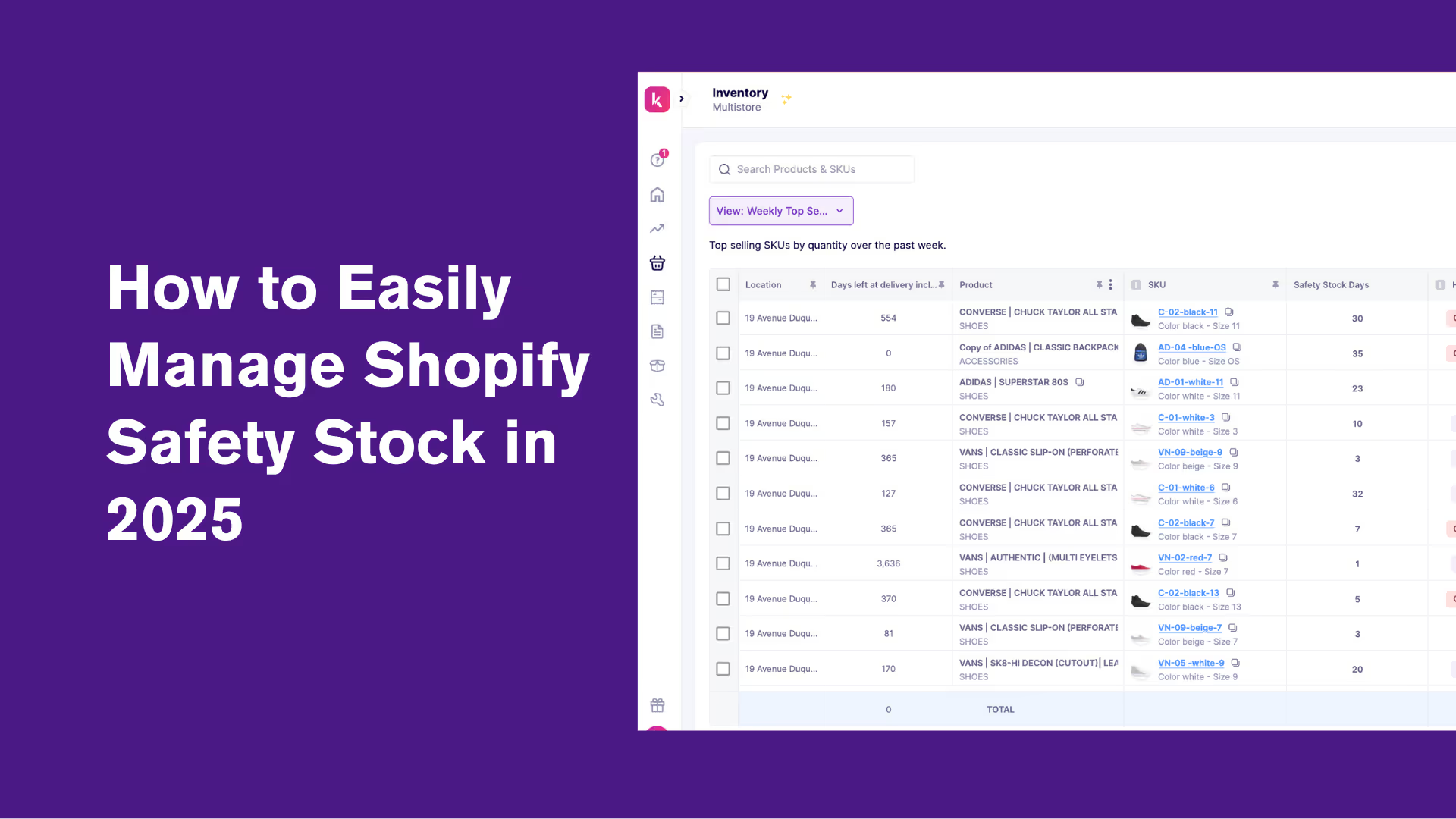
Shopify Safety Stock 101: Buffer Stock, Formula, Challenges & Best Practices

Stop losing customers due to stockouts. Learn how safety stock prevents lost sales, mitigates supply chain delays, and ensures quick exchanges.

Read Blog

You’re confident your stock levels are accurate. Customers are placing orders, everything seems smooth, and then... the dreaded email arrives.

"Hey, I just ordered this, but it's saying it's out of stock?"

Panic sets in. You double-check your records, refresh your dashboard, and suddenly realize, your inventory isn’t as accurate as you thought. Now, you have two options: try to fix it or send an awkward apology (and possibly lose the sale).

The reality? Too many Shopify stores run their inventory on hope and best guesses until it costs them in the form of lost revenue, missed upselling opportunities, and damaged brand reputation.

To avoid this, you need to maintain safety stock that goes beyond spreadsheets and last-minute guesswork.

We explain the importance of maintaining safety stock, key challenges in managing it, and a Shopify app that can help.

What is Safety Stock? 

Safety stock is the extra inventory that businesses keep on hand to protect against unexpected demand or supply chain disruptions. It’s like a safety net that ensures product availability even when sales suddenly spike, a su

A supplier delays a shipment, or production halts for some reason. This helps you avoid stock outs, which can frustrate customers and hurt sales. 

The amount of safety stock depends on factors like how predictable demand is, lead times from suppliers, and how much risk you are willing to take. 

Businesses rely on safety stock to

  • Keep operations running smoothly despite supply chain fluctuations or inaccurate forecasts
  • Reduce backorders, delays, and lost sales
  • Protect against unexpected spikes in demand or vendor issues
  • Balance between too much stock (high holding costs) and too little (stockouts and lost revenue)

Originally used in traditional retail and manufacturing, safety stock became essential in global supply chains. In e-commerce, its role has evolved due to fast-changing demand, shorter product life cycles, and customer expectations for quick delivery.

Why is Shopify Safety Stock Important for You? 

Keeping extra inventory means tying up money, so why would a Shopify business invest in safety stock?

The answer is simple, it helps prevent lost sales, keeps customers happy, and ensures smooth operations even when things don’t go as planned.

Following are the benefits of maintaining Shopify safety stock

1. Preventing stockouts and keeping customers happy

Running out of stock means more support tickets, canceled orders, and higher marketing costs. Plus, customers don’t wait, they move on to competitors.

Sometimes, demand can spike unexpectedly due to a product going viral, a celebrity mention, or a shift in consumer behavior.

Take fidget spinners, for example. A few years ago, they became the hottest toy almost overnight. Stores that stocked up early made a fortune, while others struggled to keep up and missed out.

Having Shopify safety stock ensures you can continue fulfilling orders even if demand suddenly increases or your supplier delays shipments. This leads to higher customer loyalty, more positive reviews, and fewer lost sales.

2. Reducing overstocking and freeing up cash flow

On the other hand, keeping too much inventory in the name of safety stock isn’t the answer as it freezes your capital, increases storage costs, and leads to markdowns. 

Safety stock helps you strike the right balance, keeping enough inventory to avoid stockouts while ensuring your cash isn’t locked up in excess stock. This way, you can free up cash flow to invest in marketing, product development, or expansion activities of your store.

In case you end up with excess stock for your subscription brand, here’s a super-helpful article for you. 

3. Helps with quick exchanges

When customers need a different size, color, or version of the same product, having extra inventory allows you to offer fast exchanges instead of resorting to refunds. 

Refunds can be costly and cut directly into your revenue, whereas exchanges keep the sale intact. Plus, quick and hassle-free exchanges improve the overall customer experience and encourage repeat purchases.

4. Gives you enough time to replenish inventory

Without safety stock, you’re at the mercy of your suppliers’ timelines. If you sell out unexpectedly, you might have to pay extra for rush shipping or leave customers waiting. 

Having backup inventory gives you a buffer, ensuring you can reorder stock at a steady pace without disrupting sales or straining your cash flow.

5. Mitigates supply chain delays

Issues like supplier delays, port congestion, and raw material shortages can cause major disruptions if you don’t have a backup plan. 

By maintaining safety stock, you can keep fulfilling orders even when your supply chain faces unexpected setbacks. This is where using the best supply chain management tools can give you the real-time visibility and predictive insights needed to stay ahead of disruptions.

Following a major supplier delay, 42% of Shopify merchants adjust their safety stock policy, with 77% increasing buffers for their fastest-moving SKUs. Agile, data-driven safety stock strategies ensure brands can adapt quickly to disruptions and changing consumer demand.

This prevents lost revenue and keeps your business running smoothly despite external challenges.

Learn more about how to build supply chain resilience in this article.

How to Calculate Shopify Safety Stock?

To calculate your safety stock, use the following formula

Safety Stock = (Maximum Daily Usage × Maximum Lead Time) - (Average Daily Usage × Average Lead Time)

Here’s how to calculate each variable and put them into the formula

  • Maximum daily usage: This refers to the highest number of units sold in a single day during a peak sales period. For example, if your Shopify store sells an average of 10 items per day but once sold 25 items on a particularly busy day (such as Black Friday), then your maximum daily usage is 25
  • Maximum lead Time: This is the longest time it has taken for your supplier to deliver new stock. If your supplier usually takes 7 days to restock, but during holiday congestion it once took 14 days, then your maximum lead time is 14
  • Average daily usage: This is the average number of units sold per day, calculated over a period of time. If your Shopify analytics show that you sell between 8 and 12 items daily, with an average of 10, then that’s your average daily usage
  • Average lead time: This represents the usual time your supplier takes to deliver inventory. If your supplier typically delivers stock within 7 days, that would be your average lead time

Common Challenges in Maintaining Shopify Safety Stock (+ Practical Tips to Solve Them)

Maintaining safety stock can be tricky without the right data and tools in place. Here are some challenges you may face and ways to solve them 

1. Data inaccuracies in lead time and demand forecasting

Safety stock relies heavily on accurate predictions of lead times and customer demand. If your data is outdated, incomplete, or based on flawed assumptions, it leads to wrong calculations of safety stock leading to either excessive stock or stockouts.

Factors like supplier delays, market trends, and seasonality make accurate forecasting even more difficult.

💡Solution: Regularly audit and update your demand forecasts. Work closely with suppliers for accurate lead times. 

Eliminate the guesswork by using AI-powered inventory management tools like Prediko that use real-time sales data, historical growth trends, and seasonality to create demand plans. You can also update vendor lead times individually for different SKUs and products. 

After you’ve set your safety stock levels, Prediko automatically incorporates this information into its replenishment recommendations.

2. Over-reliance on manual processes

Many small and mid-sized Shopify businesses still rely on spreadsheets and manual calculations to manage safety stock. This is slow, error-prone, and simply not scalable for growing brands. Manual methods don’t reflect real-time changes, leading to the risk of excess or insufficient safety stock units.

💡Solution: Switch to automated and smarter inventory software like Prediko to track inventory and trigger reorder alerts instantly based on your minimum days of cover. To calculate safety stock, just input your desired days of cover, and Prediko will factor it into the reorder suggestions. 

3. Supplier delays and unpredictable lead times

Even with good forecasting, suppliers can throw a wrench in your plans with late deliveries or inconsistent timelines. This unpredictability makes it hard to maintain the right safety stock levels.

A product that normally takes 7 days to arrive might suddenly take 14 days due to festive delays, shortages, or increased demand. 

💡Solution: Source from multiple vendors to spread the risk. If one supplier lags, others can pick up the slack. Negotiate clearer timelines and penalties for delays with suppliers, or offer incentives for reliability.

Increase safety stock for critical items with historically unreliable lead times, while keeping leaner buffers for stable suppliers. 

4. Ignoring seasonality and market trends

Shopify stores that fail to adjust safety stock for peak seasons (e.g., Black Friday, holiday sales, or back-to-school shopping) often face either stockouts during peak periods or overstock during low-demand periods. Safety stock that doesn’t adapt to these demand patterns is either wasteful or insufficient.

💡Solution: Use historical sales data to predict seasonal trends and adjust safety stock accordingly. You should increase safety stock before peak seasons and gradually reduce stock after demand slows to avoid excess inventory. 

Dive deeper and learn more about preparing your inventory and support team for peak periods like Black Friday in this article. 

Best Practices for Safety Stock Management 

Now that you know how to build your Shopify safety stock and what to keep in mind, here are some of the best practices for safety stock management

1. Regularly update safety stock levels based on sales trends

Your safety stock should not be a fixed number, it must evolve with your sales trends. If you’re using outdated stock consumption levels, your safety stock levels would be inaccurate; either too little or too much leading to overstocking or shortages.

Look at your historical sales data. Identify peak seasons, sudden demand surges, or slow-moving periods. Use tools like Prediko to automate demand forecasting, factoring in seasonality, growth trends, and historical sales for accurate demand planning.

For instance, if you sell outdoor gear and you see a 60% spike in tent sales during the summer. By analyzing past data, you can maintain higher safety stock before the season starts, avoiding stockouts and maximizing sales.

Sporting goods stores face this swing every year, which is why forecasting for sporting goods Shopify stores has to plan for both peak-season spikes and off-season overstock.

2. Collaborate with suppliers for flexible lead times

No matter how accurately you forecast demand, your inventory levels depend on how fast your suppliers can restock.

A supplier delay, even by a few days, can cause stockouts and lead to lost sales. Instead of just relying on forecasts, you must build supply chain resilience by working closely with suppliers to shorten or stabilize lead times.

A key strategy here is the dual-sourcing approach wherein you engage with two suppliers for a specific component 

  • Primary supplier: Your regular vendor with the best prices and bulk order capabilities
  • Backup supplier: A secondary supplier who can provide limited restocks quickly at a slightly higher cost

Another tactic is negotiating better supplier terms, such as requesting suppliers to hold a buffer stock at their warehouse for urgent restocks, securing priority production slots to shorten manufacturing lead times, and using express shipping options when necessary to ensure timely deliveries.

3. Segment your inventory and monitor product lifecycle

Not all products should have the same safety stock levels. Some have steady, long-term demand (like basic home essentials), while others are trend-driven and quickly become obsolete (like seasonal fashion or tech accessories).

Maintaining safety stock for slow-moving products locks up capital and increases storage costs.

You can use ABC inventory analysis to manage this risk

  • A-Items (High demand, Low stock): Fast-moving products where stockouts would be costly, keep more safety stock
  • B-Items (Moderate demand): Keep a balanced safety stock level to maintain availability without excessive overstock
  • C-Items (Low demand, Risk of obsolescence): Avoid excessive safety stock, order based on actual demand

Prediko automates ABC analysis by going beyond historical data, using predictive insights to identify trends and patterns. It helps determine optimal classification points for your A, B, and C categories, ensuring smarter safety stock decisions.

How Prediko Helps Shopify Stores Manage Safety Stock  

Prediko is an AI-powered inventory planning and management tool designed specifically for Shopify stores. It helps you tackle safety stock management with a smart, data-driven approach. 

Here’s how 

1. Accurate demand forecasting

Prediko uses AI trained on extensive sales data across industries to predict future demand at the SKU, product, or category level. 

You can analyze historical sales trends, seasonal patterns, and even promotional impacts to estimate how much safety stock you’ll need. Instead of relying on gut feelings or static formulas, you get dynamic forecasts that adjust to your store’s unique patterns, ensuring your safety stock buffers are just right.

2. Real-time inventory tracking

By syncing directly with your Shopify store, Prediko provides a live view of stock levels across multiple stores, warehouses, or even bundles. 

This real-time visibility lets you see exactly when your inventory is dipping close to safety stock thresholds. Plus, you’re not guessing whether you’re covered, it flags at-risk SKUs instantly, so you can act before a stockout hits.

3. Automated replenishment alerts

Prediko doesn’t just track; it proactively nudges you with timely reorder alerts. These are specific to your lead times, current stock cover, and predicted demand, so you know precisely when and how much safety stock to replenish. 

For Shopify merchants, this cuts out the manual guesswork, ensuring you restock critical items before they run dry, without over-ordering.

4. Set up safety stock across SKUs and raw materials 

For stores with multiple locations, warehouses, or product variants, Prediko consolidates everything into one dashboard. 

It lets you set safety stock rules per SKU, product, and even raw materials, adapting to different demand patterns, like high-turnover items needing bigger buffers or seasonal products requiring temporary boosts. This is super-helpful for Shopify Plus brands scaling up.

5. Purchase order management

Lastly, creating purchase orders with Prediko is also quick and seamlessly integrated into your workflows. 

It generates recommendations based on your safety stock needs, lead times, and forecasted sales in just one click. 

This means you will spend less time wrestling with spreadsheets and gain confidence that your POs align with actual requirements, keeping safety stock lean yet effective.

Maintain Right Levels of Safety Stock with the Right Tools

Keeping the right amount of safety stock is all about balance, avoiding stockouts while not tying up too much cash. 

With the right tools and strategies, Shopify businesses can tackle supply chain delays, inaccurate data, seasonality, and unpredictable lead times.

Prediko offers AI demand planning, real-time reorder recommendations, 1-click PO generation, and raw material tracking to help you maintain optimal safety stock levels at all times. 

Start your free 14-day trial and see how Prediko helps you manage safety stock for both finished goods and raw materials.

‍

Frequently Asked Questions (FAQs)

1. What is the 50% rule of safety stock?

The 50% rule suggests keeping safety stock at 50% of your average order quantity to buffer against demand fluctuations and supply chain delays.

2. What is a good safety stock?

A good safety stock level depends on demand variability, lead times, and business needs, but it should be enough to prevent stockouts without overstocking.

3. What are the disadvantages of safety stock?

While safety stock can tie up capital, increase storage costs, and risk obsolescence, its advantages, like preventing stockouts and lost sales, far outweigh the drawbacks.

5 min
Nov 18, 2026

Best Apparel Inventory Management Tools for Fashion & Clothing Brands

Get list of the best apparel inventory management tools for your clothing store on Shopify in 2026.

Read Blog

In this dynamic world of apparel retail, inventory management is a critical function. Effective inventory management ensures right products are available at the right time.

Managing inventory in an apparel retail store is complex. It involves multitude of variables and requires meticulous attention to detail. Traditional methods of inventory management, such as manual tracking or spreadsheets, are no longer sufficient. They are always prone to errors and inefficiencies.

This post has the list of the top apparel inventory management tools. We explore their importance, features, and how to use those tools to optimize entire inventory management process.

Comparison of Best Appareal Inventory Management Tools & Software

App Name Key Features Best For Pricing
Prediko AI inventory forecasting, demand planning, purchase order management, inventory alerts, raw material tracking, Shopify sync Shopify apparel brands needing forecasting and inventory planning Starts at $49/month
Magestore Multi-warehouse inventory, stock transfers, Magento POS integration, reporting tools Magento-based apparel retailers Custom pricing
Lightspeed Retail Inventory tracking, stock ordering, size matrix for apparel variants, omnichannel sales support Apparel retailers with physical + online stores Starts at $69/month
Fishbowl Barcode scanning, order management, advanced reporting, QuickBooks integration Apparel businesses needing accounting + inventory integration Custom pricing
Zoho Inventory Multi-channel inventory management, order fulfillment, shipping integrations, automation Small to mid-size apparel retailers selling across multiple channels Starts at $79/month

Importance of Inventory Management Tools in Apparel Retail

Apparel retail management tools are crucial for several reasons. They help apparel retailers maintain optimal stock levels, meet customer demand without overstocking or understocking, drive sales, enhance customer experience, improve profitability, and respond to market trends effectively.

These tools provide real-time inventory data, enable informed decision-making about product assortment, pricing, and promotions, and offer features like categorization, integration with POS systems, analytics capabilities, inventory forecasting, demand planning, purchase order management, and raw materials management.

Additionally, retail SMS marketing drives sales, enhances engagement, and streamlines customer communication.

Why Is Apparel Inventory Management important?

Apparel inventory management is crucial for retailers for several reasons. First, it affects customer satisfaction. When customers find the products they want in the right sizes and colors, they are likely to make a purchase. This not only drives sales but also enhances customer experience, leading to repeat business.

Secondly, apparel inventory management affects a retailer's profitability. By maintaining optimal stock levels, retailers can avoid the costs associated with overstocking or understocking.

Finally, apparel inventory management plays a key role in a retailer's ability to respond to market trends. With real-time inventory data, retailers make informed decisions about product assortment, pricing, and promotions.

Manual vs. Software Tools for Apparel Inventory Management

Apparel retail inventory management has traditionally been a manual process. However, with right software tools, a lot of other software tools have emerged as the winner.

1. Manual Inventory Management Tool

Manual inventory management involves physically counting items & recording stock levels on paper. While this method is feasible for small retailers, it is time-consuming and prone to human error.

However, manual inventory management does not provide real-time data. This leads to delay in decision-making and missed opportunities to respond to market trends.

Spreadsheet Inventory Management

Many retailers upgrade from manual to spreadsheet inventory management. Spreadsheets allow for more organized record-keeping and easier data analysis.

Spreadsheet inventory management also has its limitations. Like manual methods, it is susceptible to human error. Additionally, maintaining up-to-date spreadsheets can be labor-intensive, especially for retailers with large inventories.

2. Software Inventory Management

Software inventory management is a more advanced tool. Such a tool automates many of the tasks associated with manual and spreadsheet methods, reducing risk of human error.

For apparel retailers evaluating their tech stack, exploring the best fashion inventory software can provide clarity on which platform best suits their operational complexity and growth stage.

Inventory management tools provides real-time data, enabling retailers to make timely decisions. It also offers features such as categorization, that aids in stock organization, and integration capabilities with POS systems for seamless inventory tracking.

Moreover tools come with analytics capabilities. These provide valuable insights into sales trends, helping retailers optimize their inventory management strategies.

Get answers to the 5 most pressing inventory questions from the Limited Supply Podcast.

Key Features of Apparel Inventory Management Tools for 2026

The right apparel inventory management tool offers a range of features designed to streamline and optimize inventory processes. These features significantly enhance efficiency and accuracy of inventory management in apparel retail:

Inventory Forecasting

Inventory forecasting is an essential aspect of retail management, particularly in the dynamic apparel industry. It involves predicting future inventory needs based on a combination of historical sales data, seasonal trends, and market demands. Accurate forecasting is crucial for ensuring that the right products are available at the right time, minimizing the risks associated with stockouts or excess inventory.

A strong apparel demand forecasting process also accounts for seasonality, trend shifts, product launches, and SKU-level demand when planning future stock.

AI in inventory management go beyond traditional forecasting, enabling apparel retailers to process vast datasets, detect complex demand patterns, and adapt quickly to market changes.

Prediko's Advantage

Prediko elevates the inventory forecasting process through its advanced predictive analytics capabilities. Our AI has been trained on 15 million SKUs across 25+ industries to identify patterns and trends that may not be immediately apparent.

This approach enables apparel retailers to generate highly accurate and tailored forecasts that align with their specific product lines and customer behaviors. With Prediko, businesses can optimize inventory levels, better respond to market changes, and ultimately drive higher profitability and operational efficiency.

inventory forecasting

Demand Planning

Demand planning is a strategic process that involves predicting future customer demand to ensure that the right products are available in the right quantities at the right time.

In the apparel industry, where trends shift rapidly and customer preferences are unpredictable, effective demand planning is crucial for maintaining inventory balance and minimizing waste. Accurate demand planning helps retailers align their inventory with market needs, reduce excess stock, and avoid missed sales opportunities due to stockouts.

‍Prediko's Advantage

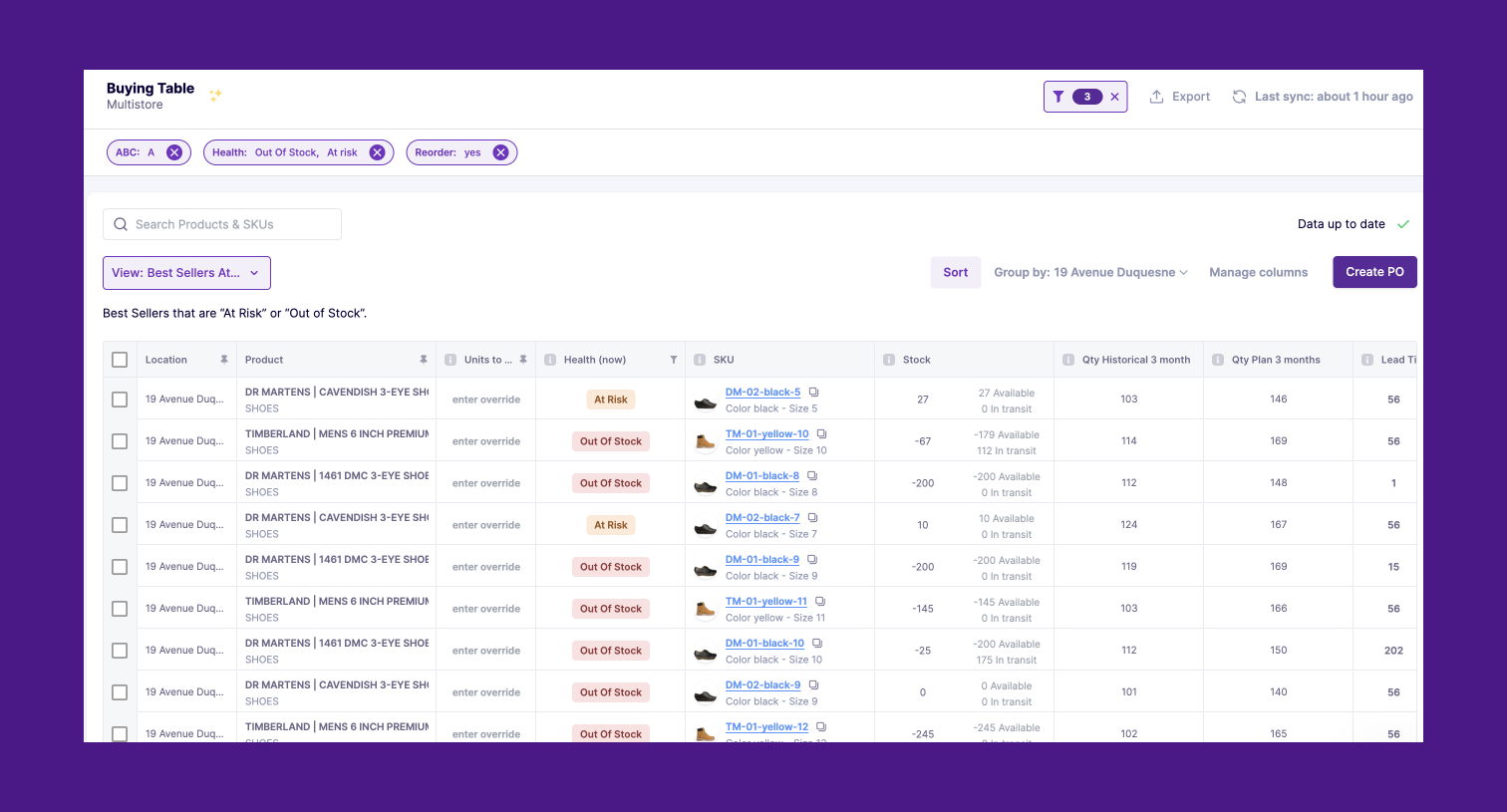
Prediko enhances demand planning process by leveraging its advanced data analytics and machine learning capabilities. The platform integrates various data sources, including historical sales, market trends, and external factors, to produce precise demand forecasts. Prediko's AI goes beyond traditional methods by continuously learning and adapting to new data, ensuring that demand plans are always aligned with current market conditions.

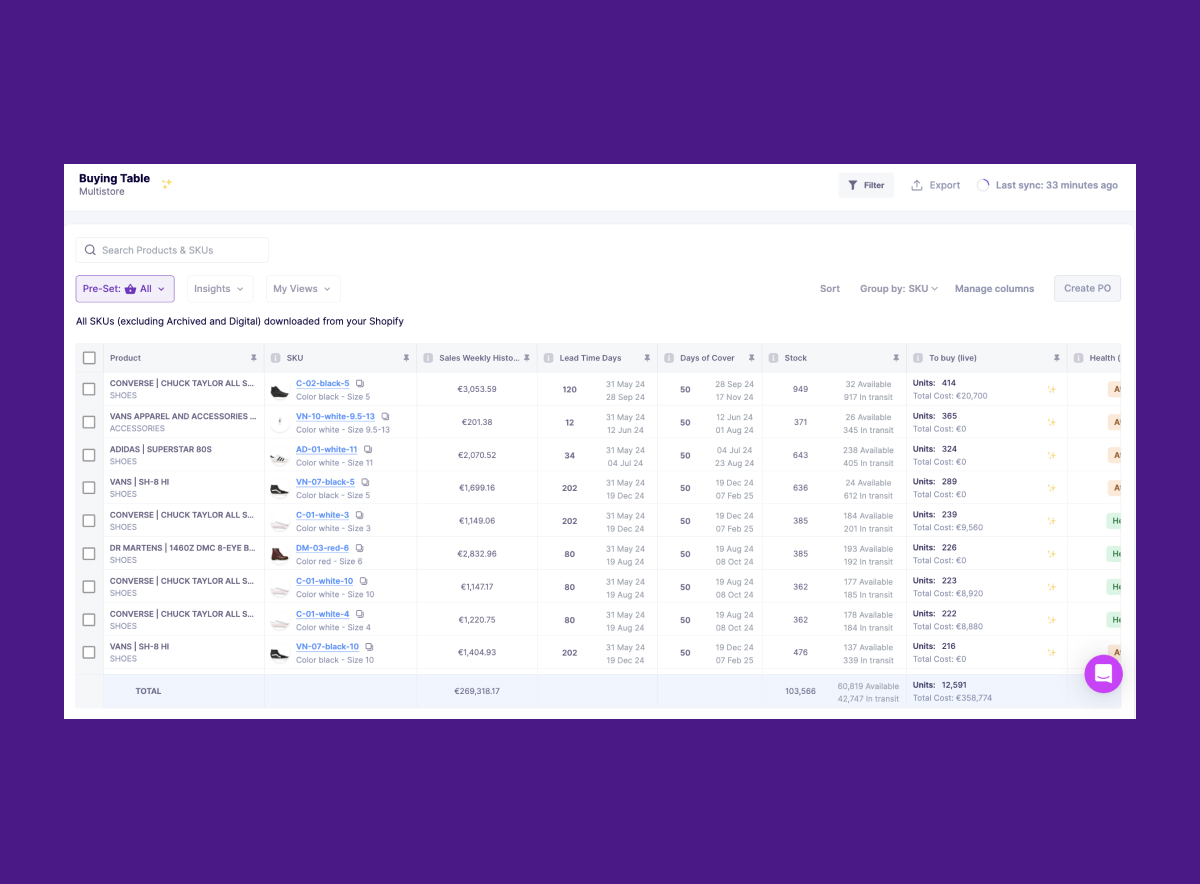
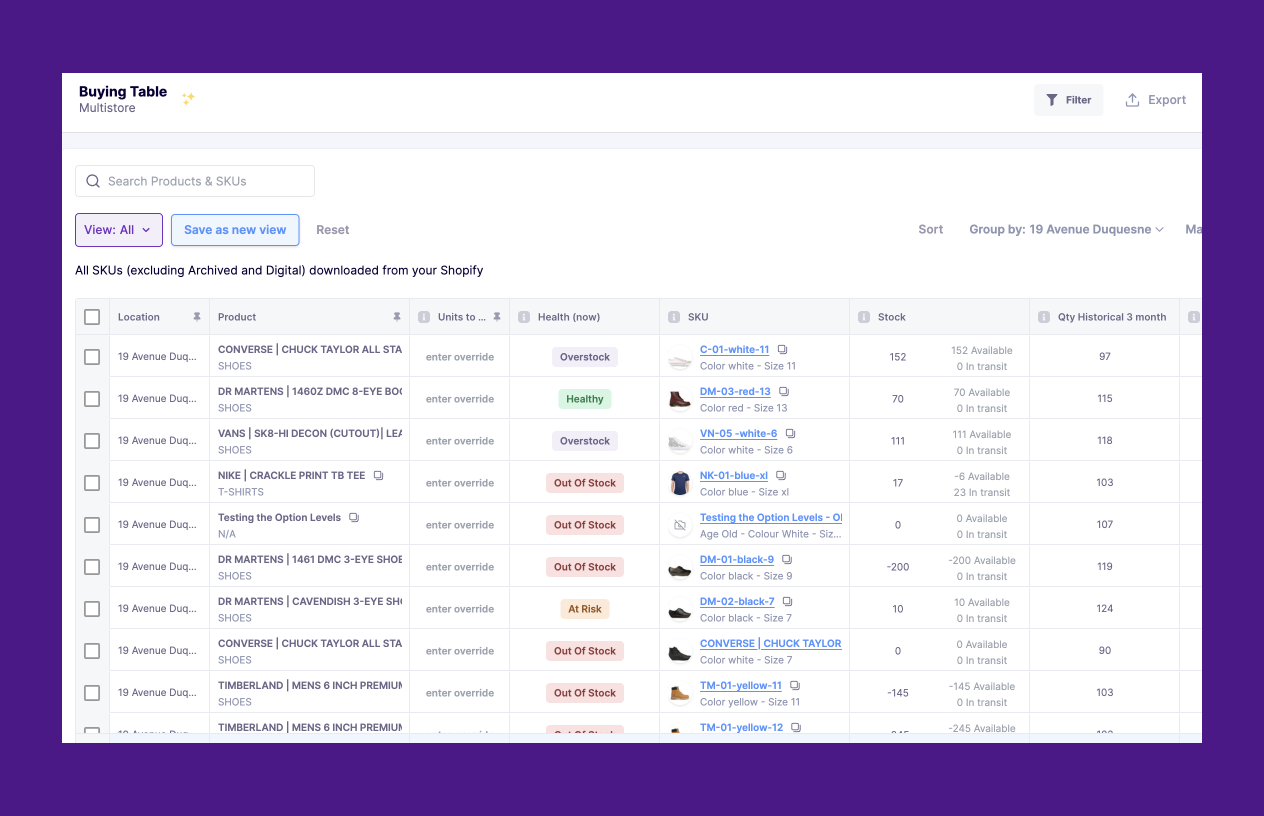
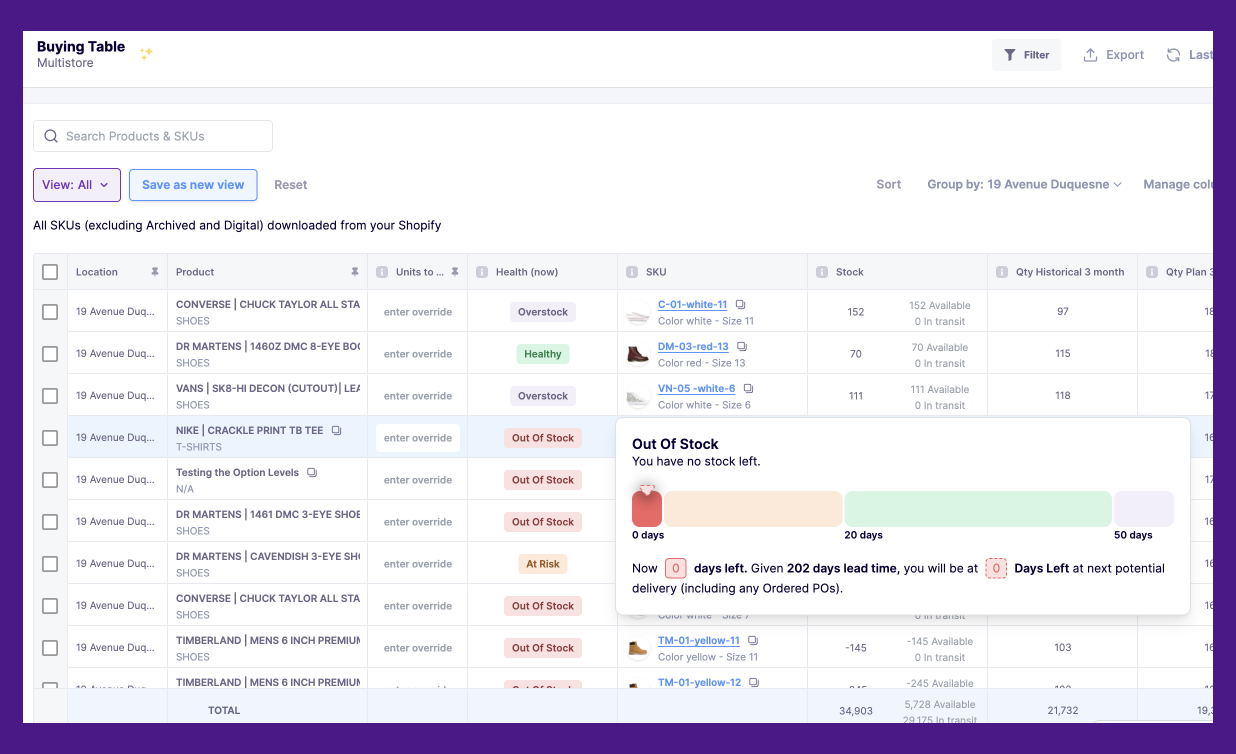
buying table demand planning

Purchase Order Management

Purchase Order management is an important function in retail operations that involves creation, tracking, and management of purchase orders from suppliers. In the apparel industry, where inventory needs fluctuate rapidly due to changing trends and seasonal demands, efficient purchase order management is essential.

Prediko's Advantage

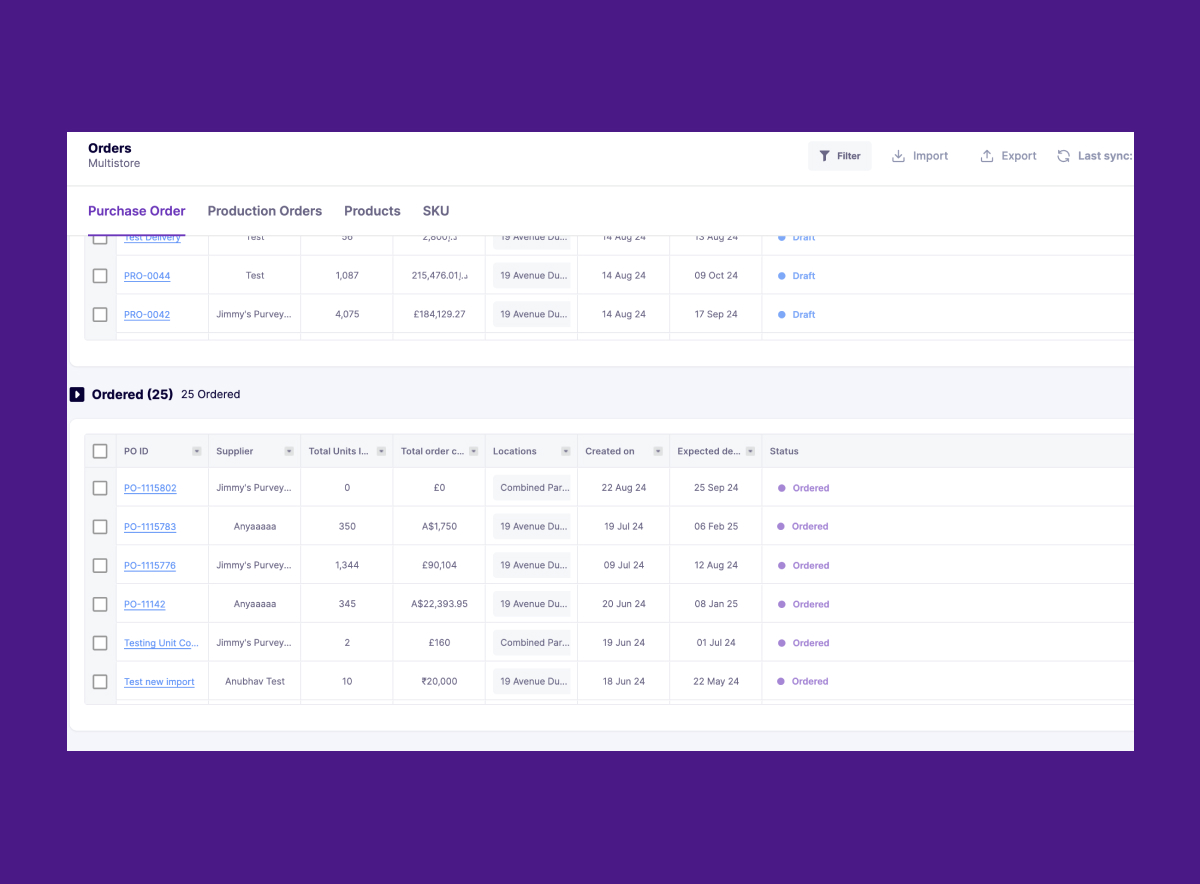
Prediko's approach to purchase order management is by integrating advanced analytics and automation into the process. The app provides real-time insights into inventory levels and sales trends, enabling retailers to make informed decisions about when and what to order. Prediko’s system automates many aspects of purchase order creation, reducing risk of errors and saving valuable time.

purchase order management

Raw Materials Management

Raw materials management is fundamental aspect of the supply chain in the apparel industry. It involves efficient procurement, storage, and utilization of raw materials, such as fabrics, threads, and other essential components required for manufacturing apparel. Effective raw materials management ensures that production processes are not disrupted due to material shortages or delays.

Prediko's Advantage

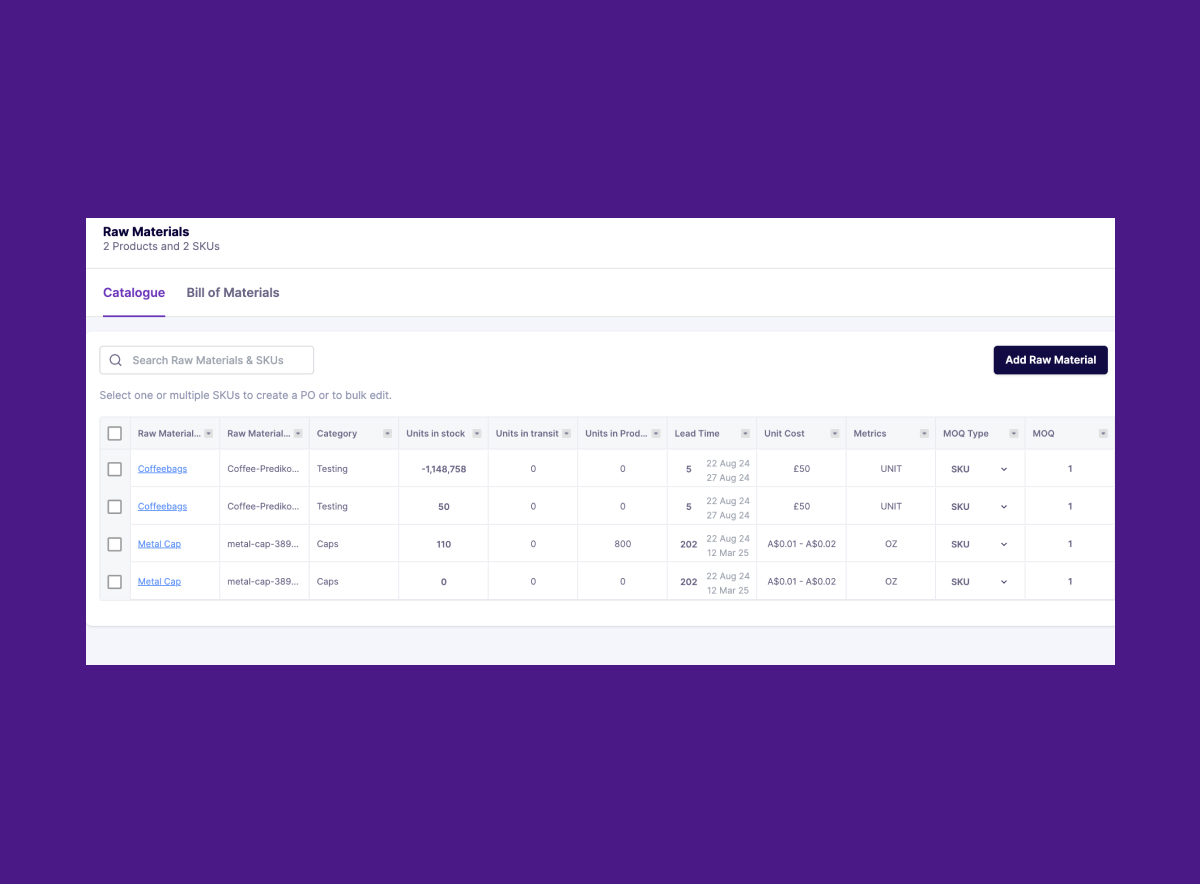
Prediko offers a comprehensive solution for managing raw materials in the apparel industry. With the ability to create and maintain a detailed raw materials catalogue, Prediko provides retailers and manufacturers with tools needed to manage their inventory effectively.
This app emphasizes real-time tracking of material levels and usage rates, ensuring that businesses have up-to-date insights into their stock. We have also covered the list of the best raw materials management apps.

raw materials management

Best Apparel Inventory Management Tools

The current Shopify ecosystem offers multiple apparel inventory management tools, each with its unique features and capabilities. These tools significantly enhance the efficiency and accuracy of inventory management in apparel retail space.

1. Prediko

4.9 ⭐ (250+ Reviews on Shopify Store)

Prediko combines AI-powered inventory forecasting, planning, and purchase order management into one easy-to-use app. Say goodbye to spreadsheets and save up to 3 hours each day with real-time syncing to Shopify.

‍

Stay ahead with automated inventory alerts and stock health indicators, so you can quickly create data-driven purchase orders and avoid running out of stock or overstocking.

Pros

1. AI Sales Forecasting: Easily plan demand for SKUs and products, ensuring you always have the right inventory levels.
2. Proactive Inventory Planning: Stay ahead of stock issues with out-of-stock alerts and a smart buying planner that helps you make informed purchasing decisions.
3. Efficient PO Management: Simplify your purchasing process by creating, tracking, and bulk-editing purchase orders with ease.
4. Detailed Inventory Reports: Generate accurate, customizable inventory reports in CSV or PDF format, with over 100 filters for precise data insights.
5. Bill of Materials Management: Streamline production by creating BOMs and ordering components directly for your finished goods.
6. Starts at just $49/month — budget-friendly for small and growing Shopify brands.

Pricing

Our pricing scales with revenue of our customers. Our plans start from $49/month.

A quick demo of Prediko 👇


2. Magestore

Magestore offers inventory management app tailored for the apparel sector. It provides features such as multi-warehouse management, stock transfer, and demand forecasting. Magestore's user-friendly UI and robust reporting capabilities makes it a popular choice among apparel retailers.

Pros

  1. Wide range of extensions: Offers collection of magento extensions tailored for various eCommerce needs, including inventory management, SEO, and customer engagement.
  2. Customization: Customization for Magento stores, allowing businesses to enhance their online store's functionality.
  3. Integration: Integrates with Magento, making it a natural choice for Magento-based stores looking to extend their functionality

Cons

  1. Magento Dependency: Mage Store extensions are specifically designed for Magento, so they are not useful for businesses using other e-commerce platforms.
  2. Complex Setup: Some extensions may require technical expertise to install and configure, which could be challenging for users without a development background.
  3. Cost Accumulation: While individual extensions might seem affordable, the cost can add up quickly if you need multiple extensions or ongoing updates

Pricing

Magestore has flexibile POS pricing and it depends upon the number of stores.

3. Lightspeed

Lightspeed retail is cloud-based inventory management tool that offers range of features including stock ordering, inventory tracking, and sales reporting. Particularly beneficial for apparel retailers due to its size matrix feature, that simplify management of apparel items of different sizes and colors.
Furthermore, Lightspeed Retail's integration capabilities with eCommerce platforms make it a versatile tool for omnichannel retailers.

Pros

  1. Cloud-based: Accessible from anywhere with internet connection, allowing for real-time updates & management
  2. Omnichannel capabilities: Integrates in-store and online sales channels, providing seamless experience across both.
  3. Integrations: Works well with various e-commerce platforms, accounting software, and other business tool

Cons

  1. Learning Curve: While user-friendly, the system has a learning curve, particularly for users who are not tech-savvy.
  2. Limited Customization: Some users find that the customization options for reports and workflows are limited compared to other POS systems.

Pricing

Basic plan starts at $69 per month for one register.

4. Fishbowl

Fishbowl is inventory management app that integrates with QuickBooks, making it ideal choice for retailers seeking to streamline their inventory and accounting processes. It offers features such as barcode scanning, order management, and advanced reporting.

Pros

  1. QuickBooks Integration: Integrates with QuickBooks, making it a powerful choice for businesses already using QuickBooks for accounting.
  2. Advanced Inventory Management: Handles complex inventory needs, including multi-location management, barcode scanning, and order management.
  3. Manufacturing Capabilities: Offers robust features for manufacturing businesses, including work orders, bill of materials, and inventory tracking through the production process.

Cons

  1. High upfront cost: The initial cost of purchasing Fishbowl can be prohibitive for small businesses, especially when considering the need for multiple user licenses.
  2. User Interface Some users find the interface outdated and not as intuitive compared to more modern software solutions.
  3. QuickBooks dependence: While integration with QuickBooks is strength, it also means that businesses not using QuickBooks may not get as much value out of Fishbowl.

Pricing

Available on their website.

5. Zoho

Zoho Inventory is cloud-based inventory management tool that offers features such as multi-channel selling, order fulfilment, and inventory control. It's cloud-based nature facilitates remote access, making it a flexible solution for businesses with multiple locations.
Zoho Inventory's robust integration capabilities with various eCommerce platforms and shipping carriers make it a comprehensive solution for managing inventory in the apparel retail sector.

Pros

  1. User-friendly interface: Easy to navigate, making it accessible even for users with little technical knowledge.
  2. Multi-channel sales management: Manages inventory and sales across multiple platforms like Amazon, eBay, Shopify, and Etsy.
  3. Automation: Automates many routine tasks, such as order fulfilment and stock updates, saving time and reducing error.

Cons

  1. Limited advanced features: While Zoho Inventory is robust for small to medium businesses, it lacks some advanced features needed by larger enterprises or businesses with very complex inventory needs.
  2. User limitations: The number of users and orders in the lower-tier plans might be restrictive for growing businesses, forcing them to upgrade to more expensive plans.
  3. Integration issues: While it integrates well with other Zoho products, integrating Zoho Inventory with non-Zoho third-party apps is sometimes be challenging or limited.

Pricing

$79 per organization per month, which includes 1,500 orders per month and two users.

Learn about Shopify Inventory Forecasting for Fashion & Apparel Brand

Choose the Right Apparel Inventory Management Software

Inventory needs in the apparel industry are different for different types of brands.

A fast-fashion brand launching new SKUs weekly operates very differently from a luxury label managing small-batch, high-value pieces.

That’s why choosing the right software starts with understanding your business model and operational needs.

For fast fashion brands

Speed & agility define fast fashion. You’re turning trends into sellable stock in weeks, not months, so the inventory system must

  • Automate reorder alerts & replenishment workflows
  • Handle large SKU counts efficiently
  • Enable real-time data visibility across sales channels
  • Offer strong demand forecasting to reduce overproduction
  • Track performance by SKU category

Prediko, for example, is a good fit here. Its AI-powered demand forecasting, multi-store visibility, & quick PO workflows make it ideal for brands dealing with rapid stock turnover.

For Luxury Apparel Brands

Luxury fashion is about precision, not speed. Collections are released in seasons, each SKU carries high value, and the cost of inventory errors is much higher.

Your software should focus on:

  • SKU-level visibility for precise reordering
  • Forecasting that accounts for seasonality, exclusivity, and smaller sales volumes
  • Integration with production needs and supplier lead times
  • Analytics to track sell-through, profit margin, and slow movers

Luxury brands benefit from a planning-first inventory platform; one that connects forecasting with purchasing, lets you manage raw materials (if needed), and provides deep insights without overwhelming you with excess features.

Prediko works for luxury too, thanks to its accurate demand planning, reorder alerts, built-in raw material forecasting and tracking, and customizable reports.

Common problems fixed by the right apparel inventory management tool

Two immediate issues that are fixed by having the right apparel inventory management tool:

1. Preventing excess inventory and reducing carrying costs.
2. Reducing stockouts and overstocks.

1. Preventing excess inventory and reducing costs

Excess inventory leads to increased costs and potential losses due to obsolescence. Therefore, it is crucial to accurately forecast demand and align it with your inventory levels.

The right apparel inventory management tool aids in this process by providing real-time inventory data and predictive analytics. This allows for more accurate demand forecasting and inventory planning.

By preventing excess inventory, you can reduce carrying costs, improve cash flow, and minimize waste due to unsold products.

2. Reducing stockouts and overstocks

Stockouts and overstocks both negatively impact your business. Stockouts lead to lost sales and customer dissatisfaction, while overstocks can result in increased carrying costs and waste.

An inventory management tool helps in preventing these issues by providing real-time inventory tracking and automatic reordering. This ensures that you always have the right amount of stock on hand to meet customer demand.

In addition, apparel inventory management tools provide insights into sales trends and seasonal fluctuations, allowing you to adjust your inventory levels accordingly. This significantly reduces the occurrence of stockouts and overstocks, leading to improved profitability and customer satisfaction.

The success of an apparel retail business lies in the selection of the right apparel inventory management tool and the right data-driven strategy. As the apparel retail landscape continues to evolve, businesses must adopt the best apparel inventory management practices to stay competitive.

Also learn about the list of the top fashion clothing stores on Shopify in 2025.

‍

5 min
Nov 18, 2026

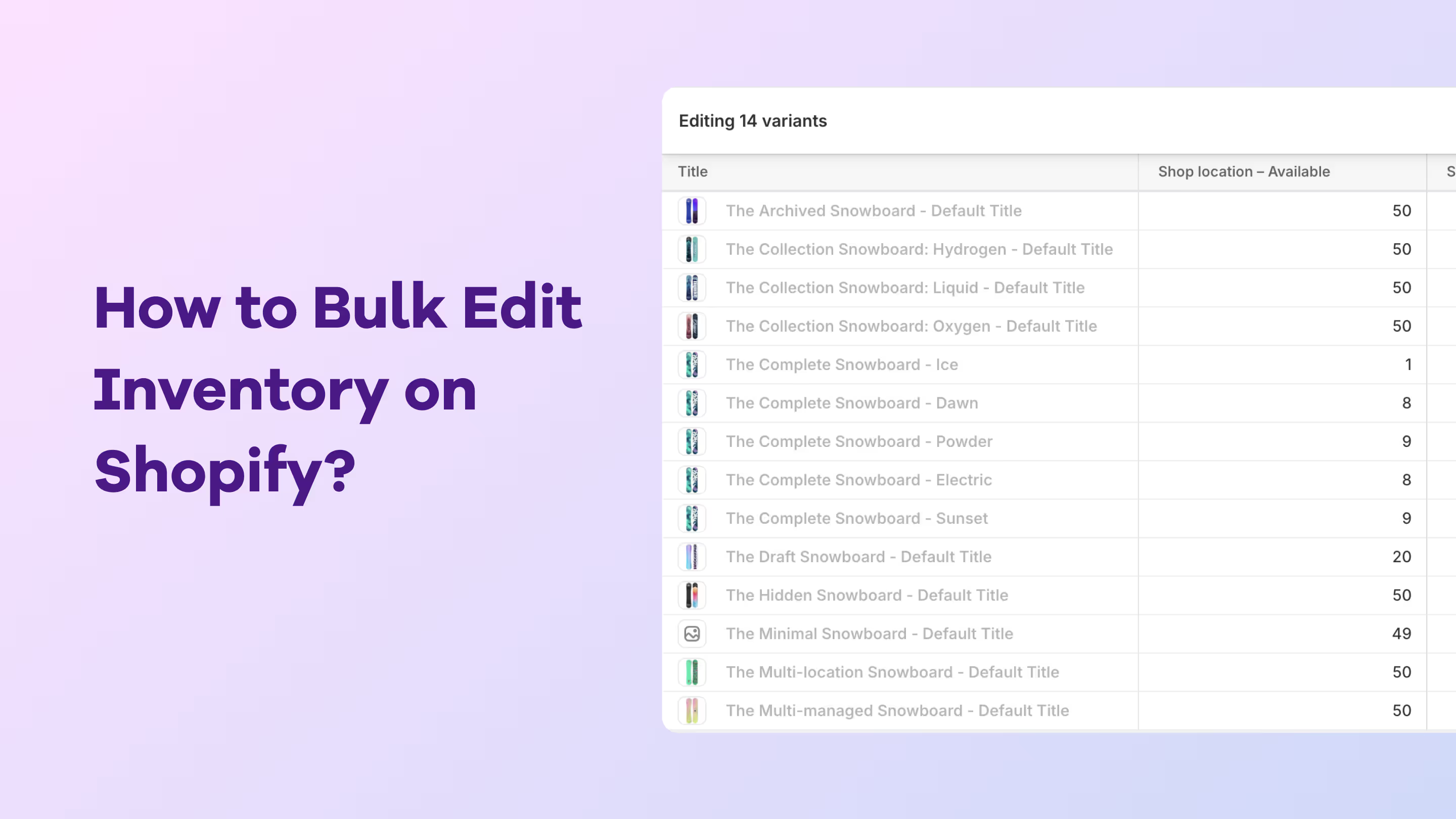
How to Bulk Edit Inventory on Shopify Quickly?

Bulk editing inventory on Shopify speeds up updates to stock quantities, prices and product attributes with Shopify’s spreadsheet‑style editor or third‑party tools like Prediko, Ablestar and Matrixify, reducing manual errors and improving store efficiency.

Read Blog

Did you know that 46% of small businesses struggle with managing inventory quantities, often causing stockouts or overstocking? For Shopify store owners, learning “how to bulk edit inventory on Shopify” is crucial to maintaining accurate product inventory and meeting customer expectations seamlessly.

Using Shopify’s built-in bulk editor or advanced third-party tools, you can streamline the process to bulk edit inventory. This means you can adjust quantities, update prices, and manage multiple products (all in one go) without wasting hours.

“Say goodbye” to boring manual updates and discover how to optimize your Shopify store efficiently.

Why Bulk Editing is Essential for Shopify Store Owners

Managing inventory quantities manually can be time-consuming and frustrating, especially for stores with multiple variants and products. Manual updates often lead to errors (like incorrect stock levels), affecting customer satisfaction and sales.

By leveraging bulk editing, Shopify store owners can streamline their workflow, reduce errors, and ensure consistency across their product inventory.

For businesses managing inventory across multiple locations, understanding how to bulk edit inventory on Shopify allows for swift updates and adjustments, keeping operations efficient and hassle-free.

With the ability to edit inventory tracking, update stock levels, and manage attributes for multiple products, bulk editing ensures that your store stays organized and scalable. It’s a game-changer for anyone looking to grow their Shopify store “efficiently.”

Case Study: How Kimaï saves 10 hours/week on Inventory management

Before implementing bulk editing tools, Kimaï's team spent hours manually updating inventory across multiple SKUs. By adopting efficient bulk editing practices through Prediko, they now save 10 hours per week on inventory management while maintaining higher accuracy in their stock levels.

Built-in Bulk Editing Features in Shopify

Shopify provides a “spreadsheet-like interface” for bulk editing, making inventory management faster and easier. Knowing how to bulk edit inventory Shopify for businesses handling multiple locations ensures quick and efficient updates, enabling seamless operations and better inventory management.

Here’s how you can use it effectively.

How to Access Shopify’s Bulk Editor

  1. Go to your Shopify admin dashboard.
  2. Navigate to Products and select the items you want to edit.
  3. Click on More Actions, then select Bulk Edit.
  4. Use the dropdown menu or checkboxes to customize which fields you want to edit (e.g., quantity, price, or location).
  5. After making changes, click Save to apply updates.

Key Features of Shopify’s Bulk Editor

  • Customizable Columns: You can add or remove columns based on the fields you need to edit (e.g., inventory quantities, prices, or tags).
  • Filters for Specific Products: Narrow your list to target products with specific attributes or at a single location.
  • Error-Free Adjustments: Shopify automatically checks for conflicts or missing data, ensuring your product inventory stays accurate.

This built-in tool allows managing stock for multiple locations, reducing manual effort while maintaining consistency across your store.

Step-by-Step Guide to Bulk Editing Inventory in Shopify

Shopify’s bulk editor simplifies managing inventory quantities, especially for stores with multiple locations or complex product inventory setups. Here is a step-by-step guide.

Step 1: Access Your Shopify Admin Dashboard

Shopify Admin

Log in to your Shopify store and head to the Products section. This is where all your product inventory is listed. Use filters to focus on specific locations or products that need adjustments.

Step 2: Select Products for Bulk Editing

Click on the checkboxes next to the products you want to edit. (Don’t worry—you can select multiple products at once.) After selecting, click More Actions, then choose Bulk Edit.

Step 3: Customize Your Bulk Editor View

Once in the spreadsheet-like interface, you can personalize the editor by going to Columns and selecting data like inventory quantities, prices, or SKUs to work only with what is necessary.

Step 4: Make Your Edits

  • Adjust inventory quantities directly in the cells by typing the new stock levels.
  • Use the dropdown menu to change product status (e.g., “Active” or “Draft”).
  • For products with multiple variants, ensure that each variant is updated accurately.
  • Manage stock for a specific location or a single location if your store operates in different regions.

Step 5: Save Your Changes

Save those changes to your store. This ensures that all edits are sent through and will be visible at every location and in every product listing within Shopify.

Tips for Ensuring Accuracy and Avoiding Common Mistakes

Bulk editing can save time, but errors during the process might lead to discrepancies in your product inventory. Here are some essential tips to ensure accuracy and avoid common pitfalls:

  • Backup Your Data First: Always export your inventory quantities into a CSV file before starting bulk edits.
  • Verify Fields Before Editing: Customize your spreadsheet-like interface by selecting only the fields you need, such as inventory tracking, prices, or stock levels.
  • Review Changes Before Saving: After making edits, go through them carefully. Ensure the updates reflect the accurate quantities or attributes you want to apply.
  • Use Descriptive Tags or Notes: Add tags or notes to products you’ve edited (if applicable). This helps you track changes and identify updates easily later.

These tips will help you maintain accuracy and streamline your bulk editing process, ensuring your inventory quantities and product data are always reliable.

When and Why to Use Third-Party Bulk Editing Tools

Shopify’s built-in bulk editor is a robust tool, but it has limitations that may not suit every store owner’s needs.

For example, the native editor might lack advanced features like automation, detailed filtering, or the ability to edit custom fields. This is where third-party bulk editing tools shine.

When Should You Use Third-Party Apps?

  • Managing Large Catalogs: If your store has thousands of products or frequent updates, these tools can handle bulk edits more efficiently than Shopify’s native features.
  • Frequent Seasonal Updates: Third-party apps save time by automating updates for stores running promotions or seasonal inventory changes.
  • Editing Beyond Basic Fields: When you need to update custom attributes or advanced product details, these apps provide the necessary flexibility.

Why Consider Third-Party Tools?

  1. Automation Capabilities: With third-party solutions, you can automate repetitive tasks like updating prices for seasonal sales or adjusting stock levels across multiple SKUs.
  2. Improved Efficiency: For stores with large catalogs, third-party tools can handle thousands of edits at once without slowing down your operations.
  3. Cross-Platform Integrations: Some tools integrate with other platforms, enabling seamless updates across marketplaces such as Amazon, eBay and Shopify.
  4. Ease of Use for Complex Edits: If you manage a diverse range of products with multiple attributes, third-party apps provide more precise control over bulk editing.

Popular Shopify Apps for Bulk Editing

👉 No.1 Prediko's AI Inventory Management App

Prediko goes beyond traditional inventory management by offering advanced bulk editing features through its Buying Table.

This central hub allows you to:

  • Review and Edit SKUs in Bulk: Use the Bulk bar to update parameters like supplier details, lead times, and reorder settings for multiple SKUs.
  • Update Stock Levels: Simplify your inventory management by updating stock levels for multiple SKUs at once.
  • Streamline Ordering: Easily update and manage purchase orders in bulk, saving time and ensuring your inventory processes remain seamless and efficient.
  • Customizable Views: Tailor your view by selecting and rearranging columns to focus on relevant data.
  • Bulk Import Raw Materials: Quickly import raw materials in bulk for efficient and seamless inventory management.

Pricing: Plans starts from $49 /month.

2. Ablestar Bulk Product Editor

  • Ideal for mass edits, including prices, descriptions, and tags
  • Features a scheduling option for edits

Pricing: Free plan is available. Premium options start at $30/month.

3. Matrixify (Excelify)

  • Offers advanced CSV import/export features for large catalogs
  • Perfect for bulk updating product data, collections, and even customer records
  • Pricing: Starts at $20/month

By leveraging third party software, you can overcome Shopify’s limitations and further streamline your bulk editing process.

4. StoreRobo Import Export App

  • Bulk update inventory, variants, and product data using CSV or Excel files
  • Schedule recurring imports from a Google Sheets URL, a hosted file, or an FTP/SFTP server so stock levels stay in sync without manual work
  • Export products filtered by stock status to get a quick list of out of stock items to restock.
  • Import supplier CSVs without reformatting them. AI field mapping matches the columns to Shopify fields.
  • Run a test import (dry run mode) to catch errors before touching live stock data

Pricing:

‍StoreRobo shopify app has a free plan. Paid plans with Basic at $10/month, Pro at $20/month, and Enterprise at $100/month, and annual billing gives you two months free.

Advanced Use Cases for Bulk Editing

Bulk editing can be a game-changer for more than just inventory quantities. Here are some advanced use cases to streamline your Shopify store operations:

Managing Seasonal Inventory Changes

  • Quickly update stock levels, prices, and product descriptions for seasonal sales.
  • Apply seasonal tags to products, like the “Winter Collection,” for better discoverability.

Bulk Editing Tags and Categories

  • Add or remove product tags to improve navigation and searchability.
  • Assign products to new categories or collections in bulk for easier management.

Updating Prices across Variants and SKUs

  • Adjust pricing for multiple SKUs and variants in one go.
  • Apply promotional pricing quickly for sales or special offers.

Editing Descriptions and Images

  • Update descriptions or images across products for consistency.
  • Ensure uniformity in product listings to maintain brand integrity.

New Product Launches

  • Add tags like “New Arrival” to highlight new products.
  • Pre-schedule updates for availability and pricing during a product launch.

These advanced uses of bulk editing simplify complex tasks and ensure your Shopify store stays organized and efficient.

Best Practices for Bulk Editing Inventory

Although the bulk edit feature is beneficial, best practices ensure that benefits are achieved without risking error and inefficiency. The following are some essential tips to use while managing your bulk inventory.

1. Backup Your Data

Before making any bulk edits, always back up our product data by exporting it to a CSV file. This ensures you have a restore point in case anything goes wrong. (It’s your safety net.)

2. Use Filters to Target Specific Product Categories

Filters are your best friend while doing bulk editing on the inventory. Use filters to select only groups of products, for instance, those that have low stock or products needing an update in price. This will ensure focused edits and avoid unwanted changes.

3. Review Changes Before Saving

After making all the changes, take a little time to look over all your changes to ensure everything looks correct when editing inventory quantities or prices since mistakes in these fields may have a significant impact on how your store performs.

4. Test on Small Batches First

To check for major updates, start testing it on a small batch of products first. You might have to catch some errors there before making changes to the whole catalog.

5. Stay Consistent Across Locations

If you are in several places. You should reflect this in all updates. You update the price to ensure it reflects the right price at each place so the customer does not get confused.

6. Avoid Overlapping Edits

If multiple people are working on bulk edits, ensure there is no overlap in the changes. Work in a coordinated manner to avoid conflicts or accidental changes to the same product data.

By following these best practices, you’ll maintain accuracy, save time, and avoid costly mistakes during bulk inventory updates.

Comparison of Best Third-Party Bulk Editing Tools for Shopify

Feature Ablestar Bulk Product Editor Prediko
Editing Scope Multiple products & variants Prices, inventory, product data Product parameters
User Interface Simple, intuitive Spreadsheet-style interface Clean, intuitive, centralized hub
Advanced Features Scheduled edits, bulk variants Bulk updates for products, prices Lead time editing, multi-supplier management
Automation Fully integrated Fully integrated Fully integrated with real-time updates
Integration with Shopify No Yes (CSV-based) Yes (via settings wheel and bulk bar)
Bulk Import/Export No Yes Yes

To bulk edit inventory on Shopify, go to Products > Inventory, select items, and use the bulk editor or CSV upload.

Learn with these step-by-step instructions, built-in and third-party app methods in this guide.

Why Bulk Editing is a Game-Changer for Your Shopify Store

The ability to do bulk editing is very precious for Shopify store owners as it saves time and minimizes the chances of errors, which helps keep the inventory up to date. You can quickly change the inventory quantities, product attributes, and many other features using Shopify's bulk editor from one central dashboard.

Shopify apps are very helpful for store owners working with larger inventories or complicated workflows, offering more flexibility and advanced features to run smoothly in multiple locations.

5 min
Nov 18, 2026

8 Best Shopify Back-in-Stock Apps: Features, Pricing and More

Do you want to stop losing sales when products sell out? Get all details about the 8 best Shopify back-in-stock apps to help you alert customers.

‍

Read Blog

Stockouts are a lose lose situation. On one hand, customers feel frustrated and abandon their carts. On the other, you lose out on sales and, at times, even your loyal customers.

As much as stores aim to maintain stock, unexpected customer demand can lead to these out-of-stock situations. But let us tell you, there’s a way to recover these lost sales: Back-in-stock alerts. 

Back-in-stock alerts are notifications sent to customers when a previously out-of-stock product becomes available again. This allows them to act quickly and make the purchase before the item sells out again, helping retain interest in the product and recover lost sales.

We will give you a thorough review of the top 8 back-in-stock apps, cover the best practices for setting up such alerts, and how Prediko's features help you avoid stock out and send inventory alerts on time.

What Is A Back-In-Stock App And Why Do You Need One?

A back-in-stock app notifies customers when their desired but out-of-stock products become available again. The notifications prompt them to return to the store and make the purchase. 

Back-in-stock alerts can be sent via email, SMS, or push notifications, depending on the customer’s preference.

For Shopify eCommerce stores, this tool is invaluable as it offers benefits that go beyond recapturing lost sales due to stock outs:

  • Minimize customers’ frustration associated with stock outs and keep them engaged 
  • Drive traffic back to your store, increasing chances for additional sales beyond just the restocked item
  • Forecast demand better based on how many customers sign up for alerts of specific products and optimize stock levels accordingly 
  • Build a loyal customer on the basis of proactive communication and show that your business values customers’ preferences.

We narrowed down this list of the top Shopify back-in-stock apps according to user reviews.

Top 8 Shopify Back-in-stock Apps

Searching for "back-in-stock apps" on the Shopify app store brings up a whopping 68 pages of options. That's a lot to go through.  

So, how do you know which one is right for your store? We’ll cover the features, ratings, ideal use cases, pricing, and potential limitations of the top 8 back-in-stock Shopify apps.

No. 1 👉 Prediko's Back in Stock & Inventory Management App


Prediko isn’t just a back-in-stock solution—it’s a comprehensive inventory forecasting and planning tool designed to keep your best-sellers in stock and your customers happy. 

For Shopify store owners, staying ahead of demand is more than just having products on the shelf—it’s about knowing precisely when and how much to restock to keep customers coming back.

Prediko’s advanced inventory forecasting and planning features let you do just that, ensuring your best-sellers never miss a beat.

Key Features

Demand-Driven Inventory Forecasting: Prediko’s AI forecasting accurately predicts sales trends over the next 12 months, including seasonal peaks. 

Comprehensive Out-of-Stock Insights: Prediko’s Buying Table goes beyond basic tracking. With detailed metrics like days out of stock, sales lost due to stockouts, and out-of-stock days across the year, you can identify and restock high-demand products to keep sales flowing.

Stock Health Monitoring: With real-time inventory health checks, you’ll get instant insights into which items are at risk of running out, helping you respond before customers experience an out-of-stock situation.

Automated Reorder Alerts: Don’t wait for products to sell out. Prediko sends timely reorder alerts so you can restock critical items ahead of time, maintaining consistent availability for your customers.

One-Click Purchase Orders: Easily generate purchase orders with recommendations tailored to stock cover levels, lead time, and demand patterns, keeping inventory optimized while preventing overstock.

Pricing

Our pricing scales with revenue of our customers. Our plans start from $49/month. Explore pricing

2. Stoq

Stoq (Restock Rocket) is an app built to help Shopify merchants manage both preorders and back-in-stock alerts. Their “Preorder” and “Notify Me” widgets that can be added to any store page. The tool supports multilingual alerts via email and SMS, helping you reach a global audience. 
‍

stoqshopifyapp

Key features

  • ‘Customisable Preorder’ or ‘Notify me’ widget for out-of-stock products on any page
  • Multi-lingual back-in-stock email/SMS alerts 
  • Customizations for preorder button and restock alerts 
  • Ideal for merchants who prefer quick setup, ease of use, and reliable customer support 

Limitations

  • Some issues with things not displaying properly due to store themes 
  • isn't compatible with FB/Instagram markets

Pricing: 

The Lite plan is priced at $10/month, the Standard plan at $29/month, and the Pro plan at $69/month. All paid plans have additional charges for SMS and preorders beyond their limits. Stoq also offers a free plan for limited usage.

3. Notify Me!

Notify Me is a Shopify app designed to do more than just send back-in-stock alerts. It also offers a "Preorder" widget, giving Shopify stores an edge in managing out-of-stock items. The app supports back-order discounts and pre-orders with customizable options like partial payments and personalized notes, giving you the flexibility to keep customers engaged. 

notifymeapp

‍

Key features

  • “Notify me" or “Pre-order” widget on the product, home, and collection pages
  • Show low remaining inventory with a live "only left" 
  • Automatic notifications via email, SMS, and push 
  • Preorder logic with custom discounts and partial payments 
  • Ideal for stores that prioritize pre order workflows

Limitations

  • Users have found transaction fees to be non-transparent and high
  • Limited functionality for multi-SKU store environments
  • Certain industries, such as CBD, are not serviceable

Pricing: 

Notify Me! offers a free Lite plan, with paid Essentials plan starting at $19.90/month. The Pro plan is priced at $39.90/month, while the Premium plan will cost you $69.90/month.

4. Alert Me!

Alert Me is an ROI-focused back-in-stock Shopify app that helps you track revenue from restock alerts and identify your most in-demand products. With easy-to-use sign-up forms on product and collection pages, shoppers can request an unlimited number of alerts.  

Key features

  • forms for shoppers to sign up for restock alerts 
  • Customize both buttons and alerts including changing color, backgrounds, etc to match your brand 
  • Easily track revenue that came in from the restock alerts 
  • Ideal for store owners who prioritize keeping track of the ROI of their restock alerts

Potential limitations

  • Delayed responses from the support team 
  • Fewer design customizations for different elements like buttons and emails 

Pricing:

It offers the ‘Growth Plan’ for $9.99/month and the ‘Pro Plan’ for $29.99/month, along with a free plan for limited notifications.

5. Swym

Swym is another back-in-stock Shopify app that lets you set up a "Notify me" button in just a few minutes. It uses AI to recommend back-in-stock messages which can be sent through SMS and email. The app also integrates with Facebook and Instagram to send alerts. 

Key features

  • Integrates with Shopify themes in any language 
  • Automatic back-in-stock, coming soon alerts via email and SMS 
  • Fully customize the restock alert sign-up form and decide when to show it 
  • Ideal for companies that want to send back-in-stock alerts on Facebook and Instagram

Limitations

  • The product seems to be expensive compared to other options 
  • There are glitches, such as auto-sending hundreds of emails, even for out-of-stock products

Pricing:

The ‘Starter Plan’ is available at $19.99/month, with the Pro Plan at $59.99/month, and the Premium Plan at $99.99/month.

6. Hulk Restock Alerts 

Hulk is a back-in-stock Shopify app that allows you to send automated reminders to customers when their awaited items are back. With Hulk, easily access your entire inventory from the app itself, allowing for easy management of back-in-stock alerts.

‍

Key features

  • Automatic email and SMS restock alerts 
  • Set up notify button on product photos 
  • Access to full inventory from the app 
  • Ideal for eCommerce stores that prefer an affordable solution

Limitations

  • The app has some bugs, and the support team has been slow to resolve them
  • The admin dashboard can be sluggish at times

Pricing:

The app offers only one paid plan priced at $9.90/month, which includes unlimited restock alerts.

There is a global plan available for $299, granting access to over 24 Hulk apps, including restock alerts. Hulk also has a free development plan for users to test the app on development stores before launch.

7. Appikon

Appikon is a straightforward Shopify app that offers fully customizable back-in-stock sign-up forms and buttons. It works well with all the Shopify themes, allowing you to integrate the alerts into any store design.

The solution also offers analytics to track alert performance, helping you understand customer interest in specific items and evaluate the ROI of the alerts.

Key features

  • Back-in-stock alerts via email, SMS, and push notifications 
  • Create customizable and interactive storefronts for stockouts 
  • Track the alert performance in real-time
  • Ideal for store owners who need a straightforward app for back-in-stock alerts.

Limitations

  • Customer support can be difficult to reach 
  • The app is not user-friendly and flexible enough to accommodate the dynamic needs of Shopify stores 

Pricing 

The ‘Starter Plan’ is at $19.99/ month, with ‘Pro’ and ‘Premium’ plans at $29.99/month and $49.99/month respectively. They also have a free plan for 10 emails/month. 

8. KB Back In Stock Restock Alert

KB Back In Stock Shopify app is a perfect blend of affordability and functionality, making it an all-rounder tool to recover lost sales. 

It lets you share back-in-stock alerts through email and SMS. The app stands out from other tools by also offering price drop alerts and abandoned cart notifications. Moreover, it creates a waitlist for you to track product demand accurately. 
‍

Key features

  • Send automatic back-in-stock email and SMS alerts
  • Share price drop alerts to customers for on-sale products 

Limitations

  • Customizing the widget may require assistance from the support team
  • Uninstalling the app can be somewhat complicated

Pricing:

There are three affordable plans available—the Basic plan at $5/month, the Starter plan at $9/month, and the Pro plan at $19/month. They also offer a free plan with a generous usage limit.

Ideal for:

Small businesses and brands that frequently run sales or have promotional periods.

9. PreOrder Globo

PreOrder Globo specializes in managing pre-order sales along with back-in-stock notifications. This app allows merchants to set up pre-order buttons with options for partial payments or discounts, improving cash flow before products are available. 

PreOrder Globo integrates well with all Shopify themes, offering an easy setup process and flexible features to adapt to different business needs. 

Key features

  • Customizable back-in-stock email, SMS, and pop-up
  • Enable pre-order button for out of stock product/variant or any product/variant on Shopify
  • Set up the number of preorders and the date and time to start/end the preordering
  • Options for partial payment, automatic discount on pre-orders, and pre-order countdown

Limitations

  • Limited customizations for countdown timers
  • There are some issues with UX like re-adding the products after putting them up for preorders 

Pricing 

There are two paid plans available. The Lite plan is at $9.90/month and the Pro plan is at $19.90/month. PreOrder Globo also offers a free plan, which includes limited presale orders and restock email notifications.

Ideal for

Shopify stores looking to run pre-sales and capture early interest in new products.

Best Practices for Back-in-stock Alerts

Back-in-stock alerts are a powerful part of your inventory strategy to recover lost sales from stockouts. Follow these best practices to create conversion-ready back-in-stock alerts.

1. Use multiple channels

Different customers respond to different communication methods. Using multiple channels and reaching them on their preferred one to send back-in-stock alerts increases your reach and chances of conversion. 

Allow customers to choose how they receive alerts —via email, SMS, or push notifications. Klaviyo's out-of-stock email flows are great for creating and managing personalized, out-of-stock email alerts. 

If you have a mobile app, consider sending in-app push notifications for restocked items to reach users directly where they shop.  

Segment your audience based on their preferences and send alerts accordingly. Make sure each message is consistent across all channels but optimized for that specific format.  

2. Personalize the alerts

Personalized alerts capture customer attention more effectively. Use customer data to personalize back-in-stock alerts. Include their name in the message, attach the link to the exact item they were waiting for, and even include product-specific details. Personalized alerts make the experience feel relevant, increasing open rates and engagement.

3. Create a sense of urgency

Urgency encourages faster customer action. Letting customers know that the item is back in stock but could sell out again soon creates a fear of missing out (FOMO), which can lead to faster conversions.

Use phrases like “Limited stock available!” or “Only a few left!” to convey scarcity. You could also show real-time stock levels (e.g., "Only 5 left!"). If possible, include countdown timers in your alerts to indicate how long customers have before stock runs out. Also, highlight how many other customers are viewing the restocked item to encourage quick purchases. 

4. Include social proof

Showing that other customers are buying or loving the restocked product can build trust and encourage more sales. Including ratings, testimonials, user-generated content, or even showing how many people recently purchased the item can push hesitant customers to make a decision.

For example, “Back on popular demand—our best-selling moisturizer is now available!” or “Sarah from Germany bought this, a few minutes ago”. You may also mention how many people have signed up for alerts or how many units were sold recently (e.g., “Join 200 others on the waitlist!”).

5. Offer incentives

Incentives offer extra motivation to buy now rather than later. Small offers, like a limited-time discount or free shipping, make restocked items more appealing to consumers.

Add a limited-time offer to your back-in-stock alert, like “Get 10% off if you order today!” or “Free shipping on your restocked item for the next 24 hours!

You can also offer early access to restocked items for subscribers before announcing them publicly, creating a sense of exclusivity. Or bundle it with a complementary product and offer it at a discounted price. 

Reduce Stock outs And Improve Inventory Planning With Prediko 

While back-in-stock alerts can help you recapture lost sales, Prediko offers a proactive way to keep you away from stockouts altogether. 

Prediko’s AI-powered inventory management solution is designed to maintain adequate stock levels and ensure that your best-selling products are always available. Its features make it ideal for Shopify stores looking to strategically plan their inventory and avoid lost sales.

  • Real-time tracking: Centralize and track all your sales and inventory data in one place (multi-store, multi-warehouse, bundles, and subscriptions). 

Monitor your inventory retail to understand stock tied up in your Shopify store. Sync with Shopify sales data to compare actual revenue against planned revenue, adjusting your strategy as needed.

  • Automated inventory alerts: Receive daily and weekly email alerts on stock levels, highlighting products or SKUs that are in stockout or at risk.
    Get reminders to purchase the right quantity at the right time based on current stock levels. Prediko gives a Health check of each individual SKU or product in your product catalogue.
  • AI-assisted demand planning: Let AI algorithms analyze historical sales data (including seasonality) and forecast demand and revenue for the next 12 months. 

Edit the plan to accommodate any changes throughout the year. Use 100+ filters to drill down your plan at the SKU, category, or product level.

‍

  • Buying table: Get an intuitive Airtable interface that shows what to buy, when, and in what quantity. Access 90+ metrics like out-of-stock days in a year for an SKU, est. out-of-stock days based on current inventory, days since out of stock, etc within the Buying Table and make informed inventory decisions.
  • Purchase order recommendations: Get live purchase order recommendations based on stock cover levels. Generate purchase orders in a click based on stock cover levels, lead time, and sell-through rates.

We Are Jolies (WAJ), a French underwear brand, struggled with frequent stockouts as they expanded into new product categories. Using Prediko’s AI-driven forecasting and restocking alerts, WAJ successfully reduced stockouts by 60%, ensuring their best-sellers remained available and enhancing customer satisfaction.

Curious about how Prediko can work for you? See rest of our success stories.

Explore Articles

5 min
Nov 18, 2026

8 Best Shopify Back-in-Stock Apps: Features, Pricing and More

Do you want to stop losing sales when products sell out? Get all details about the 8 best Shopify back-in-stock apps to help you alert customers.

‍

Read Blog
5 min
Nov 18, 2026

8 Best Shopify Back-in-Stock Apps: Features, Pricing and More

Do you want to stop losing sales when products sell out? Get all details about the 8 best Shopify back-in-stock apps to help you alert customers.

‍

Read Blog
5 min
Nov 17, 2026

Inventory Aging: How to Track, Analyze & Improve It

  • Inventory aging shows how long products stay unsold, tying up cash and risking obsolescence. Track it with metrics like turnover and DIO. Reduce aging with better forecasting, audits, FIFO, and bundling. Prediko helps with real-time data and smart replenishment suggestions.
  • Read Blog
    5 min
    Nov 17, 2026

    Inventory Aging: How to Track, Analyze & Improve It

  • Inventory aging shows how long products stay unsold, tying up cash and risking obsolescence. Track it with metrics like turnover and DIO. Reduce aging with better forecasting, audits, FIFO, and bundling. Prediko helps with real-time data and smart replenishment suggestions.
  • Read Blog
    5 min
    Nov 16, 2026

    How Not to Run Out of Stock on Shopify

    Prevent stockouts on Shopify with advanced inventory tools. Learn how to use demand forecasting, automated alerts, and data insights.

    Read Blog
    5 min
    Nov 16, 2026

    How Not to Run Out of Stock on Shopify

    Prevent stockouts on Shopify with advanced inventory tools. Learn how to use demand forecasting, automated alerts, and data insights.

    Read Blog
    5 min
    Nov 16, 2026

    7 Best Omnichannel Inventory Management Software for Shopify [2026]

    Prediko (AI planning + raw materials), Brightpearl (retail automation), Linnworks (100+ channel integrations), Katana (manufacturing-focused), Cin7 (D2C/B2B support), SkuNexus (custom workflows), Flieber (channel-level forecasting).

    Read Blog
    5 min
    Nov 16, 2026

    Shopify Inventory Quantity: How It Works & How to Manage It

    A practical guide to Shopify inventory quantity, including tracking, updates, and best practices to prevent stock errors.

    Read Blog
    5 min
    Nov 16, 2026

    Shopify Inventory Quantity: How It Works & How to Manage It

    A practical guide to Shopify inventory quantity, including tracking, updates, and best practices to prevent stock errors.

    Read Blog
    5 min
    Nov 16, 2026

    Connected Inventory Shopify: What It Means and Why It Matters

    Learn how connected inventory in Shopify works, why it matters, and which tools help sync stock across stores, bundles, and locations in real time.

    Read Blog
    5 min
    Nov 16, 2026

    Connected Inventory Shopify: What It Means and Why It Matters

    Learn how connected inventory in Shopify works, why it matters, and which tools help sync stock across stores, bundles, and locations in real time.

    Read Blog
    5 min
    Nov 16, 2026

    Shopify Inventory Reports: Analytics to Optimize Your Inventory

    Get information on different types of inventory reports and analytics required for an effective inventory management operation.

    Read Blog
    5 min
    Nov 16, 2026

    Shopify Inventory Reports: Analytics to Optimize Your Inventory

    Get information on different types of inventory reports and analytics required for an effective inventory management operation.

    Read Blog
    5 min
    Nov 16, 2026

    Shopify Inventory API : How It Works, Use Cases & Limitations

    Learn how to integrate and optimize inventory workflows using Shopify Inventory API, and where specialized apps can fill the gaps in your tech stack.

    Read Blog
    5 min
    Nov 16, 2026

    Shopify Inventory API : How It Works, Use Cases & Limitations

    Learn how to integrate and optimize inventory workflows using Shopify Inventory API, and where specialized apps can fill the gaps in your tech stack.

    Read Blog
    5 min
    Nov 16, 2026

    Preventing Incorrect Orders in Shopify with Cart Limits for Better Inventory Management

    Learn how to prevent incorrect orders on your Shopify store using cart limits.

    Read Blog
    5 min
    Nov 16, 2026

    Preventing Incorrect Orders in Shopify with Cart Limits for Better Inventory Management

    Learn how to prevent incorrect orders on your Shopify store using cart limits.

    Read Blog
    5 min
    Nov 16, 2026

    Limited Supply Podcast Webinar Part 2 - Understand Pre-sale Strategies & Financial Metrics

    This is part 2 of a two part blog series based on the webinar we did with the team behind Limited Supply Podcast.

    ‍

    Read Blog
    5 min
    Nov 16, 2026

    Limited Supply Podcast Webinar Part 2 - Understand Pre-sale Strategies & Financial Metrics

    This is part 2 of a two part blog series based on the webinar we did with the team behind Limited Supply Podcast.

    ‍

    Read Blog
    5 min
    Nov 16, 2026

    13 Best Inventory Forecasting Software & Tools for 2026

    Looking for the best inventory forecasting software in 2026? Here’s a ranked list vetted by experts covering features, pricing, and top picks for Shopify and multi-channel sellers & platforms.

    ‍

    Read Blog
    5 min
    Nov 16, 2026

    Complete Guide to Automated Inventory Management for D2C & B2B Brands

    Don’t let manual inventory workflows drain your revenue. Learn everything you need to know about automated inventory management software.

    ‍

    Read Blog
    5 min
    Nov 16, 2026

    Complete Guide to Automated Inventory Management for D2C & B2B Brands

    Don’t let manual inventory workflows drain your revenue. Learn everything you need to know about automated inventory management software.

    ‍

    Read Blog
    5 min
    Nov 13, 2026

    What Is Inventory Discrepancy? Causes, Examples & Fixes

    An inventory discrepancy happens when stock records don’t match actual counts. Learn common causes, how to spot them, and ways to resolve differences fast.

    Read Blog
    5 min
    Nov 13, 2026

    What Is Inventory Discrepancy? Causes, Examples & Fixes

    An inventory discrepancy happens when stock records don’t match actual counts. Learn common causes, how to spot them, and ways to resolve differences fast.

    Read Blog
    5 min
    Nov 13, 2026

    Shopify NetSuite Integration: Complete Guide for 2026

    Learn how Shopify NetSuite integration works, the different setup options available, and the implementation checklist to sync data.

    Read Blog
    5 min
    Nov 13, 2026

    Shopify NetSuite Integration: Complete Guide for 2026

    Learn how Shopify NetSuite integration works, the different setup options available, and the implementation checklist to sync data.

    Read Blog
    5 min
    Nov 13, 2026

    What Are Stockout Costs? Impact, Examples & How to Avoid Them

    Learn what are stockout costs, how they impact your store, how to calculate the damage, and what to do to prevent them.

    Read Blog
    5 min
    Nov 13, 2026

    What Are Stockout Costs? Impact, Examples & How to Avoid Them

    Learn what are stockout costs, how they impact your store, how to calculate the damage, and what to do to prevent them.

    Read Blog
    5 min
    Nov 13, 2026

    How to Set Up Shopify Pre-Orders: Step-by-Step Guide

    Learn how to set up Shopify pre-orders and sell products even before they arrive in this step-by-step guide.

    Read Blog
    5 min
    Nov 13, 2026

    How to Set Up Shopify Pre-Orders: Step-by-Step Guide

    Learn how to set up Shopify pre-orders and sell products even before they arrive in this step-by-step guide.

    Read Blog
    5 min
    Nov 13, 2026

    What Is Overstock Inventory and How to Manage It Effectively [2026]

    Overstock inventory ties up cash and drains profit. Learn why it happens, what it’s costing you, and how to avoid it with practical strategies.

    ‍

    Read Blog
    5 min
    Nov 13, 2026

    What Is Overstock Inventory and How to Manage It Effectively [2026]

    Overstock inventory ties up cash and drains profit. Learn why it happens, what it’s costing you, and how to avoid it with practical strategies.

    ‍

    Read Blog
    5 min
    Nov 13, 2026

    How to Manage Inventory Effectively While Running Google Ads [2026]

    Out-of-stock products hurting your Google Ads campaigns? Learn how to manage inventory the right way to maximize ROAS and stop wasting ad spend.

    Read Blog
    5 min
    Nov 13, 2026

    How to Manage Inventory Effectively While Running Google Ads [2026]

    Out-of-stock products hurting your Google Ads campaigns? Learn how to manage inventory the right way to maximize ROAS and stop wasting ad spend.

    Read Blog
    5 min
    Nov 13, 2026

    5 Best Inventory Tracking Sheets for Shopify Stores [Free Download]

    Inventory tracking spreadsheets give Shopify brands structured templates to monitor stock, raw materials, planning, purchase orders and warehouses manually, with formulas for reorder points and trends — though they require frequent updates and can struggle as complexity grows.

    Read Blog
    5 min
    Nov 13, 2026

    How to Create A Procurement Plan

    Learn the process and importance of creating an effective procurement plan.

    Read Blog
    5 min
    Nov 13, 2026

    How to Create A Procurement Plan

    Learn the process and importance of creating an effective procurement plan.

    Read Blog
    5 min
    Nov 13, 2026

    How Do I Reduce Inventory Costs for My Online Shop? (Answered)

    Stuck with the question of how do I reduce inventory costs for my online shop? Learn smart ways to cut stock waste and improve cash flow.

    Read Blog
    5 min
    Nov 13, 2026

    How Do I Reduce Inventory Costs for My Online Shop? (Answered)

    Stuck with the question of how do I reduce inventory costs for my online shop? Learn smart ways to cut stock waste and improve cash flow.

    Read Blog
    5 min
    Nov 13, 2026

    Best Cosmetic Inventory Software for Accurate Inventory [2026 Guide]

    Here are best cosmetic inventory management software in 2026: 

    1. Prediko for AI Inventory Planning

    2. Craftybase for raw materials management & compliance

    3. Katana for manufacturing & batch tracking

    4. Leafio for AI retail optimization

    5. Orderry for small business inventory management, GoFrugal for multi location inventory management & demand forecasting


    Choose the right one based on scale, compliance needs, and channel mix.

    Read Blog
    5 min
    Nov 13, 2026

    A-Z of Bills of Material Management: Types, Best Practices, Tools

    A complete guide to managing your Bills of Materials, improving accuracy, and optimizing processes.

    Read Blog
    5 min
    Nov 13, 2026

    A-Z of Bills of Material Management: Types, Best Practices, Tools

    A complete guide to managing your Bills of Materials, improving accuracy, and optimizing processes.

    Read Blog
    5 min
    Nov 13, 2026

    Easy Guide to Creating Bill of Materials (BOM) for Shopify D2C Brands

    A simple and straightforward guide to creating Bill of Materials (BOM) for Shopify D2C brands.

    Read Blog
    5 min
    Nov 13, 2026

    Easy Guide to Creating Bill of Materials (BOM) for Shopify D2C Brands

    A simple and straightforward guide to creating Bill of Materials (BOM) for Shopify D2C brands.

    Read Blog
    5 min
    Nov 13, 2026

    How to Create An Inventory Plan Ahead of Holiday Season

    Learn how to create an effective inventory plan for your holiday season.

    Read Blog
    5 min
    Nov 13, 2026

    How to Create An Inventory Plan Ahead of Holiday Season

    Learn how to create an effective inventory plan for your holiday season.

    Read Blog
    5 min
    Nov 13, 2026

    How to Improve Inventory Visibility - Guide for Shopify Merchants

    Struggling with stockouts or mismatched inventory data? This post explains how to improve inventory visibility with the right practices and technology. 

    Read Blog
    5 min
    Nov 13, 2026

    How to Improve Inventory Visibility - Guide for Shopify Merchants

    Struggling with stockouts or mismatched inventory data? This post explains how to improve inventory visibility with the right practices and technology. 

    Read Blog
    5 min
    Nov 13, 2026

    ERP System Integration: Buyer's Guide for E-commerce Brands

    Compare ERP system integration methods, implementation challenges, and best practices. Find the right approach for connecting Shopify with your ERP.

    Read Blog
    5 min
    Nov 13, 2026

    ERP System Integration: Buyer's Guide for E-commerce Brands

    Compare ERP system integration methods, implementation challenges, and best practices. Find the right approach for connecting Shopify with your ERP.

    Read Blog
    5 min
    Nov 13, 2026

    Amazon Inventory Forecasting Tools: A Practical Comparison Guide [2026]

    Get a complete list of the best Amazon inventory forecasting tools to help sellers plan demand, avoid stockouts, and reorder smarter.

    ‍

    Read Blog
    5 min
    Nov 13, 2026

    Amazon Inventory Forecasting Tools: A Practical Comparison Guide [2026]

    Get a complete list of the best Amazon inventory forecasting tools to help sellers plan demand, avoid stockouts, and reorder smarter.

    ‍

    Read Blog
    5 min
    Nov 13, 2026

    Continue Selling When Out of Stock on Shopify: Setup + Best Practices

    Learn how “Continue selling when out of stock” Shopify feature works, when to use it, and how to avoid common inventory and fulfillment challenges.

    Read Blog
    5 min
    Nov 13, 2026

    Continue Selling When Out of Stock on Shopify: Setup + Best Practices

    Learn how “Continue selling when out of stock” Shopify feature works, when to use it, and how to avoid common inventory and fulfillment challenges.

    Read Blog
    5 min
    Nov 10, 2026

    FMCG Inventory Management Guide: Metrics, Strategies and Challenges

    Learn everything you need to know about FMCG inventory management, from best practices and key metrics to proven frameworks and tools.

    Read Blog
    5 min
    Nov 10, 2026

    FMCG Inventory Management Guide: Metrics, Strategies and Challenges

    Learn everything you need to know about FMCG inventory management, from best practices and key metrics to proven frameworks and tools.

    Read Blog
    5 min
    Nov 10, 2026

    Shopify ABC Product Analysis: A Step-by-Step Guide

    ABC product analysis ranks Shopify inventory into A, B and C categories based on revenue contribution, helping stores prioritise bestsellers, reduce excess stock and make smarter forecasting, purchasing, pricing and promotional decisions with data‑driven clarity.

    Read Blog
    5 min
    Nov 10, 2026

    Democratising Operational Excellence at Prediko - A Note from Founder

    A personal note written by Youri, founder of Prediko, on the vision behind starting this company.

    Read Blog
    5 min
    Nov 10, 2026

    Democratising Operational Excellence at Prediko - A Note from Founder

    A personal note written by Youri, founder of Prediko, on the vision behind starting this company.

    Read Blog
    5 min
    Nov 10, 2026

    5 Ways to Boost Cash Flow With Smarter Inventory Ops

    This is part 1 of a two part blog series based on the webinar we did with the team behind Limited Supply Podcast.

    Read Blog
    5 min
    Nov 10, 2026

    5 Ways to Boost Cash Flow With Smarter Inventory Ops

    This is part 1 of a two part blog series based on the webinar we did with the team behind Limited Supply Podcast.

    Read Blog
    5 min
    Nov 10, 2026

    How to Calculate Days Sales in Inventory (DSI)? Formula & Examples

    Curious how long your inventory takes to turn back into cash? Learn what Days Sales in Inventory (DSI) means, how to calculate it, and tips to improve it.

    Read Blog
    5 min
    Nov 10, 2026

    How to Calculate Days Sales in Inventory (DSI)? Formula & Examples

    Curious how long your inventory takes to turn back into cash? Learn what Days Sales in Inventory (DSI) means, how to calculate it, and tips to improve it.

    Read Blog
    5 min
    Nov 4, 2026

    10 Best Fashion Inventory Management Software for 2026

    The best fashion inventory software helps apparel brands manage size, colour and seasonal stock with real‑time tracking, AI‑driven forecasting, automated purchase orders and multi‑channel sync, with tools like Prediko, Shopify POS, Lightspeed, FishBowl and Zoho boosting accuracy and efficiency.

    Read Blog
    5 min
    Nov 2, 2026

    How Inventory Planning and Order-to-Cash Work Together to Strengthen Working Capital

    Inventory planning and order-to-cash work together to improve working capital by reducing cash tied up in excess inventory and shortening the time between fulfilling an order and collecting payment. Aligning inventory, purchasing, billing, and receivables data gives operations and finance a clearer view of where cash is stuck.

    Read Blog
    5 min
    Nov 2, 2026

    Shopify Inventory Scanner: How It Works & Best Apps

    Learn how Shopify inventory scanner works, compare the best apps and hardware for 2026, and find tips for faster, more accurate stocktakes.

    Read Blog
    5 min
    Nov 2, 2026

    Shopify Inventory Scanner: How It Works & Best Apps

    Learn how Shopify inventory scanner works, compare the best apps and hardware for 2026, and find tips for faster, more accurate stocktakes.

    Read Blog
    5 min
    Nov 2, 2026

    Top 9 Inventory Software Compatible with QuickBooks [2026]

    Find the best inventory software compatible with QuickBooks in 2026. We compare features, pricing, and sync capabilities for scaling brands

    Read Blog
    5 min
    Nov 2, 2026

    Top 9 Inventory Software Compatible with QuickBooks [2026]

    Find the best inventory software compatible with QuickBooks in 2026. We compare features, pricing, and sync capabilities for scaling brands

    Read Blog
    6 best shopify AI agents
    5 min
    Nov 2, 2026

    8 Best Shopify AI Agents in 2026 for Shopify & D2C Brands

    Learn how AI agents can increase productivity and your Shopify sales. Detailed review of Prediko, Gorgias, Allo, Wisepops, and more.

    Read Blog
    6 best shopify AI agents
    5 min
    Nov 2, 2026

    8 Best Shopify AI Agents in 2026 for Shopify & D2C Brands

    Learn how AI agents can increase productivity and your Shopify sales. Detailed review of Prediko, Gorgias, Allo, Wisepops, and more.

    Read Blog
    5 min
    Nov 2, 2026

    How to Calculate Forecast Accuracy Formula in Excel [Step-by-Step]

    Forecast accuracy measures how close predicted demand is to actual sales using error metrics like MAPE, MAE or bias, with the core accuracy formula expressed as (1 − |Actual − Forecast| / Actual) × 100 % to show prediction precision.

    Read Blog
    5 min
    Nov 2, 2026

    Shopify Inventory Value: How to Calculate, Report, and Automate [2026]

    Learn what Shopify inventory value is, how to calculate it, and why it matters for D2C brands. A practical guide to tracking, managing, and reporting it.

    Read Blog
    5 min
    Nov 2, 2026

    Shopify Inventory Value: How to Calculate, Report, and Automate [2026]

    Learn what Shopify inventory value is, how to calculate it, and why it matters for D2C brands. A practical guide to tracking, managing, and reporting it.

    Read Blog
    5 min
    Nov 2, 2026

    Replenishment Planning for Shopify: Best Practices, Challenges, and Tools

    Learn how to do replenishment planning for your Shopify store. Understand the basics, key components, challenges, and tools you can use. 

    ‍

    Read Blog
    5 min
    Nov 2, 2026

    Replenishment Planning for Shopify: Best Practices, Challenges, and Tools

    Learn how to do replenishment planning for your Shopify store. Understand the basics, key components, challenges, and tools you can use. 

    ‍

    Read Blog
    5 min
    Nov 2, 2026

    9 Must-Have Inventory Views To Make Data-Driven Buying Decisions

    Explore 9 essential Prediko inventory views you must use to get clarity on planning smarter, buying better, and avoiding costly stock mistakes.

    Read Blog
    5 min
    Nov 2, 2026

    9 Must-Have Inventory Views To Make Data-Driven Buying Decisions

    Explore 9 essential Prediko inventory views you must use to get clarity on planning smarter, buying better, and avoiding costly stock mistakes.

    Read Blog
    5 min
    Nov 2, 2026

    Inventory Management for Startups - Smarter Inventory Decisions Attract Investors

    Learn why inventory management for startups is a key factor in winning investor trust, improving cash flow, and scaling sustainably.

    Read Blog
    5 min
    Nov 2, 2026

    Inventory Management for Startups - Smarter Inventory Decisions Attract Investors

    Learn why inventory management for startups is a key factor in winning investor trust, improving cash flow, and scaling sustainably.

    Read Blog
    5 min
    Nov 2, 2026

    Best Inventory Allocation Strategies for eCommerce Businesses

    Struggling with stock imbalances on Shopify? Poor inventory allocation could be the reason. Learn how to fix it with proven methods and the right tools.

    Read Blog
    5 min
    Nov 2, 2026

    Best Inventory Allocation Strategies for eCommerce Businesses

    Struggling with stock imbalances on Shopify? Poor inventory allocation could be the reason. Learn how to fix it with proven methods and the right tools.

    Read Blog
    5 min
    Nov 2, 2026

    How to Calculate Reorder Point (Formula + Examples)

    Learn how to calculate the inventory reorder point in this guide. We share exact formulas, real-world examples, and strategies used by leading teams.‍

    Read Blog
    5 min
    Nov 2, 2026

    How to Calculate Reorder Point (Formula + Examples)

    Learn how to calculate the inventory reorder point in this guide. We share exact formulas, real-world examples, and strategies used by leading teams.‍

    Read Blog
    5 min
    Nov 2, 2026

    Best Purchase Order Management Shopify Apps. Learn Why Prediko is No.1

    Get the list of the best purchase order management apps on the Shopify App store.

    Read Blog
    5 min
    Nov 2, 2026

    Best Purchase Order Management Shopify Apps. Learn Why Prediko is No.1

    Get the list of the best purchase order management apps on the Shopify App store.

    Read Blog
    5 min
    Nov 2, 2026

    Best Inventory Replenishment Tools & Software [2026]

    The best inventory replenishment software for Shopify combines real‑time tracking, demand forecasting, automated purchase orders and multi‑location support, with top tools like Prediko, Genie, Fabrikator, SKULabs, Inventory Planner and others to keep stock balanced and sales flowing.

    Read Blog
    5 min
    Nov 2, 2026

    Best Inventory Accounting Apps on Shopify | Why Prediko Wins

    Get the list of the best inventory accounting apps for D2C & B2B businesses on Shopify

    Read Blog
    5 min
    Nov 2, 2026

    Best Inventory Accounting Apps on Shopify | Why Prediko Wins

    Get the list of the best inventory accounting apps for D2C & B2B businesses on Shopify

    Read Blog
    5 min
    Nov 2, 2026

    Learn To Build Supply Chain Resilience For Future

    Learn how you can easily build supply chain resilience for your D2C and B2B business.

    Read Blog
    5 min
    Nov 2, 2026

    Learn To Build Supply Chain Resilience For Future

    Learn how you can easily build supply chain resilience for your D2C and B2B business.

    Read Blog