Best Shopify Apps & Software & Comparison
Find the right Shopify apps for your tech stack with side-by-side comparisons focused on real ecommerce use cases, feature fit, operational needs and where each tool works best.
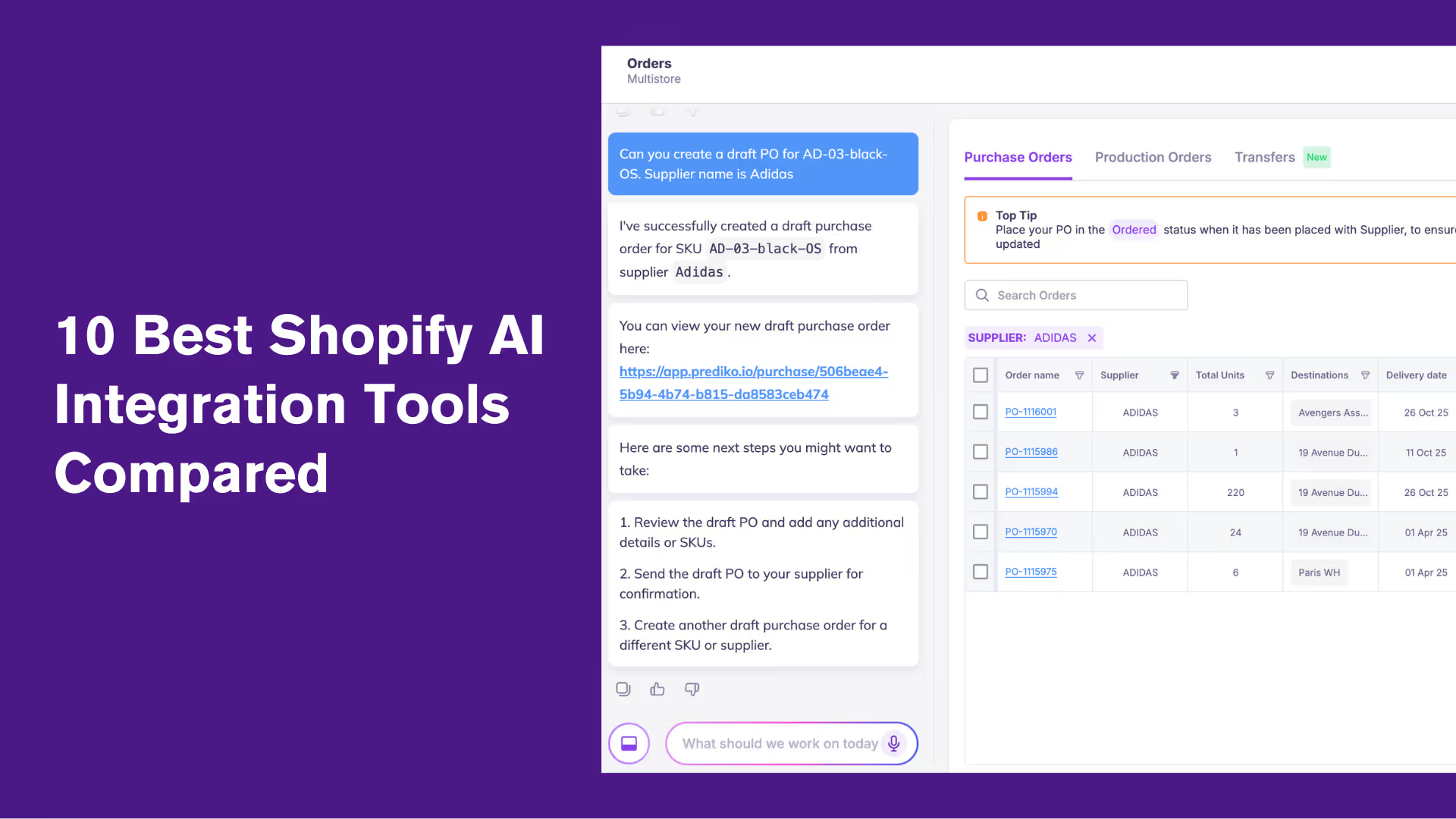
Top 10 Shopify AI Integrations You Need in 2026
Prediko and other top Shopify AI integrations help brands automate inventory forecasting, purchase orders, customer support, marketing, and merchandising with real-time data, customizable workflows, and AI-powered actions that keep stores efficient and scalable in 2026.
Running a Shopify store in 2026 means wearing a lot of hats –marketer, analyst, inventory planner, customer support rep, and sometimes, all at once. That’s where AI comes in.
From writing product descriptions and replying to reviews to forecasting stock and personalizing shopping experiences, AI tools are quietly becoming every merchant’s secret weapon.
No wonder over 40% of retailers say they’re using AI for predictive analytics.
We’ve rounded up 10 of the best Shopify AI integrations that can help you work smarter, not harder, so you can focus on scaling your brand while the bots handle the busywork.
Must-Have Features of a Shopify AI Integration in 2026
If you’re out hunting for the perfect Shopify AI integration tool, here’s what to keep an eye on (and why each feature counts).
1. Real-time Shopify data sync
Your AI integration should pull the latest product, inventory, or relevant data the moment anything changes. Real-time syncing ensures decisions, whether forecasting, marketing, or automation, are always based on accurate, up-to-date information instead of outdated data.
2. Ease of setup & use
A good Shopify AI integration shouldn’t require engineering effort. Merchants should be able to install it, connect data, and start using it within minutes. Clear onboarding, intuitive dashboards, and simple configuration make AI adoption smoother and faster.
3. Customization & flexibility
Every brand operates differently, so the AI should adapt to your workflows, not force you into rigid templates.
This means adjustable rules, thresholds, prompts, automations, and reporting views tailored to your processes, SKUs, channels, and customers.
4. API-friendly & compatible with other apps
Your AI shouldn’t live in a silo. It must integrate cleanly with your WMS, ERP, marketing apps, analytics tools, and the rest of your tech stack.
Open APIs and native connections are must to make the AI an important part of your ecosystem, not another isolated tab.
5. Automation triggers
Beyond insights, the AI should take action. That includes triggering replenishment alerts, PO reminders, email flows, segmentation updates, or workflow tasks based on real-time conditions. Automated actions reduce manual work and prevent delays.
6. Multi-store compatibility
Many brands now run multiple storefronts —regional sites, wholesale portals, sub-brands, etc.
A strong Shopiy AI integration consolidates data across all Shopify stores so that forecasting, automations, and reporting work seamlessly for the entire business.
Top Shopify AI Integration Apps: A Quick Overview
Top Shopify AI Integrations You Should Have in 2026
We did the digging, so you don’t have to. Here are 10 Shopify AI integrations that actually live up to the hype.
1. Prediko: AI-powered inventory planning and management
.avif)
First up, we have Prediko, a 5-star-rated, powerful AI inventory management Shopify integration for scaling brands and enterprises.
Inventory is the backbone of every retail business, and Prediko strengthens it by helping brands eliminate stockouts and overstocks. It turns sales and inventory data into actionable forecasts so teams can plan reorders, manage suppliers and raw materials, track bundles, and monitor key metrics, all from one clean, connected dashboard.
It's one of the most effective ways to use AI for optimizing retail, helping Shopify brands automate repetitive planning tasks while freeing up time for growth.
What truly sets Prediko apart from other Shopify AI agent integrations is its in-house AI engine. Trained on over 25 million SKUs across 15 industries, it factors in seasonality, sales velocity, and real-time trends to deliver forecasts that are both smart and reliable.
Key features
- AI demand forecasting by SKU, accounting for seasonality, growth patterns, and promotions
- Get reorder suggestions and alerts based on lead times, safety stock, and sales velocity
- Smart purchase order management and tracking with the ability to share with suppliers instantly
- Real-time sync to keep inventory accurate across multiple warehouses, locations, and Shopify stores
- Raw material and bill of materials (BOM) tracking for brands that manufacture or bundle products
- Inventory AI agents to execute actions and workflows using natural language commands
- 20+ customizable inventory and sales reports, with scheduled delivery to your inbox and export in multiple formats
Pros
- Reliable and well-trained AI for inventory operations
- AI agents to execute tasks for you
- Intuitive interface suitable for growing brands moving past spreadsheets
- Handles complex variants and bundles across channels
- Responsive support team
Cons
- Integrations with some WMS/3PLs are still in development
- May be more complex than needed for very small stores
Healf Achieved 75× ROI with Prediko
UK-based wellness retailer Healf slashed stockouts from 4 % to 1 % in just two months using Prediko’s AI-driven forecasting.
By replacing spreadsheets with real-time demand insights and automated reordering, they unlocked a 75× ROI and saved 10 hours every week on inventory management. Read more here.
This success was powered by AI-powered Shopify inventory forecasting for health, wellness, and fitness brands, helping retailers cut stockouts and scale with confidence.
Pricing
Prediko offers tiered pricing based on your store’s revenue. Plans start at just $49/month for small businesses and scale up to $119, $199, and $349/month for more advanced needs. All plans include unlimited SKUs, purchase orders, and users.
2. Tidio: AI live chat and chatbot

Tidio is one of the best AI chatbots for shopify integration that connects directly to offer customer support chat automation.
Its AI agent, Lyro, can answer questions about orders, products, and delivery without human input.
You can see customer carts and order history inside the chat window, allowing personalized recommendations during conversations.
Key features
- Real-time cart and order preview inside chat for personalized recommendations
- AI agent (Lyro) to automate recurring customer queries
- Unifies multi-channel communication across live chat, email, and social platforms
- Pre-built no-code automation flows for cart recovery, discounts, and upsells
Pros
- Centralizes messages across channels for faster replies
- Adapts to customer languages with multilingual AI
Cons
- Expensive with limited customization options
- Some learning curve to set up automation flows
Pricing
Plans start at $24.17 per month
Read More: 7 Best AI Demand Planning Software
3. Wiser AI: Product recommendations and upsells

Next up is Wiser, an AI-powered recommendation engine that delivers intelligent product suggestions based on shopper behavior, browsing history, and purchase data.
It automatically displays relevant products on product pages, in the cart, during checkout, and even in post-purchase content, helping increase average order value and customer retention.
Key features
- AI-powered recommendations based on real-time shopper behaviour
- Multiple widgets available, including related products, frequently bought together, new arrivals, and recently viewed
- Advanced drawer cart for in-cart upsell with progress bar
- Analytics to measure click-through, conversion, and revenue generated by recommendation widgets
- Customizable widget set up with API access
- Advanced search and filters to help find exactly what customers are looking for faster
Pros
- Reliable and responsive support team
- Highly customizable widgets
Cons
- Pricing is confusing
- Setup and customization may take a lot of time
Pricing
Plans start at $9 per month
4. Klaviyo: Marketing and customer communications
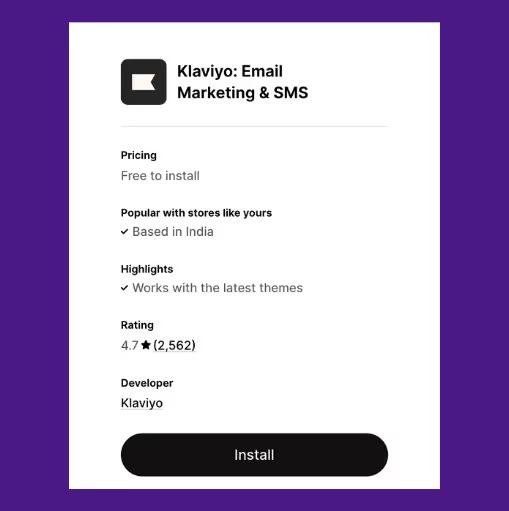
Klaviyo is an email and SMS marketing platform that enables workflows such as welcome series, abandoned-cart campaigns, and post-purchase follow-ups. Its AI personalizes content, optimizes send times, and refines audience segmentation.
The app also offers AI agents to create on-brand, launch-ready campaigns, resolve customer issues, and sell 24/7.
Key features
- Syncs Shopify data, including orders, products, and customer activity in real time
- Prebuilt flows for cart recovery, welcome series, post-purchase, and re-engagement
- Dynamic segmentation using live Shopify data like viewed products and repeat orders
- AI to identify the right send times, churn risk, and predictive lifetime value
- Centralizes email, SMS, push, and pop-up campaigns
Pros
- Detailed reporting for informed decisions
- Centralizes messages across channels for faster replies
Cons
- Expensive for large contact lists
- Occasional technical glitches and bugs reported by users
Pricing
Plans start at $60 per month
5. Entaice: AI collection sorting
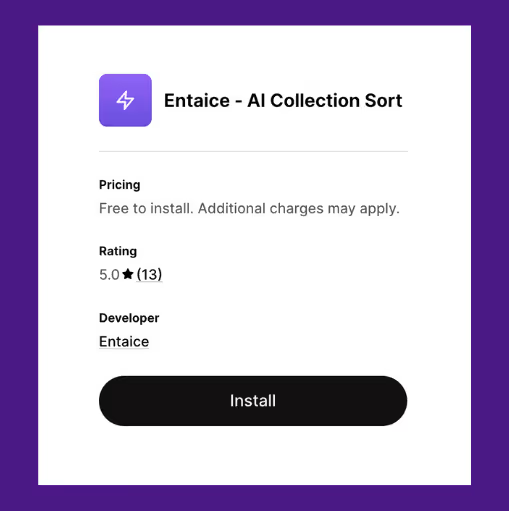
Entaice is an AI-powered merchandising assistant that helps Shopify brands automatically sort, rank, and optimize their collections for higher conversions.
Instead of manually dragging and dropping products every week, Entaice continuously analyzes real-time data like sales trends, inventory levels, and shopper behavior to keep your storefront fresh and performing at its best.
Key features
- Pinned products to keep specific products at the top and move them down when they sell out
- Automatically ranks and reorders products based on performance, trends, and inventory
- Track views, conversions, orders, and revenue at the product level, exportable as CSV reports
- Temporarily pushes new products to the top of collections
- AI-driven sorting with visual merchandising by grouping items by brand, type, or style
Pros
- The development team is highly responsive
- Works well for massive collections with a lot of inventory movement
Cons
- Requires periodic fine-tuning to align rankings with seasonal or campaign-specific goals
Pricing
Plans start at $48 per month
6. Octane AI: Quiz creation and personalization

With Octane AI, you can deploy quizzes and chatbots that ask your customers what they really want, then use the answers to recommend the right product, trigger the right campaign, or segment your audience for future marketing.
It integrates seamlessly with Shopify and connects with tools like Klaviyo so that everything stays synced.
Key features
- Build and launch your quizzes with plus 24/7 global chat support.
- Create product quizzes using AI, tags, collections, and/or conditional logic
- Customizable quiz design, including images, font, and layout, to full custom CSS
- Integrates with Recharge, Klaviyo, Attentive, Zapier, etc
- Quiz templates for every industry and AI to recommend products for customers
Pros
- Clear attribution of quiz-driven revenue in analytics
- Quizzes feel native to Shopify storefront without clunky redirects
Cons
- Layout customization requires CSS for non-standard designs
- Advanced logic setup can be time-consuming for larger catalogs
Pricing
Plans start at $50 per month
7. Atlas: Store builder for dropshipping
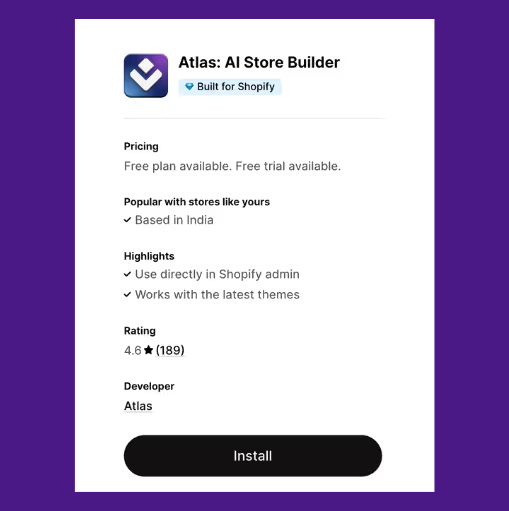
Atlas helps Shopify users create complete, high-converting dropshipping stores by simply pasting a product link.
Within two minutes, it generates product pages, branded design, upsell flows, and even AI-enhanced photos.
It’s built specifically for product testing at scale, allowing users to launch multiple stores rapidly without any coding or design work.
Key features
- Generates complete Shopify pages with just product links
- AI to create designs, product copy, meta descriptions, layout, logos, and more
- Built-in bundle offers and cart upsells
- Easily save your best stores as templates to reuse anytime
Pros
- Fully compatible with Shopify admin and the latest Shopify themes
- No extra apps needed for upsells or bundles
- Ideal for testing multiple dropshipping products quickly
Cons
- Hidden or unclear charges even after uninstall
- Customization is somewhat limited compared to manually creating stores
Pricing
Plans start at $39 per month
8. Tapita AI: SEO and speed optimization

Tapita is a platform designed to help Shopify stores improve visibility, speed, and user experience, all from a single dashboard.
Beyond SEO automation, Tapita’s suite covers everything from page speed improvement to UI/UX optimization and marketing support, making it a complete performance toolkit for growing e-commerce brands.
Key features
- AI-powered and multi-language SEO meta tags
- Bulk image optimization for better page speed and user experience
- Ability to add JSON-LD structured data that helps search engines understand your store better
- Automatically detect and fix broken links on your site for better SEO
- Detailed report on backlinks to improve your link-building strategy
Pros
- Clear and intuitive interface
- Free plan for smaller businesses and stores
Cons
- App support has some negative reviews
- Users have also reported some script issues
Pricing
Plans start at $9.99 per month
9. Wiz AI: Abandoned cart recovery
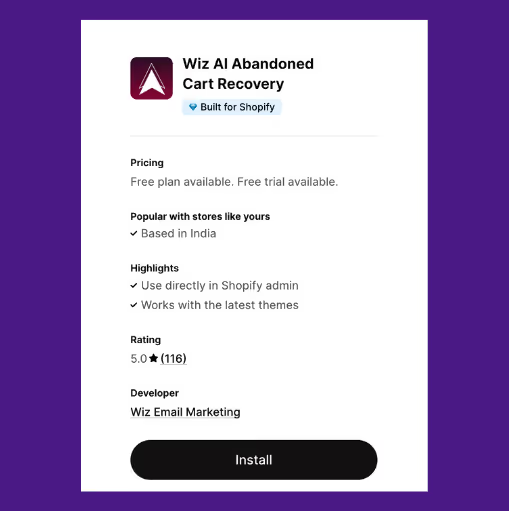
Wiz AI is a fully automated AI-powered email marketing platform built to help Shopify merchants recover lost sales and engage customers with zero manual setup. It creates ready-to-use email flows, newsletters, and campaigns in just one click.
From abandoned cart recovery and win-back campaigns to welcome sequences and branded newsletters, Wiz AI puts customer communications on autopilot.
Key features
- One‑click generation of automated email flows including abandoned cart, checkout recovery, welcome and win‑back
- Pre-designed email templates and drag‑and‑drop editor to customise
- Create on-brand pop-ups and welcome forms to grow your subscriber list
- Track open rates, click-throughs, conversions, and deliverability to optimize every campaign
Pros
- Easy to set up and customize
- Responsive support team
Cons
- Some users may find the feature set more basic compared to advanced tools
Pricing
Plans start at $14.99 per month
10. Trustoo: Collection and management of product reviews
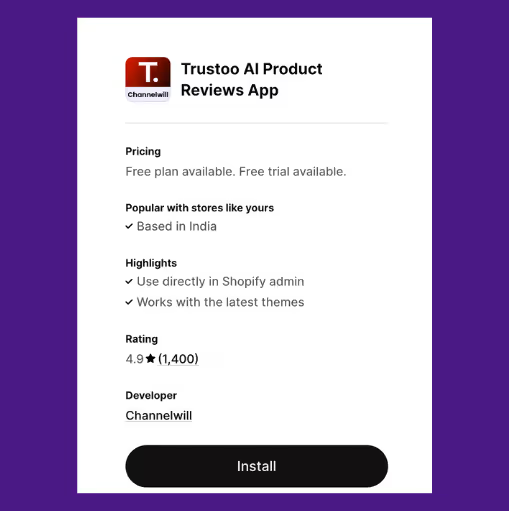
Last but not the least is Trustoo, an AI-powered review and UGC (user-generated content) platform designed to help Shopify stores build trust and improve conversions through authentic customer feedback.
It automates the entire review collection process, from gathering text, photo, and video reviews to analyzing them for insights and displaying them beautifully on-site.
Key features
- Automatically collect, analyze, and display reviews with smart sorting and AI-generated summaries
- Multi-source review collection from Shopify, Amazon, WhatsApp, etc
- Automatic review requests with incentives for photo submissions
- Customizable widgets to display reviews, ratings, photos and videos
- Multi‑language support with automatic translation of reviews
- Key sentiment and performance trends to guide improvements
Pros
- Responsive and proactive customer support
- Offers a lot of review display options
Cons
- You have to use their template to upload reviews
Pricing
Plans start at $11.99 per month
Important Things to Consider When Choosing a Shopify AI Integration
When choosing an AI tool for your Shopify store, features alone aren’t enough. What matters is whether the tool fits your store’s actual needs, works reliably with Shopify, and delivers results worth paying for.
Here’s a checklist to follow
- Shopify-native integration: Look for tools that work directly inside the Shopify admin or sync/use real-time data from your store.
- Actual AI logic: Choose apps that have well-trained and built-in AI to generate content, predict behavior, auto-personalize, or adjust based on store activity.
- Control and flexibility: A good AI tool suggests and automates, but doesn’t take over. You should be able to edit content, adjust rules, and set limits on what the AI can change.
- Pricing at scale: Some apps charge more as your store grows, more orders, emails, sessions or data. Make sure you know how the plan scales and what’s actually included.
- Proven outcomes: Look at the reviews or case studies to see if it actually improves sales, saves time, or increases conversion for stores like yours.
Choose Prediko as Your Inventory Management Shopify AI Integration
AI tools aren't here to replace how you run your Shopify store. They're here to make it smoother, faster, and easier to manage.
With the right setup, you can automate support, improve SEO, personalize marketing, and stay on top of inventory, all without juggling a dozen apps.
If inventory is where you're hitting friction, Prediko’s AI has you covered. It gives you real-time visibility, accurate AI demand planning, AI agents, and smart reordering, using real-time data from your Shopify stores.
Start your 14-day free trial and see how Prediko keeps your operations sharp as you grow.
Frequently Asked Questions (FAQs)
Best Inventory Accounting Apps on Shopify | Why Prediko Wins
Get the list of the best inventory accounting apps for D2C & B2B businesses on Shopify
Accounting for your inventory can be a time-consuming and tedious task, but with the help of technology, it doesn't have to be. That’s where Inventory accounting apps help D2C and B2B businesses on Shopify.
These apps help your accounts and finance team organise expenses and avoid wasting revenue when it comes to overstocking or improve cash flow through staying on top of backorders.
We share the top 10 inventory accounting apps on the Shopify App store.
No.1 👉 Prediko’s AI Inventory Accounting & Management App
4.9 ⭐ (250+ Reviews on Shopify App Store)
Features that set apart Prediko from rest of the inventory accounting apps on the Shopify app store
- Stay on top of your inventory sales number and quantity numbers with a detailed dashboard view.
- Export your plan and dashboard views with forecasted metrics for the rest of the year for your finance and accounts team
- Connect multiple stores for complete accounting overview across all Shopify stores
- Manage & export purchase orders and production orders through this Shopify app
- Generate reports for financial statements, tax purposes, and compliance with accounting standards.
We offer a 14-day free trial to help you get started with inventory accounting or switch from your existing app or software.
If you’ve been relying on Shopify’s Stocky app for inventory control and accounting but are hitting limitations, you’re not alone. Many growing brands are exploring Stocky app alternatives that offer more powerful forecasting, PO management, and real-time analytics — especially as they scale.
2. Stock Take (Count Inventory)
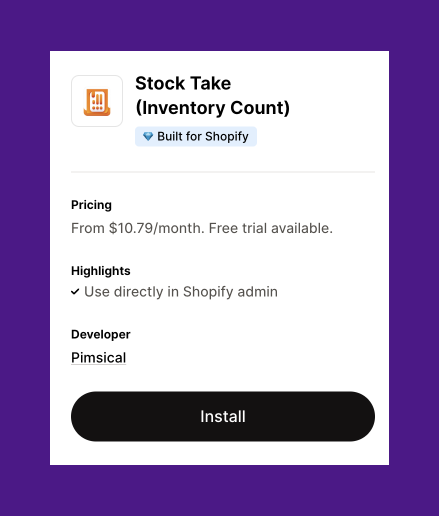
This Shopify app helps you to keep inventory count by manually counting inventory or scanning barcodes.
Main features of this Shopify app
- Easily count inventory by Shopify location, using a barcode scanner or physical count method.
- Features offer options to count inventory simultaneously, and provide detailed inventory reports in CSV format for tracking stock values.
3. QuickBooks Online
QuickBooks Online helps you to manage the finance for small businesses on Shopify.
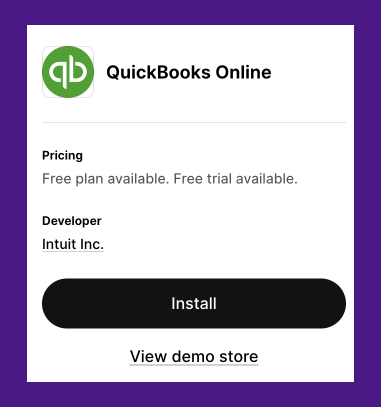
Main features of this Shopify app
- Send customized invoices.
- Track costs and expenses with detailed reports to analyze profitability.
- Automatically account for payouts, ensuring peace of mind
- This software can match receipts to expenses and invoices to income.
4. Cohub Inventory Counting
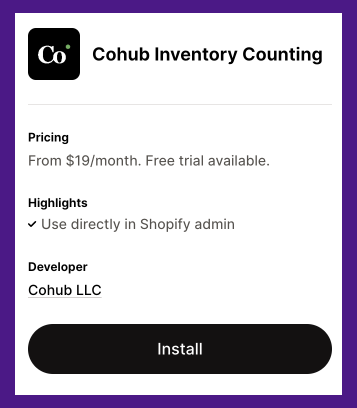
Main features of this Shopify app
- Transform your smartphone into a barcode scanner with our free mobile app.
- Invite your team to collaborate and speed up inventory counting.
- Access past inventory records with the Time Travel feature.
Apart from Inventory accounting apps, we have also reviewed the best performing inventory management apps for Shopify D2C brands
5. Customer Account Pro : MT
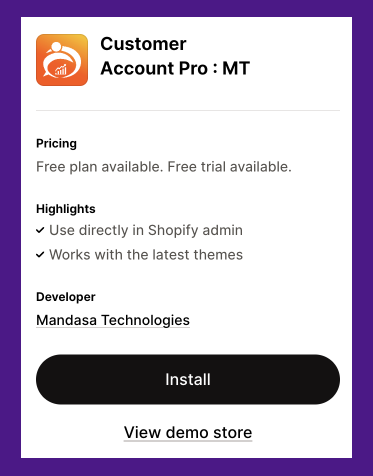
Main features of this Shopify App
- Allow customers to easily update their personal information and addresses.
- Customize the account page color palette to align with your brand.
- Provide features like order history, reordering, custom fields, pages, and password changes.
6. B: Wholesale Customer Accounts
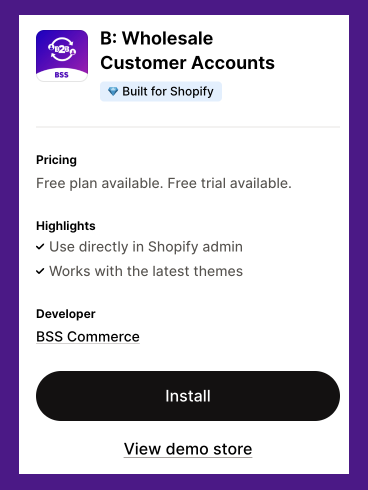
Main features of this Shopify app
- Enables customers to quickly add multiple items to their cart with Quick Order
- Allow multiple users to manage purchases under one account with Company Account Management.
- Provide a personalized B2B experience through dedicated Sales Rep support.
- Offer flexible payment terms like net 30, net 60, and net 90 with Net Term Payment.
7. CIN7 Software
CIN7 is an inventory accounting software that helps to track your business finance and inventory both.
Main features of this inventory accounting software
- Track multiple data points from COGs, job costing, live stock levels, reordering alerts with inventory visibility across stores, warehouses and 3PL
- Synchronize everything to your accounting system for a unified view
- CIN7 does integrate with Shopify, BigCommerce and WooCommerce
Get the list of best London 3PL Providers
Get a detailed comparison between Cin7 and Inventory Planner.
Not sure if Cin7 is the right fit? Read our Cin7 alternative guide to compare other options for inventory forecasting, purchase planning, and Shopify inventory management.
8. FreshBooks Inventory Accounting
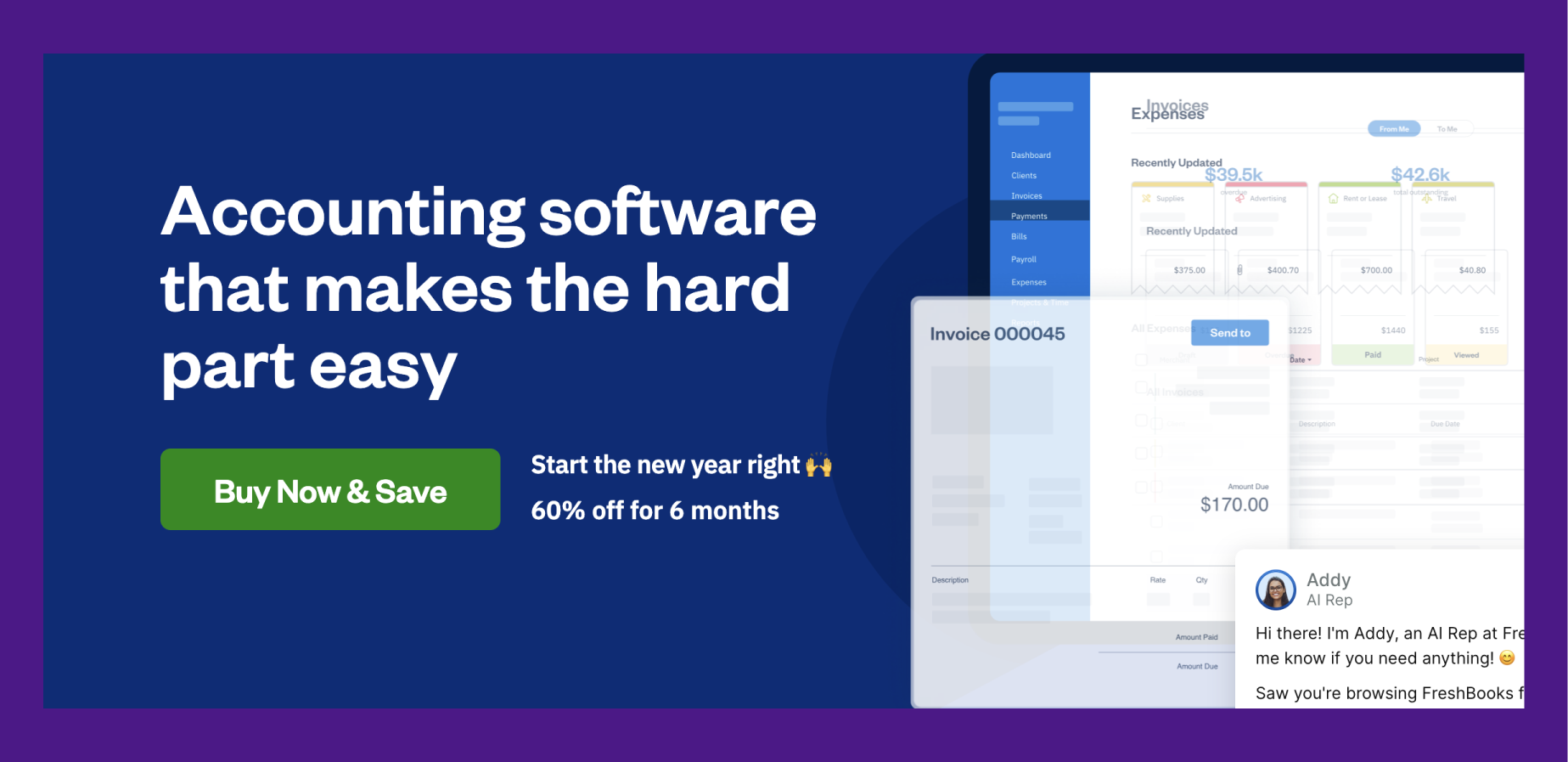
FreshBooks also offers simple inventory accounting for small businesses.
Main features of this inventory accounting software
- Get professional invoicing for your inventory accounting
- Integrations with 100+ apps to streamline work across teams
- Accounting tools and reports show profitability, cash flow health, and details your spending.
9. Xero Inventory Accounting Software
Main features of this inventory accounting software
- Keeps count of items that are in stock and records their value
- Easily see best-selling and worst-selling items in account reports
- Easily add items to accounting invoices
Need stronger inventory control with Xero? Explore the best Inventory software for Xero brands.
10. Brightpearl Accounting and Inventory Software
Brightpearl accounting and inventory software helps in increasing the efficiency by centralising operations.

Main features of this inventory accounting software
- Streamline accounting processes such as creating invoices, recording payments, and tracking metrics
- Lets you track accounts receivable and payable
- Accounting software that integrates with bank accounts
Inventory accounting and tracking are related to each other. Once you have selected your inventory accounting app, it's important to find the right inventory tracking app for your Shopify store.
Choosing the right app is important, that's why at Prediko, we offer a 14-day trial with all features available. Our onboarding process is tailored to show you how we help D2C brands and businesses with inventory accounting needs.
.avif)
Guide to Choosing the Best Jewelry Inventory Software [2026]
Jewellery inventory software gives real‑time stock visibility, automated reordering, multi‑channel sync and granular tracking to prevent costly errors, speed fulfilment and manage high‑value pieces, with top tools offering AI forecasting, PO tools and supplier oversight.
The jewelry business moves fast. One viral TikTok video and your products would start selling like hotcakes. But you’re not prepared for such a huge volume of orders, as a result, longer customer delivery times. And that puts a bad light on your business.
This is where jewelry inventory software comes in. The right tool will let you track stock in real time, automate reordering, fulfill orders quickly, and sync inventory across multiple sales channels.
We break down the six best jewelry inventory management software to help you find the right one for your business.
Why Invest in Jewelry Inventory Software
Manual inventory tracking is time-consuming. You often have to deal with multiple suppliers while tracking your orders with spreadsheets.
Without real-time visibility of your inventory, you risk overstocking, running out of bestsellers, and long customer delivery times, all of which can hurt your bottom line
Plus, it isn’t just time-consuming, it’s also expensive. One misplaced diamond, an incorrect weight entry, or a missing custom piece can lead to stock discrepancies and serious financial losses.
A jewelry inventory system helps address these challenges by:
- Automatically updating stock levels as items are sold, returned, or transferred
- Providing real-time tracking of serialized pieces, gemstone details, and metal weights
- Reducing errors through barcode and RFID scanning for precise inventory control
Beyond accuracy, automating the inventory operations of your jewelry business has more benefits
- Demand forecasting helps prevent over-purchasing slow-moving pieces or running out of bestsellers
- Automated restocking ensures that high-demand and popular jewelry pieces are always available
- Faster order processing improves customer satisfaction and increases sales
Key Features to Look for in Jewelry Inventory Software
Now, there are plenty of inventory management software options out there, but jewelry retail is a whole different game that demands precision and granular tracking.
As you explore your options, here are the key features to look for in a jewelry inventory management software
1. Real-time inventory tracking
Relying on spreadsheets to track high-value jewelry is like using a paper map in the age of GPS; outdated and inefficient. One miscount, and suddenly you're overstocked on gold chains but out of that best-selling engagement ring. Real-time inventory tracking changes the game by updating stock the second something sells, gets returned, or moves locations.
Instead of waiting for end-of-day reconciliations or physical stock checks, jewelers get up-to-the-minute stock visibility, keep online and offline stock in sync, track valuable items accurately, and reduce the risk of loss or theft with automatic stock logging.
2. Multi-channel inventory management
Selling on multiple channels is great for business growth, but keeping track of everything separately? That’s a headache waiting to happen. Stock mismatches, order delays, and missed sales can pile up fast.
A jewelry inventory software with multi-channel management keeps your inventory in sync across all sales channels, so when a ring sells in-store, the stock updates online in real-time. This means, no more accidental double-selling or listing out-of-stock items.
Plus, it also simplifies order processing by pulling orders from different platforms into one dashboard. Forget about jumping between platforms, track and manage your entire inventory in one place.
3. Automated reordering & demand forecasting
Look for a software that allows automated reordering and demand forecasting.
A study by the IHL Group found that retailers miss out on nearly $1 trillion in sales per year because of out-of-stock items. Striking the right balance between demand and supply manually takes forever and leaves plenty of room for mistakes.
Automated reordering and demand forecasting solve this issue. The software automatically analyzes past sales, seasonal trends, and customer preferences to predict what you’ll need to restock, when, and in what quantities. The right solution will also allow you to receive low-stock alerts or place POs in a click.
4. Supplier & vendor management
Managing customer orders is one thing, but fulfilling them? That depends entirely on your suppliers. Without access to the right materials, you can’t complete customer orders.
That’s why a supplier and vendor management feature is beneficial, helping you track POs, maintain supplier relationships, monitor delivery times, and avoid delays.
Plus, well-maintained records of supplier details, payment terms, and past purchase orders allow you to make cost-effective purchase decisions and speed up procurement.
An Overview of the Best Jewelry Inventory Software
6 Best Jewelry Inventory Software to Track & Manage High-Value Inventory
With these must-have features in mind, let’s explore the top six jewelry inventory management software you can choose from for your business.
No.1 👉 Prediko's AI Jewelry Inventory Management Software
TL;DR: AI-powered jewelry inventory software for Shopify brands with smart forecasting, real-time stock sync, and automated POs.
%2520(2).avif)
Prediko is an AI-powered jewelry inventory software built for Shopify brands. It is perfect for tracking and managing high-value inventory, offering real-time visibility across channels and warehouses.
Its AI-based demand planning helps prevent costly overstocking of precious materials while ensuring popular designs stay available, all while optimizing cash flow for small to mid-sized jewelry businesses.
Kimaï, a jewelry brand that seamlessly blends luxury and sustainability, faced challenges transitioning from a made-to-order to an on-hand inventory model, leading to long delivery times and inefficiencies.
With Prediko, they seamlessly integrated their three Shopify stores, gaining instant visibility on sales and inventory needs. This shift reduced delivery times by 43%, cut production costs by 11%, and saved 10 hours per week on inventory management. Read the full case study here.
Key features
- AI Demand Planning: Prediko’s AI breaks down your sales targets across 12 months, factoring in seasonality, past sales, and growth trends. It predicts monthly quantities and revenue at both SKU and category levels, helping you plan with precision
- Multi-channel sync: Centralize all your sales and inventory data in one place, including multi-store, multi-warehouse, bundles, and subscriptions
- Production Planning: For in-house jewelers, it helps plan raw material requirements for production, track precious materials, and match production to demand, minimizing overproduction of expensive items
- Replenishment Alerts: Receive alerts for low stock on key SKUs (e.g., a bestselling pendant), with precise reorder suggestions (date and quantity) based on demand
- Purchase Order (PO) Management: Easily create, track, and manage POs from Prediko. Send them directly to your supplier from the app or export them as a PDF.
- Analytics & Reports: Offers customizable reports (CSV/PDF) with 100+ filters, revealing stock health, top-selling pieces, and future needs
Pricing
Based on annual revenue. Starts at $49/month for brands with $0K-$500K revenue. Learn more here.
G2 User Ratings : 4.9/5
A quick demo of Prediko 👇
2. NetSuite
TL;DR: Enterprise-grade inventory platform for jewelers with global operations, offering advanced supply chain and financial controls.

NetSuite is a tool that's ideal for mid-sized to large jewelry retailers, wholesalers, and manufacturers or those scaling up.
With its ability to handle complex supply chains and seasonal demand, like holiday jewelry rushes, NetSuite ensures tracking and replenishment of precious stock, making it beneficial for brands with global ambitions or extensive retail networks.
Key features
- Syncs inventory between physical and online stores, and marketplaces
- Uses sales history to predict inventory needs,
- Helps track purchase orders, vendor pricing, and deliveries
- Automated invoicing, tax compliance, and financial reporting in sync with inventory data
- Offers insights into sales trends, inventory performance, and customer purchasing behavior
Pricing
Contact their team to know about pricing
3. Katana
TL;DR: Modern inventory software for custom and small-batch jewelry makers with built-in production planning and real-time inventory sync.

Katana is an ideal tool for small to mid-sized jewelry manufacturers, designers, and retailers who need a modern, easy-to-use jewelry inventory management software.
Unlike traditional ERP systems, Katana is designed for businesses that focus on made-to-order (MTO) and made-to-stock (MTS) production, making it a great fit for jewelers who create custom or small-batch designs.
Key features
- Sync inventory in real-time across Shopify and other sales channels
- Plan and schedule manufacturing processes with Shop Floor App
- Forecast demand based on historical sales data
- Generate purchase orders automatically based on material needs and reorder points
- Batch tracking for tracing high-value components through production
Pricing
Plans start at $179 per month
4. CraftyBase
TL;DR: Affordable cloud-based tool for handmade jewelers with batch tracking, raw material costing, and Etsy/Shopify integration.
.avif)
Craftybase is a cloud-based inventory and manufacturing software specifically designed for small-batch makers, including jewelry artisans.
It’s perfect for independent makers or Etsy sellers needing an affordable yet detailed way to track inventory from raw components to finished necklaces or earrings.
With a focus on simplicity and traceability, Craftybase helps jewelers stay organized, avoid material shortages, and maintain profitability without the complexity of larger systems.
Key features
- Create detailed multi-level BoMs for your jewelry designs
- Integrates with platforms like Shopify, Etsy, and WooCommerce to import orders
- Detailed records of material batches for traceability and quality control
- Reports on costs, stock levels, and sales performance
- Change log for auditing valuable inventory movements
Pricing
Plans start at $49 per month for up to 250 orders
5. Jewel360
TL;DR: POS + inventory management for retail jewelers with detailed item specs, tax automation, and multi-channel sync
%2520(3).avif)
Jewel360 is a point-of-sale (POS) and inventory management software for jewelry retailers. It allows you to manage both in-store and online sales, ensuring inventory is updated in real-time across all sales channels.
Key features
- Sync inventory across online and physical sales channels
- Record specifics like metal purity, stone type, and carat weight
- Manage vendor catalogs for fast restocking of jewelry components
- Calculate taxes automatically for different regions
Pricing
Custom pricing based on business needs
6. Zoho Inventory
TL;DR: Simple, budget-friendly solution with batch tracking, order automation, and seamless accounting integrations.

Zoho Inventory is a cloud-based inventory management software that helps businesses track stock, manage orders, and integrate with accounting and e-commerce platforms.
While not jewelry-specific, it can adapt to track precious items like gemstone pendants or gold chains across multiple sales channels. Its simplicity and integration with tools like Zoho Books make it a good choice for jewelers who are just starting out.
Key features
- Tracks batches and serials for jewelry variants like ring sizes or stone cuts
- Manage stock across multiple locations and warehouses
- Automatically convert POs into invoices and track fulfillment
- Maintain detailed supplier records and track purchase orders in real-time
Pricing
Plans start at $29 per month for up to 500 orders
How to choose right software for Your Business
Choosing the right software isn’t something you can do on a whim. It requires a structured approach that involves several key steps, including
Step 1: Identify your business needs
Before choosing jewelry inventory management software, you need to define what your business requires. Every jewelry business operates differently—what works for a small boutique may not be suitable for a large-scale manufacturer or an online retailer.
Start by asking yourself
- Where do you sell? If you have multiple locations, sell online, or use marketplaces like Amazon and Etsy, you’ll need a system that can sync inventory across all sales channels.
- What inventory complexities do you handle? Do you deal with serialized items, custom-made pieces, loose gemstones, or varying metal weights? The software must be able to track these details accurately.
- Do you need advanced tracking? Some businesses require RFID or barcode scanning for faster stock management, while others may prefer plugging data from Shopify.
- How large is your product catalog? If you have hundreds or thousands of SKUs, you’ll need software that can efficiently manage large datasets without slowing down.
- What are your biggest challenges? Are stock discrepancies, slow order fulfillment, or supplier management causing issues? Identifying these pain points will help you prioritize the right features.
By understanding your business structure, sales channels, and inventory management challenges, you can narrow down your options and choose a solution that truly fits your needs.
Step 2: Make a list of essential features
While features like real-time tracking, automated reordering, and supplier management are important, what truly matters is how well the software aligns with your actual business needs.
When evaluating software, focus on
- Relevance over quantity: More features don’t always mean better software. If a system is overloaded with functions you’ll never use, it can slow down operations and make adoption harder for your team
- Ease of use: A feature-rich system is of no use if it’s too complicated. Look for a solution that your team can quickly learn and integrate into daily workflows without extensive training
- Scalability: The software should support your business as it grows. If you plan to expand to multiple locations or online marketplaces, ensure it can handle increased inventory and sales volume
- Customization: Every jewelry business operates differently. The ability to tailor the demand plan, workflows, and reports ensures the software works for your specific processes, not the other way around
Instead of getting caught up in a long list of features, assess how intuitive and practical the solution is. The best inventory software is one that simplifies operations, not complicates them..
Step 3: Evaluate granular tracking & reporting
A jeweler selling engagement rings may need to track not just the item itself but also the recipe (BOMs) of their product and details like diamond clarity, certificate numbers, and resizing options. If your software isn’t flexible enough to adapt to your processes, you’ll end up working around it rather than benefiting from it.
A rigid tool can slow down operations instead of improving them. The right jewelry inventory system should let you
- Track gemstones, metal weights, and carat details and share custom engravings with your supplier in your POs
- Manage variable costs for materials, markups, and cost vs. retail pricing
- Support both made-to-order and pre-made inventory with customizable workflows tailored to your business needs
Step 4: Compare costs & ROI
Investing in jewelry inventory management software isn’t just about the price, it’s about the value it brings to your business. The right system should save time, reduce errors, and improve efficiency, ultimately leading to higher profitability.
However, not all software is priced the same, and choosing the most expensive or the cheapest option without evaluating ROI can be a costly mistake.
Different software providers offer various pricing models, including:
- One-time purchase: Higher upfront cost but no recurring fees. Suitable for businesses that don’t want long-term subscriptions.
- Subscription-based pricing: Monthly or annual payments, often based on the number of users or locations. Good for scalability but adds ongoing costs.
- Feature-based pricing: Some systems charge for add-ons like multi-location management, integrations, or advanced reporting.
Beyond the software cost, consider hidden expenses like training, setup fees, or required hardware (e.g., barcode scanners or RFID readers).
In terms of ROI, ask yourself if the software saves you from costly mistakes, reduces labor costs, or increases sales.
For example, if you spend 10 hours per week manually tracking inventory and the software automates 80% of that, that’s over 400 hours saved annually. This time that can be redirected to sales, marketing, or customer engagement.
Step 5: Read reviews & request a demo
No matter how good a jewelry inventory management software looks on paper, real-world performance can be a different story. Before making a decision, it’s essential to check what actual users are saying and test the system yourself.
Customer reviews provide insights into how well the software works beyond the sales pitch. Checking third-party review sites like G2, Capterra, or Trustpilot can help filter out biased testimonials found on vendor websites. If you’re choosing a jewelry inventory software for your Shopify store, don’t forget to check out Shopify App Store reviews.
Many tools also offer free demos which let you test key features, see if the tool fits your workflow, and assess usability.
Time to Take Control With The Right Jewelry Inventory Software
We live in a world where everything is tech-driven, but choosing the right tech is important to make a difference.
When choosing a jewelry inventory software, look for features like real-time tracking, automated reordering, multi-channel syncing, and supplier management.
Assess the tools mentioned in this guide to find the best fit for your business. Consider your inventory challenges, budget, integrations, and scalability before making a decision. Most importantly, test your top choices with a free trial to see which software works best for your workflow.
Jewelry inventory management is evolving, with AI-powered forecasting and automated restocking shaping the future of stock control. Staying ahead of these trends will help you run a more efficient, organized, and profitable business.
Prediko is a smart choice for Shopify-based jewelry brands. It offers AI-powered demand forecasting, raw material tracking, and automated replenishment alerts and reports to help you stay stocked and reduce wastage. Start Prediko’s 14-day free trial today and see it for yourself.
7 Best Omnichannel Inventory Management Software for Shopify [2026]
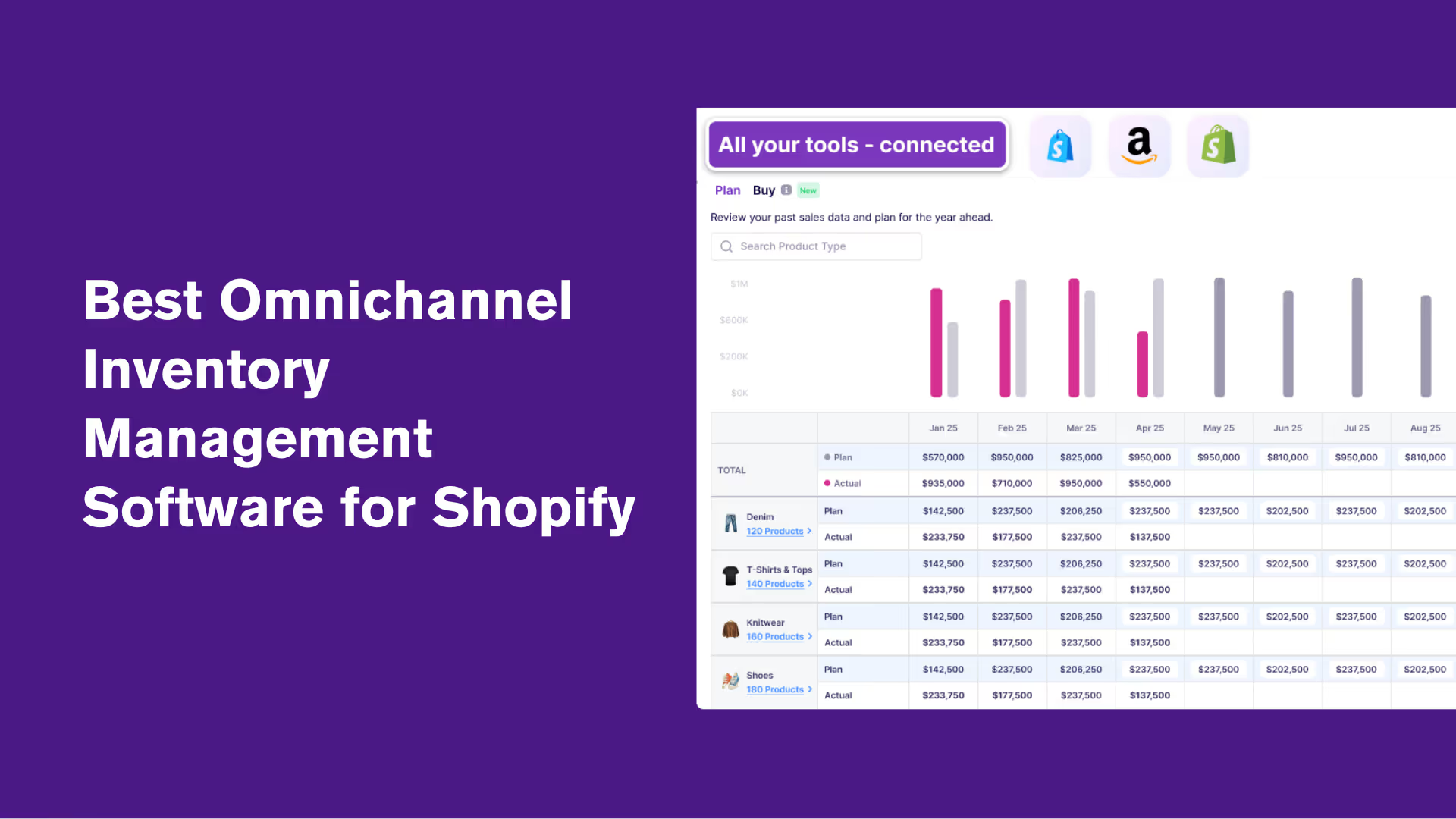
Prediko (AI-powered planning + raw materials), Brightpearl (retail automation), Linnworks (100+ channel integrations), Katana (manufacturing-focused), Cin7 (D2C/B2B support), SkuNexus (custom workflows), Flieber (channel-level forecasting).
Jane finds a pair of sneakers she loves on your Shopify store. Later, she spots them on your TikTok Shop and finally decides to buy, only to be hit with an “out of stock” message.
She checks your website again and it still shows as available. Confused and frustrated, she abandons the purchase altogether.
Today’s shoppers don’t just buy from websites. They browse on Instagram, shop on TikTok, check reviews on Amazon, and pick up in-store.
This is exactly why you need omnichannel inventory management. It means going beyond just selling in more places and making sure your inventory is synced, orders run smoothly, and customers get the same seamless experience on every sales channel.
We dive deeper into omnichannel inventory management and review top Shopify apps that can help you with this.
Importance of Omnichannel Inventory Management for Shopify Stores
80% of consumers use multiple channels to complete a purchase, so selling on multiple channels sounds like a no-brainer. More reach, more sales.
But without omnichannel inventory management, those extra sales won’t translate into real ROI.
Here’s why it’s essential and the benefits it brings.
1. Brings all channels together
The most obvious benefit of omnichannel inventory management is getting access to real-time inventory data across all sales channels, whether it’s Shopify, Instagram, eBay, or brick-and-mortar stores.
Every sale, return, or transfer updates instantly across every platform, so your stock numbers are always accurate, no matter how many channels you’re juggling.
2. Optimized stock allocation
When you’re selling across multiple platforms, you’re just playing catch-up with spreadsheets that are accurate one minute and outdated the next.
With real-time data on what's selling on which platform, you can distribute stock more efficiently across locations, be it warehouses, offline stores, or Amazon marketplace so that products are available where they’re needed most. This helps avoid stockouts and overstocks across channels.
3. Faster and smarter reordering
Omnichannel inventory management makes reordering easy and fast for Shopify stores by linking all sales channels into one dashboard. You can quickly see what’s selling where, use past trends to order the right amount, and place well-planned POs.
Cross-referencing spreadsheets or using channel-specific reports is slow and error-prone. You’re often placing smaller, separate orders for different channels and missing out on the opportunity to negotiate better bulk pricing or lead times with suppliers.
4. Higher NPS
Happy customers are returning customers. But, nothing frustrates them more than delayed shipments or unavailable products.
When you know what’s where, you can commit to and deliver on promises, ensuring customers get their orders faster and more reliably.
When they trust you to deliver, they’re more likely to recommend your store to others.
5. Consistent brand experience
Your brand isn’t just your logo or your products. It’s the experience you provide.
Omnichannel inventory management allows you to create an experience that stays consistent, whether someone buys on your Shopify store, your Facebook Shop, or in person. When supported by an innovative web design team, this consistency extends across every digital touchpoint, ensuring a seamless and cohesive customer journey.
This builds trust and recognition, turning casual buyers into repeat ones.
Quick Comparison of the Best Omnichannel Inventory Management Software for Shopify
Top 7 Omnichannel Shopify Inventory Management Apps
After digging through many options on the Shopify App Store, we’ve found the 7 best omnichannel inventory management apps for your business.
No.1 👉 Prediko's AI Inventory Management App
4.9 ⭐ (250+ Reviews on Shopify Store)
.png)
TL;DR: Topping our list, we have Prediko, an inventory management and planning app that consolidates all your sales channels and warehouses into a single, easy-to-use platform.
It allows businesses to track stock, forecast demand, and expedite reordering without any overstocks or stockouts.
Prediko’s intuitive design and focus on AI & automation make it especially appealing to growing businesses that want efficiency in managing multiple sales channels.
Key features
- Real-time inventory sync across channels: Keeps stock levels updated instantly across all connected channels and locations so that you’re always selling what’s actually available. (Amazon & Marketplace native integration coming soon)
- AI-demand & supply planning: Uses sales data, growth trends, and seasonality to anticipate future demand channel-wise and aggregated. Gives you suggestions on what to restock and when.
- Purchase order management: 1-click purchase order generation along with real-time tracking to always stay in the loop of your upcoming and existing supply.
- Raw materials management: For manufacturers needing to manage production, it also lets you track and forecast raw material needs based on finished goods demand.
- Reports & analytics: Automated daily and weekly sales and inventory reports along with replenishment alerts.
- 60+ integrations: Connects with a wide range of WMS & 3PLs for smooth multi-channel operations.
💡Coming soon: Prediko is expanding beyond Shopify. If you sell on Amazon or other marketplaces alongside Shopify, you’ll soon be able to sync beyond your inventory data, that is sales and catalog data in one place, giving you a single view across every channel.
Pricing
Plans start at $49/month for unlimited users, SKUs, and POs. You can start a free 14-day trial.
G2 User Ratings : 4.9/5
A quick demo of Prediko 👇
2. Brightpearl
.png)
TL;DR: Brightpearl is a retail operations platform for Shopify merchants scaling across online and offline channels.
It combines inventory management, order processing, accounting, and warehouse features into a centralized platform while adding a layer of automation to reduce manual work.
Key features
- Plug & play integrations to add new channels and apps
- Sync and manage your sales channels
- Automation rules for multichannel order fulfillment
- Alerts for multichannel replenishment
- Multichannel performance insights
Pricing
Custom pricing based on your business needs
3. Linnworks
.png)
TL;DR: Linnworks is good for Shopify merchants selling on multiple channels like Amazon, eBay, and beyond.
With 100+ integrations, it centralizes inventory, orders, and shipping management, allowing you to manage complex sales ecosystems efficiently. The app also offers unique views for each user so that they can see what matters most to them.
Key features
- Automatic sync of sales channels
- Order volume reports for different channels
- Automation rules for omnichannel order management
- Single dashboard to manage channel-wide product listings
- Demand forecasting and low stock notifications
Pricing
Custom pricing with add-ons
4. Katana
.png)
TL;DR: Katana is another inventory software for Shopify merchants who manufacture their own products, offering a blend of inventory and production management.
It tracks raw materials, production schedules, and finished goods, integrating smoothly with Shopify to manage sales across channels. Precisely put, it provides clarity and control over the entire production-to-sale process.
Key features
- Real-time inventory tracking across multiple locations
- Order and sales data from every sales channel
- Production and purchase order management
- Demand planning and forecasting
- Warehouse management
Pricing
Plans start at $179 per month
5. Cin7
TL;DR: Cin7 offers the Omni plan for Shopify merchants managing e-commerce, wholesale, and physical stores.
It integrates inventory, warehouse operations, and POS into a single platform, supporting complex supply chains and diverse sales channels with ease.
Key features
- Sync and manage inventory across sales and accounting channels
- Demand predictions and reordering automation
- Manufacturing workflows
- Reporting & analytics and COGS tracking
Pricing
Plans start at $349 per month
If you’re exploring more flexible or Shopify-native options, here’s a comparison of the best Cin7 alternatives built for scaling brands.
6. SkuNexus
%2520(1).png)
TL;DR: SkuNexus is another app that allows you to take the route of omnichannel selling.
It helps you in managing multiple warehouses and automating fulfillment, offering flexibility through open-source options and integrations.
SkuNexus is good for Shopify stores that want a system molded to their specific workflows and growth goals.
Key features
- Real-time inventory sync across channels
- Low stock alerts with automatic PO generation
- Centralized warehouse management with barcode integration
- Unified dashboard for inventory insights across all channels
Pricing
Custom pricing
7. Flieber

TL;DR: Last but not the least is Flieber. It is an omnichannel inventory optimization and planning tool built to help Shopify merchants balance stock across different locations with precision.
It lets you manage the intricacies of every channel through a single, user-friendly interface, and handles all kinds of inventory setups, whether it’s bundles, kits, or pre-orders.
Key features
- Native integrations with most sales channels
- Omnichannel forecasting to predict demand across various sales channels
- Calculate combined inventory needs at the warehouse level
- Monitor purchase and transfer orders centrally
Pricing
Plans start at $209 per month
What Makes an Omnichannel Inventory Management System "Best" for Shopify?
The “best” omnichannel inventory management app for Shopify is one that keeps your inventory tight, your customers satisfied, and your business ready to grow across every channel.
To do just this, it should have the following features.
1. Real-time inventory sync across all sales channels
The primary purpose of any omnichannel inventory management app is to sync inventory in real-time across every platform you sell on.
Whether it’s Amazon, Faire, Shopify POS, TikTok, YouTube, Facebook, Target, eBay, Etsy, or Walmart, the app should instantly update stock levels whenever a sale, return, purchase, or transfer happens.
This saves you the headache of manually reconciling numbers and gives you a single source of truth, no matter where inventory moves.
2. Demand forecasting capabilities
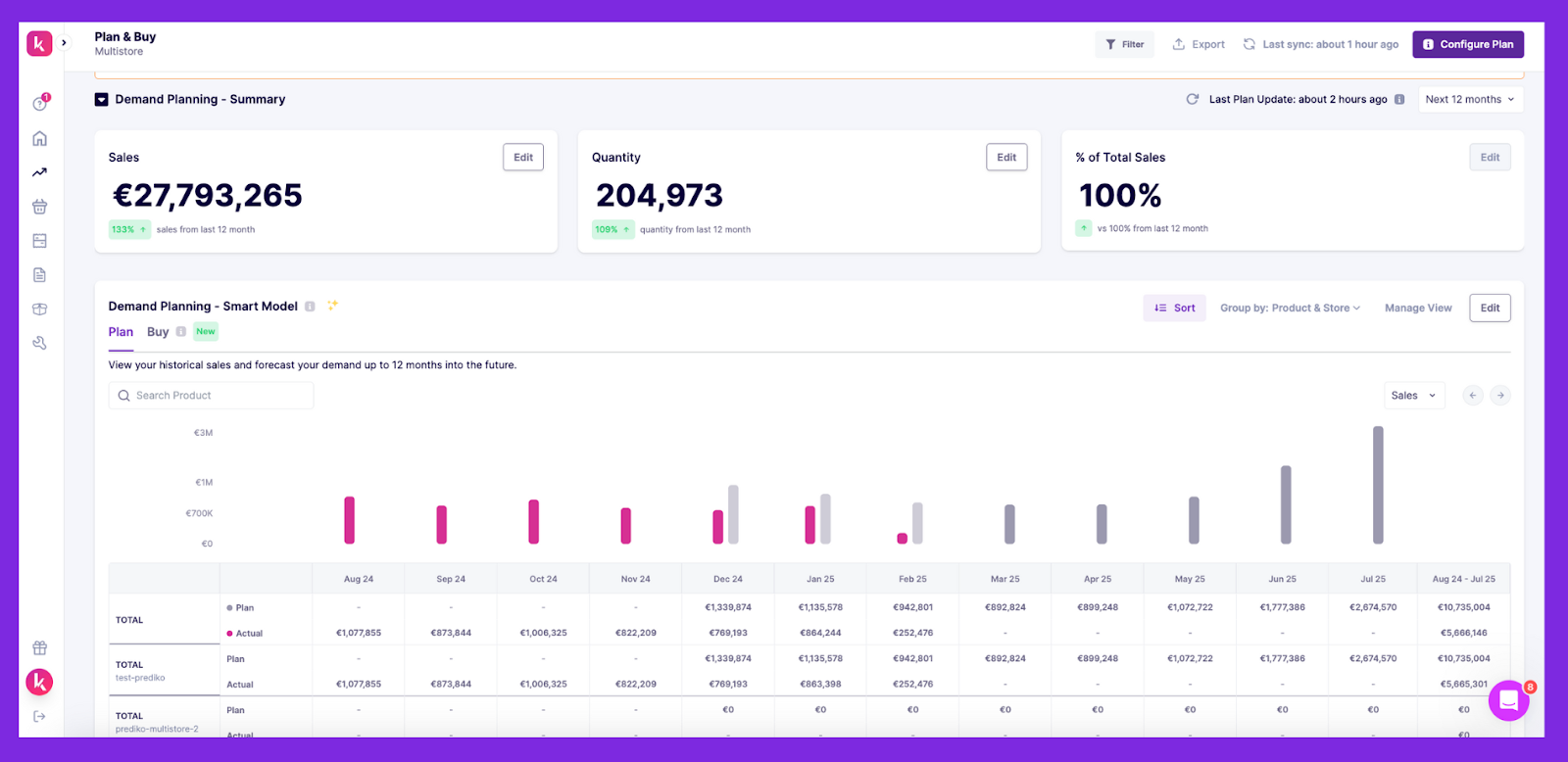
A great app doesn’t just track what’s happening now, it also tells you what’s coming across the channels. You get actionable insights to plan ahead, reduce waste, and keep cash flow steady.
Demand forecasting uses historical sales data, seasonal trends, and channel-specific patterns to predict how much stock you’ll need and when.
This means you’re not caught short during a TikTok viral spike or overstocked after a slow month on Etsy.
3. Automation for reordering, purchase orders, and stock alerts
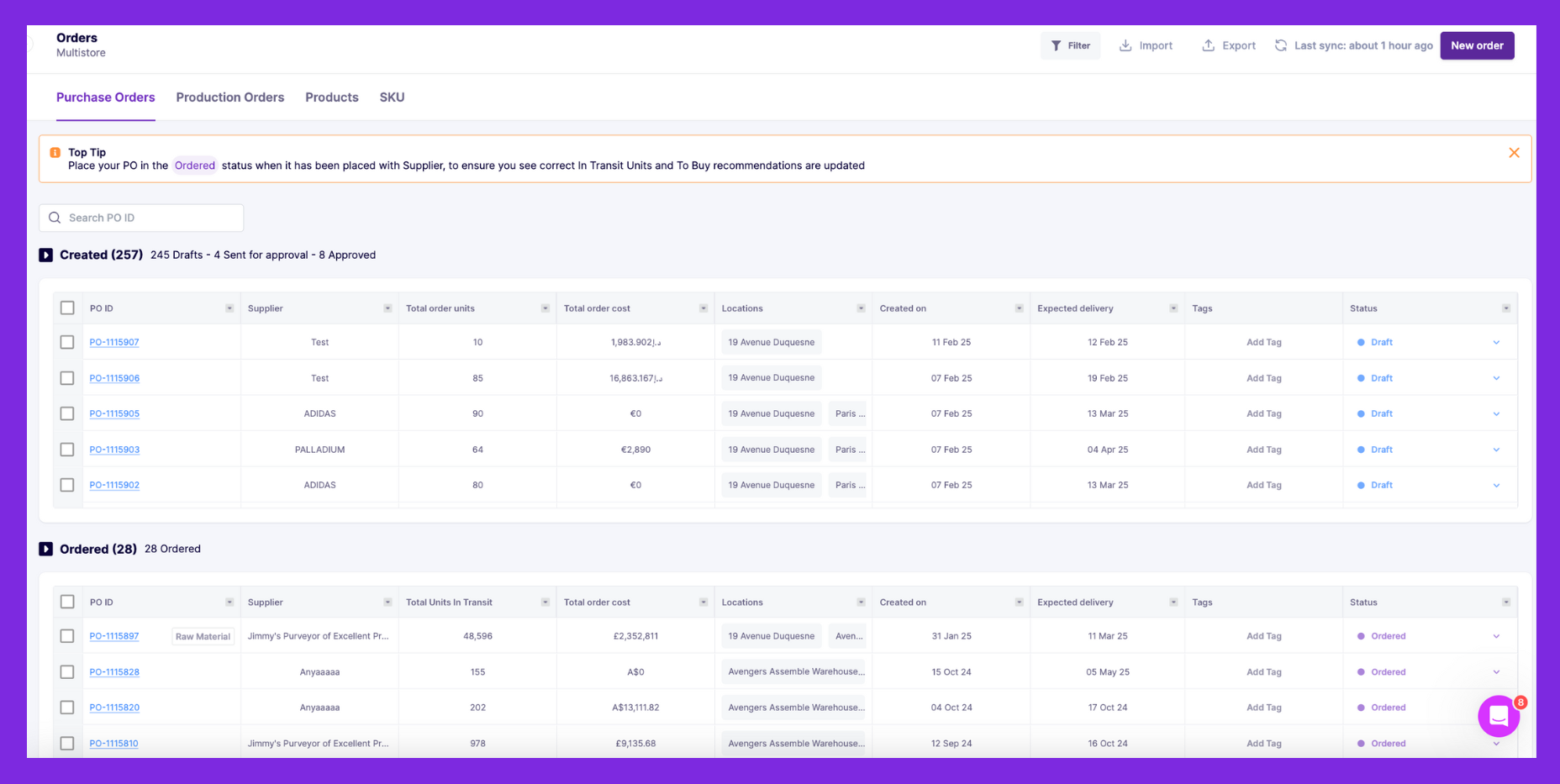
Time is money, and the best apps save you both by automating repetitive tasks.
They can set up low-stock alerts to ping you (or your team) when inventory dips, trigger purchase orders based on preset rules, and even send those orders to suppliers all from one platform.
This kind of automation cuts down on manual mistakes, speeds up restocking, and keeps your sales running smoothly on all channels.
4. Reporting and analytics
You can’t improve what you can’t measure. An ideal omnichannel inventory management software offers you automated reporting to course-correct and double down on effective approaches.
They break down sales by channel, highlight top performers, track inventory turnover, and COGS, and even flag slow movers.
Whether it’s a quick snapshot of inventory health or a detailed report with customizable filters, you can easily spot trends, tweak strategies, and make educated decisions for higher profitability.

5. Integrations with WMS & 3PLs
As your Shopify store grows, you might lean on warehouse management systems (WMS) or third-party logistics (3PL) providers.
See the list of best 3PL providers in New York
The best apps play nice with these tools, syncing inventory and orders seamlessly between your Shopify setup, warehouses, and fulfillment partners.
This ecosystem ensures stock levels stay accurate, orders route to the right location, and your 3PL can pick, pack, and ship without missing any detail, keeping your operation scalable and stress-free.
Tips for Improving Omnichannel Inventory Management on Shopify
Here are some practical tips to make omnichannel inventory management work even better for your store.
1. Automate where possible
Make automation your best friend when managing inventory across multiple channels.
Set up low-stock alerts to notify you when inventory drops below a set threshold, so you can reorder in time and avoid costly stockouts.
.png)
Automate purchase order (PO) creation to keep stock flowing smoothly without you having to babysit every channel.
Beyond that, use automation to forecast future demand and generate channel-specific reports to make educated decisions.
Prediko handles all this and more, so you can focus on growing your business, not micromanaging inventory.
2. Maintain consistent pricing across channels
Nothing confuses or frustrates customers more than seeing different prices for the same product on your Shopify store vs Instagram.
It is important to make sure that the price listed is uniform across all platforms. This not only builds trust but also simplifies your backend, fewer pricing discrepancies and less time fixing mistakes.
In case you're running channel-specific promotions, make it clear that the markdown of the price is exclusive to that platform.
3. Analyze trends & seasons across channels for better forecasting
Not every channel performs the same throughout the year. Your Shopify may spike during holidays, while your physical store peaks on weekends.
Regularly review your channel-specific sales reports to spot trends, adjust stock levels, and avoid over- or under-ordering inventory.
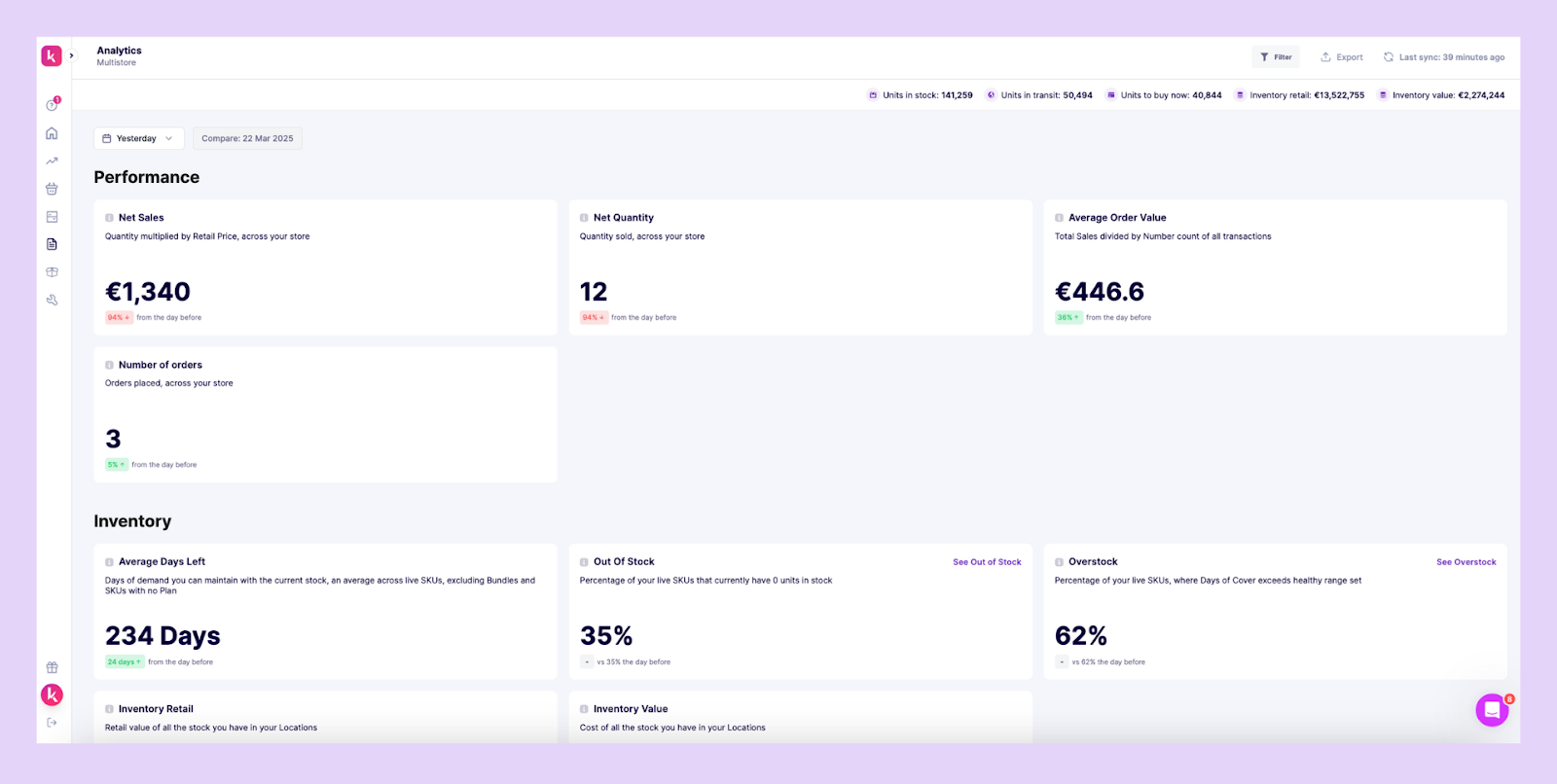
Apps like Prediko automatically analyze your past seasonality, growth trends, and historical sales across channels to predict future inventory needs. It also gives access to sales and inventory reports for accurate decisions.
4. Strategically bundle products & SKUs for different channels
Some products sell better in bundles on certain platforms.
For example, offering a skincare set on Amazon might perform better than selling individual items, while Instagram shoppers may prefer single products. Bundle slow-moving products on a channel with bestsellers to clear out inventory and increase sales.
Prediko allows you to forecast inventory demand at both the bundle and individual SKU levels so you can plan and stock up accordingly.
Choosing the Right Omnichannel Inventory Management Software for Your Shopify Store
Not every tool is built the same and when you're juggling sales across Shopify, marketplaces, and social platforms, your inventory management app needs to be more than just “good enough.”
Here’s a quick framework to evaluate the right fit for your store
- No. of sales channels: See if it can accommodate all your existing sales channels. Can it grow with you as you add more SKUs, sales channels, or warehouses?
- Automation: How much manual work can it eliminate? Look for PO automation, restock alerts, and channel-specific demand forecasting.
- Compatibility: Check integrations with existing tools (e.g., QuickBooks, Shopify POS).
- Budget: Focus on ROI, not just cost. The right app would pay for itself in accuracy and saved hours, mistakes, and sales.
Prediko checks off all the boxes. Built specifically for Shopify brands, it combines AI forecasting, PO automation, low stock alerts, raw materials management, and seamless multichannel sync, all wrapped in an intuitive interface your team will actually enjoy using.
If you’re ready to move past spreadsheets and clunky apps, Prediko might just be the right omnichannel inventory management software for you. Use it free for 14 days.





.avif)