Supply Chain Management
Learn how to improve supply chain management with practical guides on demand planning, inventory control, purchasing, supplier management, replenishment for more efficient retail operations.
.avif)
Top Use Cases of AI and Automation in Optimizing Retail Operations [2026]
Retailers are turning to AI and automation to streamline operations, reduce stockouts, and scale efficiently. From AI-powered demand forecasting and automated replenishment to chat-based AI agents handling inventory queries, these tools improve accuracy, boost fulfillment speed, and unlock working capital.
The difference between retailers who scale smoothly and those drowning in stockouts often comes down to how well they manage their operations.
From predicting SKU-level demand with machine learning, to automating purchase orders and replenishment, to using chat-based AI agents for real-time inventory queries, retailers are replacing manual, error-prone processes with intelligent systems.
The result isn’t just efficiency. It’s fewer stockouts, faster fulfillment, leaner inventory, and more working capital freed up for growth.
We’ll look at the concrete ways AI and automation are optimizing retail operations, and how brands already using them are pulling ahead.
Why Are Retailers Turning to AI and Automation?
Before exploring how AI helps, it’s important to see why modern retail demands change in the first place.
1. The retail industry is now more competitive than ever
Global retail trade is predicted to grow by USD 27–36 trillion by 2030, which is a far higher pace than in previous decades. This rapid growth means you are competing in one of the fastest-expanding and most intense industries in history.
eCommerce giants like Amazon and Alibaba are raising the bar even higher. They offer lower prices, faster shipping, and manage operations with fewer frictions, pushing smaller and mid-sized brands to adopt new tech just to stay profitable.
Even physical stores are not immune to this competition.
Many are already investing in robots, AI-powered cameras, and ship-from-store models in an attempt to cut costs and survive. Without automation, sustaining profitability in this environment becomes nearly impossible.
2. The demand for speed, accuracy, and scalability
Today’s customers expect fast and reliable service. They want same-day or next-day delivery, accurate orders, and real-time stock availability at their fingertips.
One stockout or late shipment is often all it takes to push them to a competitor.
Outdated, manual processes can’t keep up. No matter how good your team is, they can’t handle the surge of orders, variants, and complexity that come with peak seasons like BFCM.
To stay competitive, you need systems that can scale instantly, whether it is processing thousands of orders in minutes or synchronizing product data across multiple sales channels.
3. AI and Automation Make Processes More Efficient
Retailers are increasingly leaning on AI and automation to take over routine, time-consuming tasks. In fact, more than 75% have already invested in these technologies to improve efficiency and customer experience.
With AI and automation, you can:
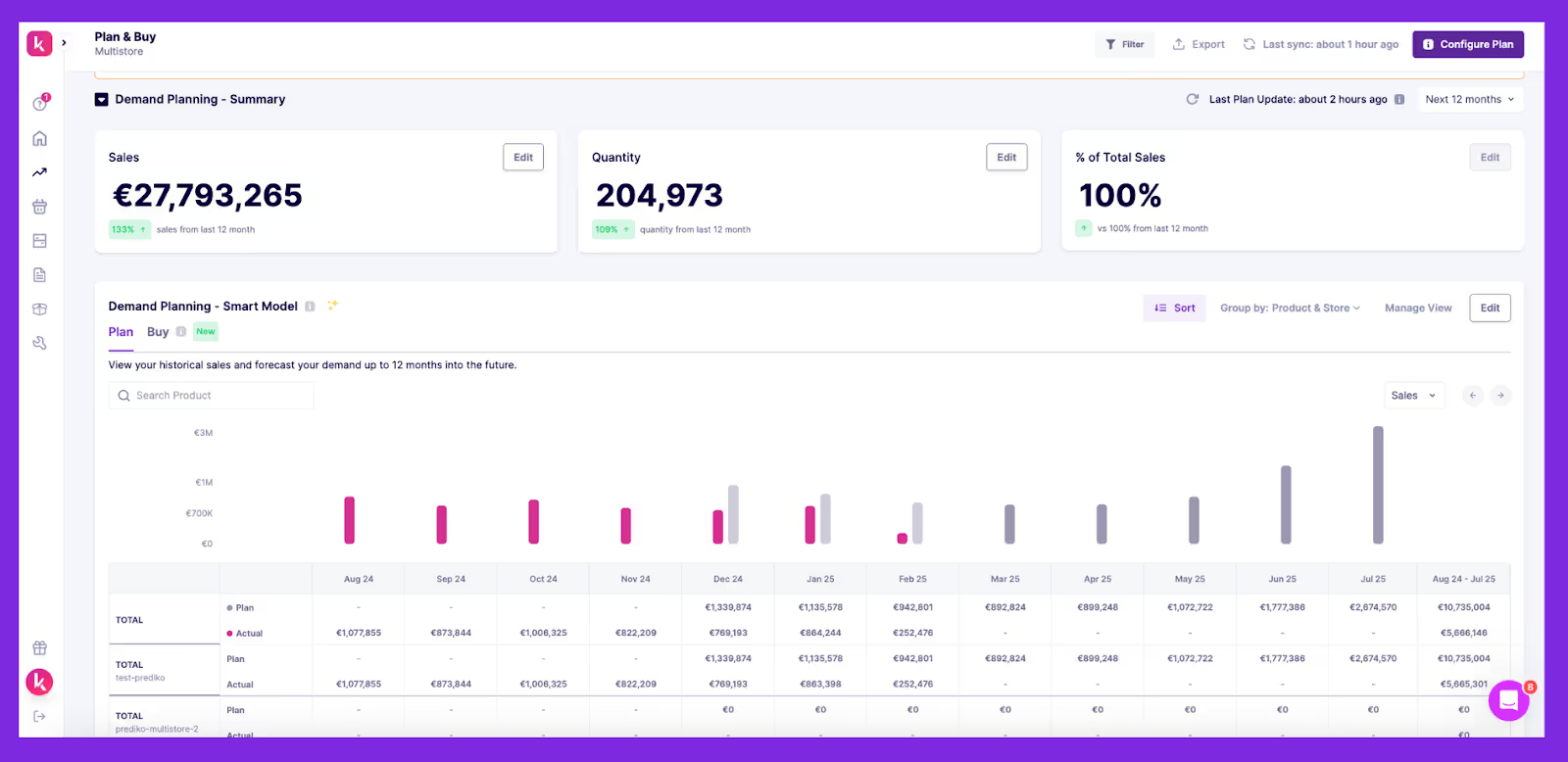
- Track and restock inventory in real time
- Forecast demand with accuracy
- Simplify checkout and returns
- Optimize pricing and promotions
What used to take hours of manual work now happens in minutes. That frees your team to focus on higher-value work like improving customer service or building stronger supplier relationships.
6 Powerful Use Cases of AI and Automation in Optimizing Retail Operations
AI and automation aren’t future trends; they’re redefining retail operations today. Here are six practical use cases showing how these technologies make a real impact.
Use Case 1: Personalized customer experiences
AI personalization is changing how retail stores interact with customers. Today, more than 65% of retailers employ AI chatbots, which can handle up to 70% of customer queries, improving productivity and customer satisfaction.
Chatbots provide instant answers, personalized guidance, and a smoother shopping experience. At the same time, recommendation engines learn from browsing behavior to suggest the right products at the right time.
Platforms like Text go further by combining AI agents with live chat in a single inbox, so when a shopper's question outgrows a scripted reply, a human agent picks it up instantly with full conversation context already in view.
The result is clear: higher engagement, stronger conversion rates, and greater customer loyalty. For shoppers, it’s convenience; for retailers, it’s profitability.
Use Case 2: Smarter inventory and supply chain management
Inventory management has always been a balancing act: too much stock ties up cash, too little means missed sales. AI makes this easier by spotting sales patterns, seasonality, and even local events that drive sudden demand shifts.
Beyond forecasting, AI can also trigger automatic replenishment. Instead of waiting for staff to notice low stock, it generates purchase orders in real time, reducing errors and preventing costly stockouts.
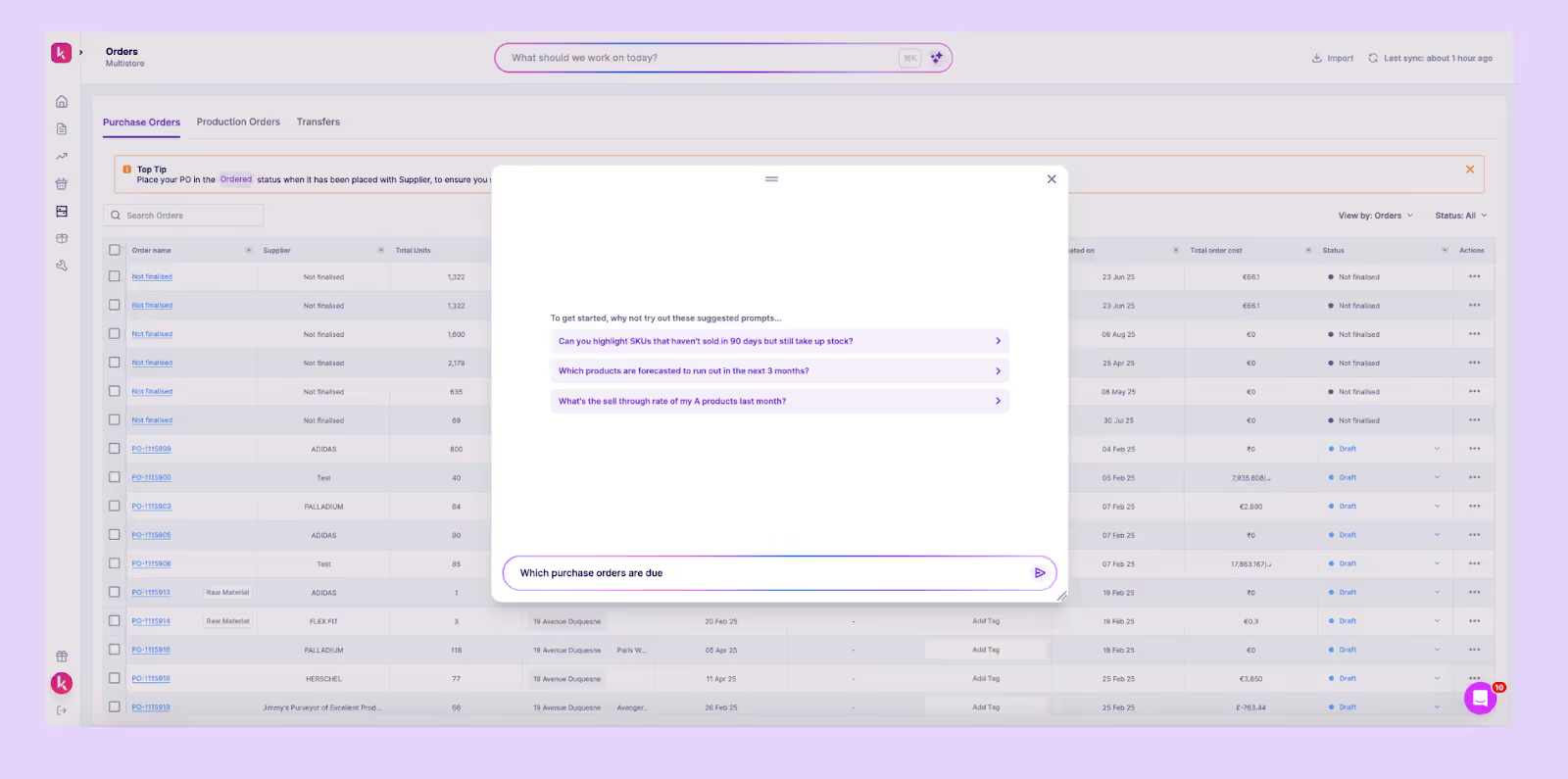
Prediko offers AI and automation for your end-to-end inventory workflows. In fact, it takes this a step further with Inventory AI agents that don’t just report data but act on it. For complex retail operations requiring custom automation beyond standard platforms, an AI software consultancy can design tailored solutions that address unique workflow challenges.
Through natural language, you can ask it to open reports, refresh demand plans, or draft purchase orders instantly, saving hours of manual work.
It keeps context, adapts to the page you’re on, and links directly to actions, helping you plan faster, react earlier, and scale with confidence.
Deloitte calls this new wave “Agentic AI”, a shift from passive tools to active collaborators that orchestrate workflows across supply, demand, and finance without constant human input.
Learn how brands are using AI in inventory management to automate decisions and stay ahead of demand.
Use Case 3: AI-powered visual search for product discovery
Traditional text search often falls short because customers don’t always know the exact name, keyword, or description of what they’re looking for.
AI-powered visual search makes product discovery faster and easier, driving up to 40% higher conversions.
Shoppers can simply upload or snap a photo, and AI instantly suggests similar products. This works especially well for fashion, home, and lifestyle retailers where visuals drive decisions.
By removing friction from discovery, visual search keeps customers browsing longer and improves the overall buying experience.
Use Case 4: Self-checkouts and automation in physical stores
No customer enjoys standing in long checkout lines. It slows down the shopping experience and often leaves buyers frustrated enough to abandon their carts.
AI and automation remove this friction.
AI-powered self-checkouts use sensors and cameras to scan products and charge customers automatically. Research shows these systems can cut waiting times by 20-30%.
Faster checkout not only improves customer satisfaction but also lowers labor costs. Staff can be redeployed from checkout counters to higher-value tasks like assisting customers or managing merchandising.
The result is a quicker, simpler, and more enjoyable shopping experience that shoppers prefer.
Use Case 5: Automated return processing
Returns are part of retail, but they don’t have to be painful. With AI and automation, the process becomes simpler for both you and your customers.
For shoppers, that means easy return labels, real-time status updates, and in some cases even instant credit. Behind the scenes, AI analyzes return patterns to flag recurring issues like sizing problems or product defects.
These insights help you improve product descriptions, cut down on unwanted returns, and protect revenue. A smoother return process doesn’t just save costs, it also strengthens customer satisfaction and loyalty.
Use Case 6: Data-driven pricing and promotion
Pricing has one of the biggest impacts on retail profitability. At times, customers are willing to pay more; at other times, excess stock forces you to lower prices just to move inventory.
Dynamic pricing helps you strike the right balance. AI-powered tools adjust prices in real time based on demand, competitor activity, and customer buying patterns.
For example, during peak demand, AI can raise prices slightly to protect margins. When inventory slows, it can lower prices or trigger targeted promotions to stimulate sales.
By running A/B tests, you can also experiment with discounts and offers to find what drives the best results.
The outcome is a win-win: you stay competitive and grow revenue sustainably, while customers get fair, market-driven prices and personalized offers tailored to their shopping behavior.
Where AI Fits in Different Retail Models
AI is not tied to any single business model; it adapts flexibly to address challenges and unique needs.
Whether you run a brick-and-mortar store, sell online, or operate omnichannel, AI can improve how you sell, manage, and grow.
1. Brick-and-mortar stores
In physical retail, AI is adding a new layer of efficiency to store operations and helping you deliver better customer experiences at the same time.
Grocery chains, for example, use computer vision to monitor shelves in real time, ensuring products are always available.
Cameras and sensors also capture foot traffic data, helping managers optimize store layouts and product placement.
AI-powered self-checkouts cut queues, and automation frees up staff to focus on customer service instead of repetitive tasks.
The outcome: smoother operations, higher productivity, and happier customers.
2. E-commerce
In eCommerce, AI powers both personalization and growth. From search history to tailored recommendations, it simplifies shopping and makes it more engaging. Research shows that recommendations drive up to 35% of online sales.
AI also plays a critical role in inventory planning and management as well as logistics.
Optimizing fulfillment, improving demand forecasts, and automating replenishment help retailers reduce shipping delays and prevent costly stockouts or overstocks.
The result is a better customer experience and significant savings in working capital.
As brands scale, AI can also automate pricing, promotions, and campaigns, freeing teams to focus less on repetitive tasks and more on strategy.
3. Omnichannel stores
Delivering a true omnichannel experience means keeping physical and digital touchpoints consistent, and AI makes that possible.
From personalized insights to real-time inventory updates, it ensures customers enjoy the same seamless journey whether they’re shopping in-store, online, or through social media.
Automation plays a big role here, supporting inventory management across warehouses, store floors, and online channels to prevent stockouts or overselling.
For example, Magestore POS connects Magento with multiple locations, syncing inventory, customer data, purchasing, and sales in real time.
With an advanced POS system, retailers can deliver personalized experiences across channels while scaling operations from a single, unified view.
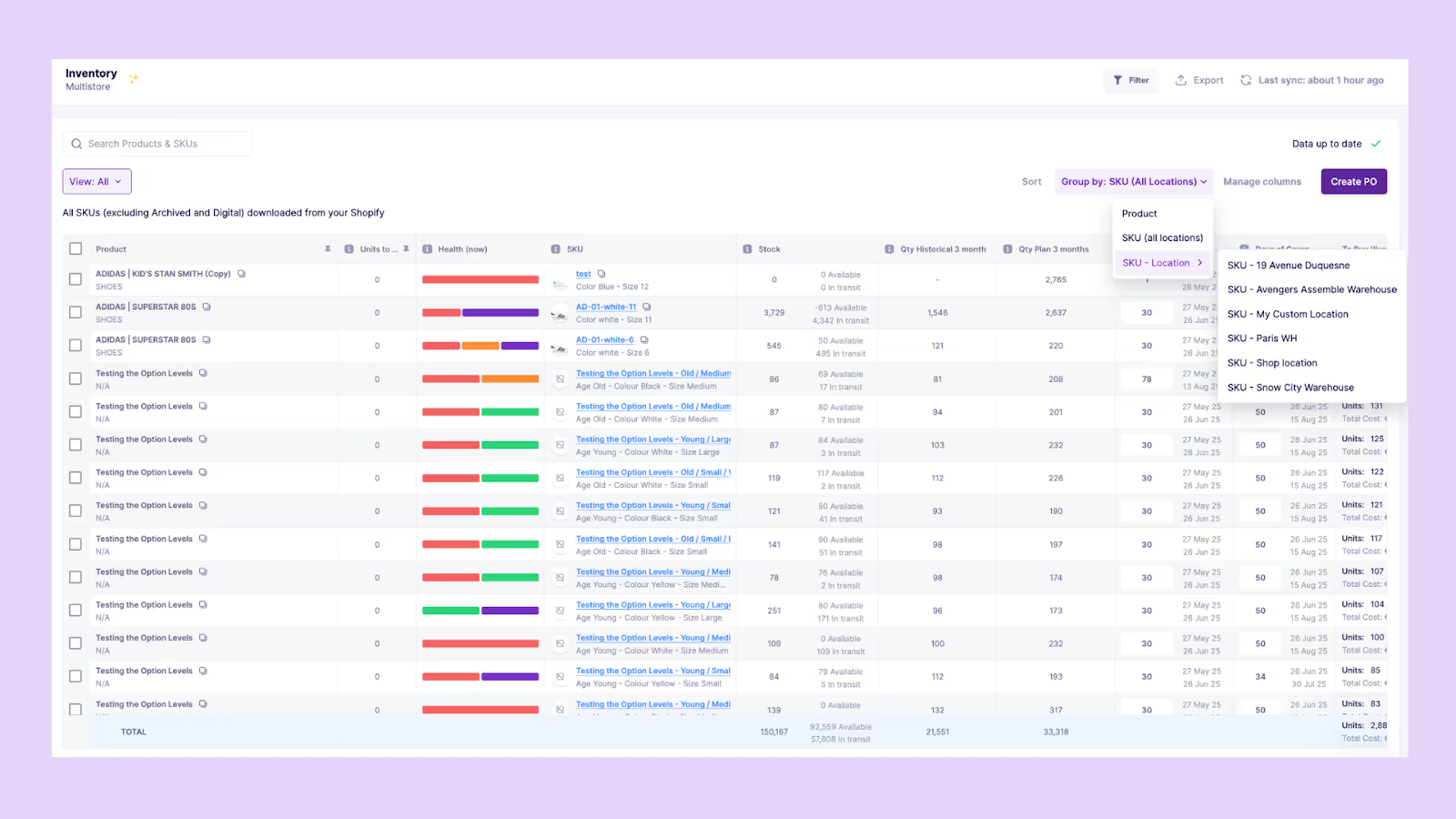
If you’re on Shopify, Prediko brings this same centralization to life. It pulls together your POS locations, warehouses, 3PLs, and more into one hub, giving you the visibility and control you need to act confidently across every channel.
How Prediko’s AI is Helping 1,000+ Shopify Brands
From fashion to FMCG, Shopify brands of every size face the same challenge: keeping inventory in balance while growing fast.
Prediko’s AI helps merchants solve this daily, turning inventory management into a growth driver instead of a bottleneck.
1. Real-time Shopify sync across stores and warehouses for accurate decision-making
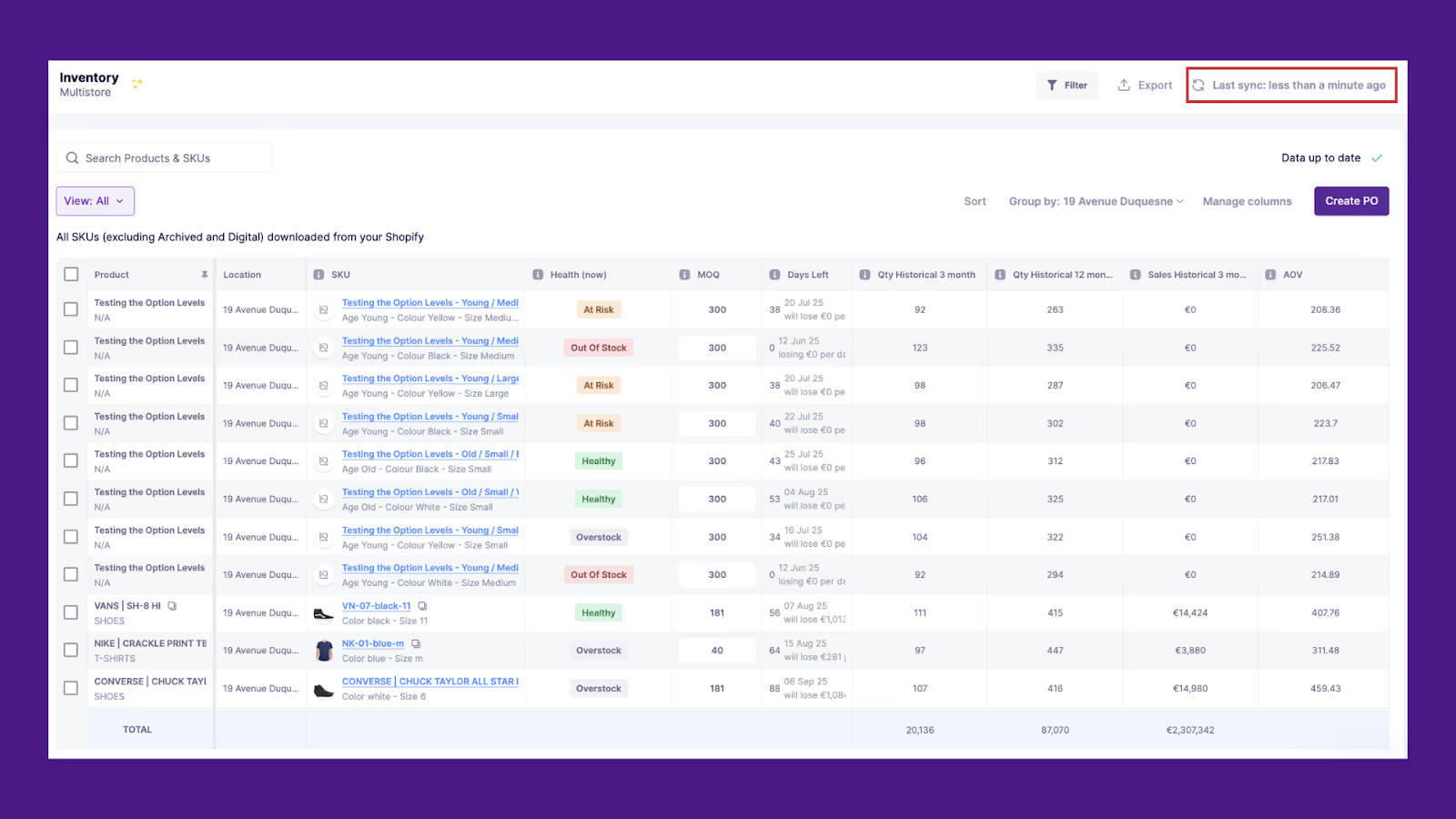
Managing inventory across stores, warehouses, or channels on Shopify can quickly spiral into chaos.
That’s why Prediko offers a real-time sync that consolidates inventory data into one place. With accurate, real-time visibility across locations, brands always know exactly what they have and where it’s located.
Prediko’s AI also manages complexities such as product bundles, subscriptions, and multi-warehouse fulfillment. This prevents both under-selling and over-selling while giving teams the clarity to make smarter buying and stocking decisions.
2. AI-embedded demand and supply planning for proactive stocking
Legacy spreadsheets can’t keep up with the speed of modern retail. Prediko’s AI analyzes historical sales data, seasonality, growth trends, and buying behavior to generate accurate forecasts up to 12 months ahead.
From these forecasts, Prediko automatically creates a buying plan, showing exactly what to order, when, and in what quantities.
It accounts for supplier lead times, MOQs, and safety stock levels, so replenishment decisions are precise, and cash isn’t tied up in excess inventory.
With clear purchase recommendations, Shopify brands can prevent stockouts, reduce overstocks, and keep inventory flowing smoothly.
3. Smart purchase order management for uninterrupted and synced operation
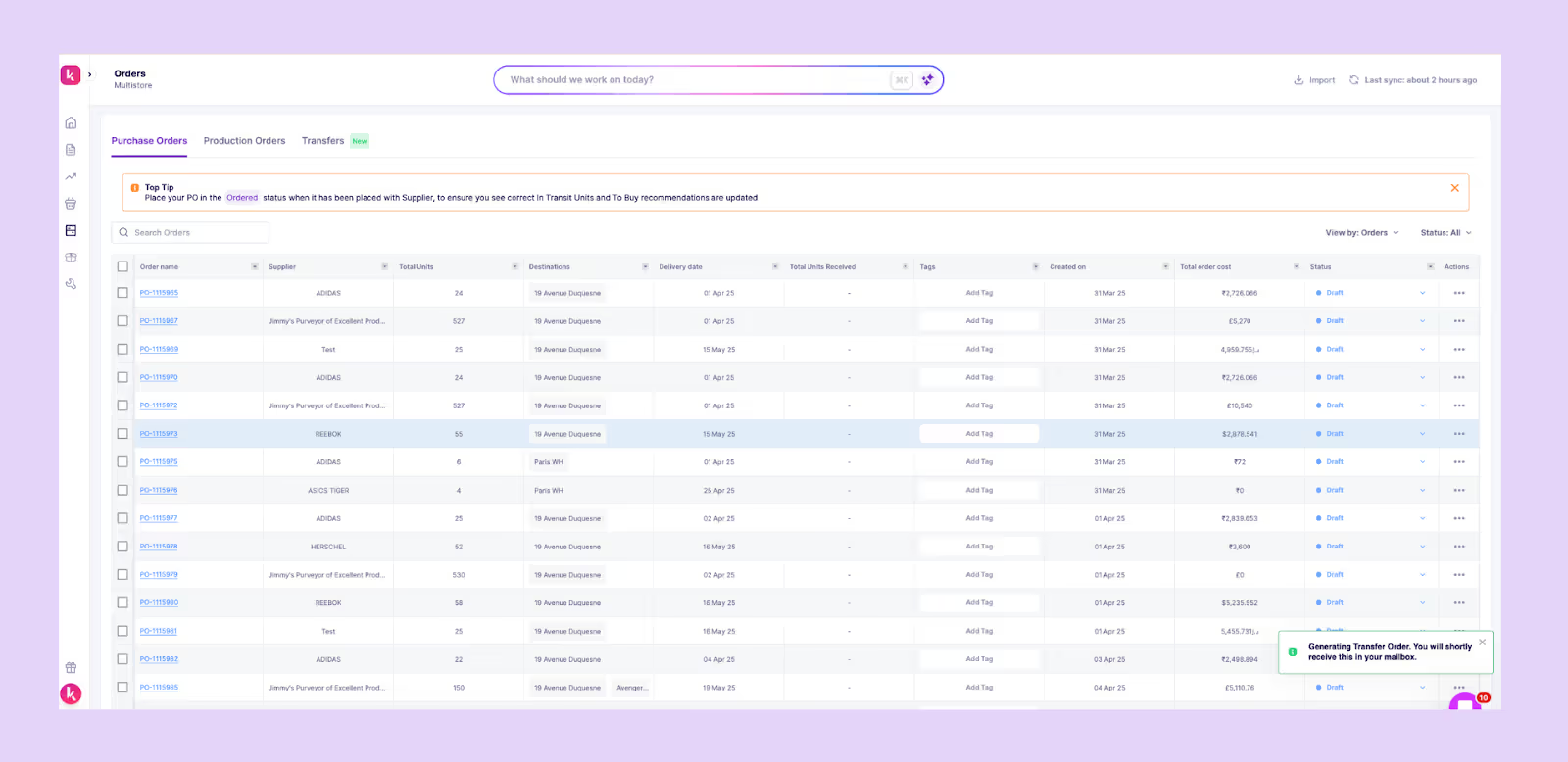
Managing POs manually eats up time and often leads to mistakes that disrupt supply.
Prediko automates this process by generating purchase orders directly from your buying plan, pre-filled with supplier details, lead times, and quantities. You can share them with suppliers in just one click, without ever leaving the platform.
Track status, update delivery dates, and sync everything with your inventory in real time, keeping operations smooth and preventing costly gaps in supply.
4. BOM and raw material tracking & forecasting for production-focused brands
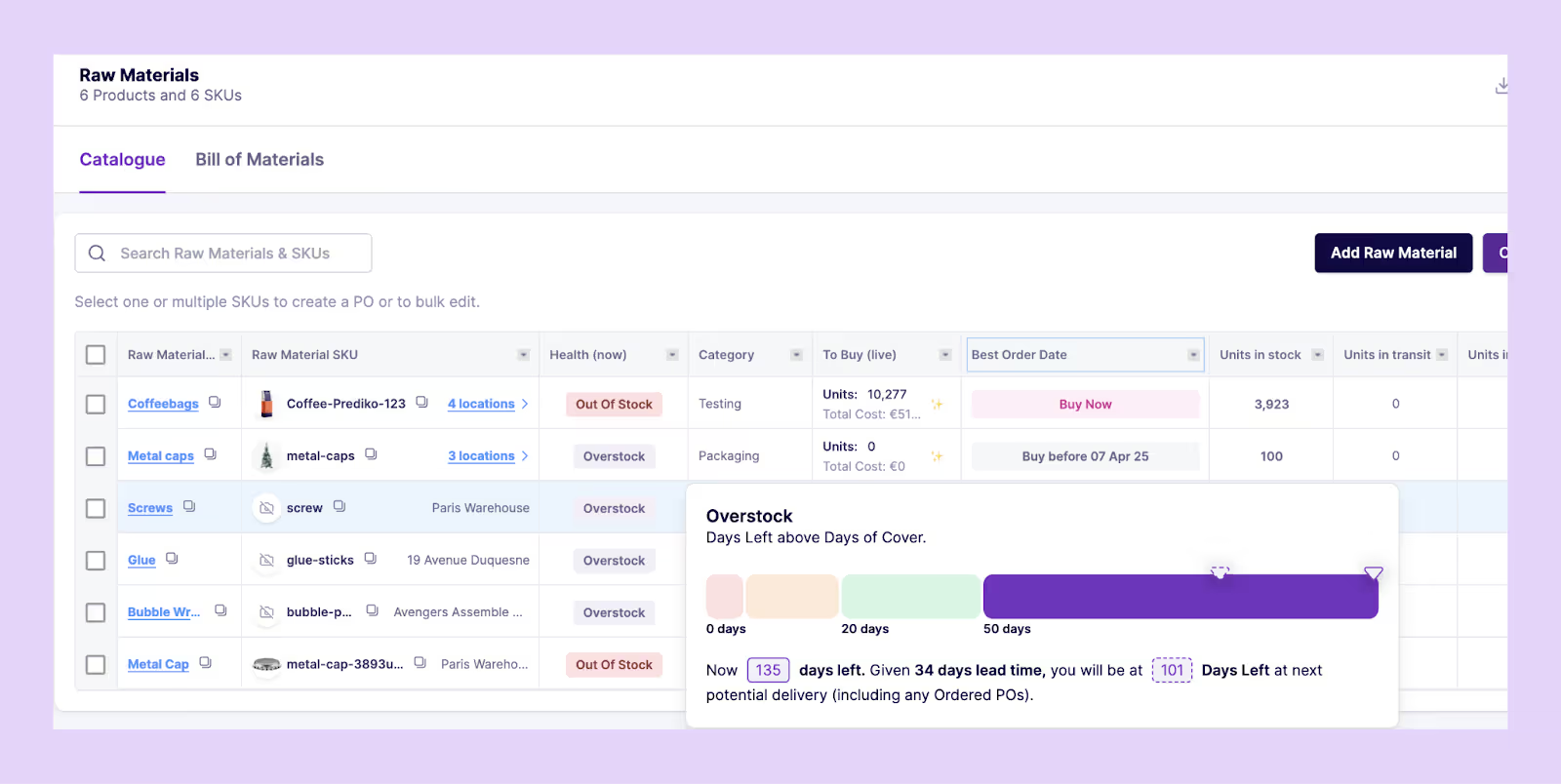
For brands that manufacture in-house, finished goods are only part of the equation; raw materials matter just as much.
Prediko links products to Bills of Materials (BOMs) so that every sales forecast automatically translates into raw material planning as well.
This helps you know exactly how much fabric, packaging, or components to order ahead of time, preventing production delays and locking in supplier capacity before demand spikes.
Explore the 7 best AI demand planning software trusted by fast-growing brands to improve forecast accuracy and streamline operations.
5. Inventory reports and analytics to course-correct in real time
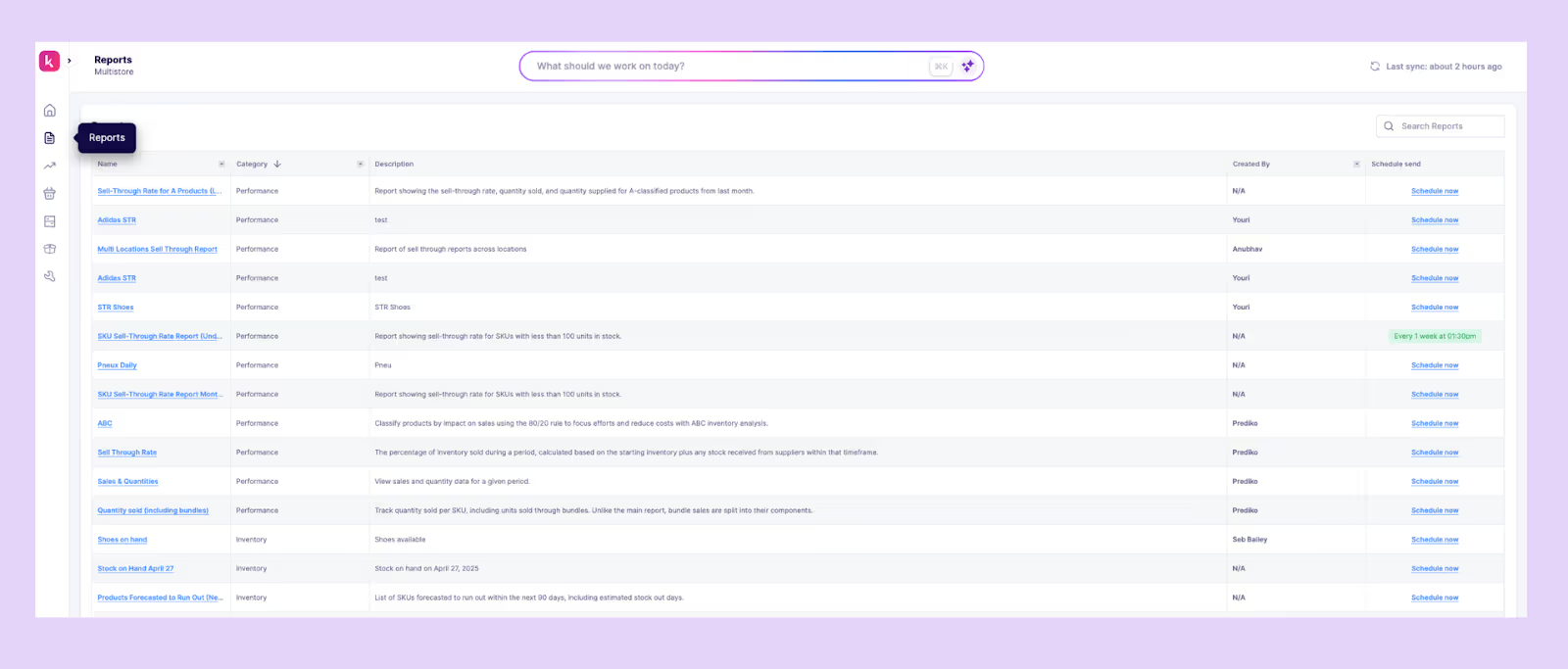
Retail moves fast, and decisions can’t wait until month-end reports.
Prediko provides 20+ ready-to-use inventory and sales reports that highlight stockouts, excess risk, sell-through, and turnover in real time.
With daily and weekly summaries sent straight to your dashboard and inbox, you can catch issues early, adjust forecasts, or trigger transfers, making sure growth stays on track without surprises.
6. AI agent to execute inventory and supply chain tasks (coming soon)

The future of retail lies in autonomy.
Prediko’s AI Agent acts like an extra team member, helping you manage inventory through simple natural-language commands.
Instead of clicking through multiple screens, you can ask it to refresh demand plans, draft or update purchase orders, open reports, or schedule summaries, all from an in-app chat.
With session memory and context-aware suggestions, the Agent makes routine supply chain tasks faster, reduces errors, and frees your team to focus on strategy rather than admin.
Are Your Retail Operations Future-Ready?
The future of retail is owned by brands that move fast, think ahead, and are in tune with their customers' desires.
With Prediko's AI and automation, you don't merely react to stock problems but solve them before they happen.
Ready to automate your retail operations? Start a free 14-day trial with Prediko to see how Shopify D2C brands like Oyo Skincare, Kate Hewko, and Healf are already future-proofing with Prediko’s AI.
.avif)
The Buyer’s Guide to Apparel Supply Chain Management Software
Don’t let supply chain disruptions hold back your apparel brand. Learn how to select the best apparel supply chain management software in this blog.
In 2010, jeggings took over the fashion world. Brands like Levi’s, American Eagle, and H&M rushed to stock them as demand exploded. Stores that caught on early made huge profits.
By 2013, the trend died almost overnight. Fashion shifted to relaxed fits, leaving retailers with excess stock they couldn’t sell. Many had to slash prices or write off inventory entirely.
Trends change fast, but poor inventory and supply chain management make it worse.
Without demand forecasting and real-time inventory tracking, brands risk overordering and losing money.
This article will guide you in selecting the right apparel supply chain management software and reviews eight top options to avoid such costly mistakes.
Top Apparel Supply Chain Management Software At a Glance
Key Features to Look for in Apparel Supply Chain Management Software
Just like shopping without a list leads to chaos, choosing an apparel supply chain management software without a checklist can be costly. Below are the key features you must look for.
1. Real-time inventory tracking
Your apparel supply chain management software should give you a real-time view of your inventory. As soon as there’s a change in your stock levels, you should be able to see it instantly and start planning accordingly.
With up-to-the-minute data, you can react immediately, whether it’s adjusting orders of a specific color, transferring stock, or anticipating shortages before they become a problem.
You’ll know it’s truly real-time if you can check stock levels at any moment and see accurate, updated numbers across all locations and channels.
2. Demand forecasting and planning
Picture this: you’re selling a Harry Potter hoodie, and suddenly orders start pouring in because of an upcoming themed event. You didn’t see it coming, and now you’re out of stock. A week later, when the stock finally arrives, the hype has died down, and you’re stuck with excess inventory.
This is exactly why demand forecasting and planning are essential. A good app doesn’t just track sales; it predicts what will sell next by analyzing past trends, seasonal patterns, and real-time data.
But forecasting isn’t enough, it should also help you plan. The right software turns predictions into action, suggesting production and inventory needs so you’re never overstocked, never out of stock, and always ready.
3. Supplier management and collaboration
You need a product as soon as possible, but your supplier takes too long to deliver. Or worse, they send the wrong quantity, and now your inventory is a mess. Without smooth communication, even the best forecasting won’t save you.
That’s why supplier management and collaboration is also important. A good apparel supply chain software should let you communicate with suppliers directly from your inventory dashboard so that you can track lead times, share POs accordingly, monitor their statuses, and resolve any issues. You shouldn’t have to dig through emails or chase updates.
The better your communication with suppliers, the fewer delays, mistakes, and last-minute surprises you’ll face.
Learn how to build a resilient supply chain.
4. Integration capabilities with existing systems
You’re using Shopify for sales, an accounting tool for finances, and another system for shipping. If your supply chain software doesn’t integrate with them, you’ll waste hours manually updating data across tools, leading to errors and inventory mismatches.
A good apparel supply chain management software should sync directly with your existing tools, pulling in sales data, updating stock levels, and keeping everything connected in real-time.
This ensures that whenever an order is placed or shipped, inventory, warehouse, financial, and other relevant records get updated automatically.
Look for a software that offers ready-to-use integrations or an open API, so you can build your workflows without complicated setup or constant manual work. The fewer gaps between systems, the smoother your operations will run.
5. Automated purchase order management
Reordering stock manually is nothing less than a headache. You have to track inventory levels, check supplier lead times, and make sure you’re not over-ordering or under-ordering.
One mistake, and you either run out of a bestseller or tie up cash in excess stock. Your software should automate restocking and generation of POs as soon as a product hits a predefined threshold. It must track supplier details, expected delivery dates, and order history, so you always know what’s on the way.
Reordering stock manually is nothing less than a headache. Your software should automate restocking and PO generation — ideally working alongside smart apparel inventory management tools.
For apparel brands managing complex variants and supplier timelines, dedicated apparel order management software can streamline purchasing, track incoming stock, and prevent costly ordering errors.
6. Multi-warehouse and fulfillment management
If you store inventory in multiple warehouses or use third-party fulfillment centers, keeping track of stock across locations can get messy. Without a centralized system, you risk shipping delays, stockouts, or sending products from the wrong location, increasing costs.
A multi-warehouse management feature gives you a clear view of inventory across all locations, helping you decide where to fulfill orders based on stock levels and shipping times.
It should also allow automated inventory transfers between warehouses when one location is running low. This keeps fulfillment efficient and prevents unnecessary delays.
Best Apparel Supply Chain Management Software
Now that you know the features to look for in an apparel supply chain management software, it’s time to choose. We’ve curated a list of the best eight tools available in the market.
Prediko - No.1 AI Supply Chain Software Management Software

Prediko is an AI-powered inventory management and planning software ideal for Shopify apparel brands.
It helps businesses forecast demand, balance stock levels, and automate end-to-end supply chain processes which is especially useful in apparel, where product variants (sizes, colors, styles) and short product life cycles can complicate supply chain processes.
Its user-friendly interface and flexibility make it accessible for growing brands while robust enough for SKU-heavy operations like apparel.
Key features
- AI Demand Planning: Prediko’s AI, trained on data from over 25 million SKUs across 15+ industries, forecasts demand for the next 12 months based on your sales target, providing predictions at the SKU, product, and category levels.
- Automated Purchase Order Management: Generates purchase order recommendations based on inventory levels, supplier lead times, and sales forecasts, ensuring timely restocking.
- Multi-Channel Inventory Sync: Connects inventory across Shopify, marketplaces, and retail locations, keeping stock levels updated in real time.
- Replenishment Alerts: Sends automatic low-stock alerts with recommended reorder quantities and timing, helping maintain the right stock levels.
- Production Planning: Predicts raw material requirements based on the finished goods demand forecast, ensuring well-planned manufacturing.
- Analytics & Reports: Provides detailed insights into stock performance, sales trends, POs late or due, percentage of plan achieved, and more.
Pricing
Prediko’s pricing starts at just $49 per month.
2. GoFrugal
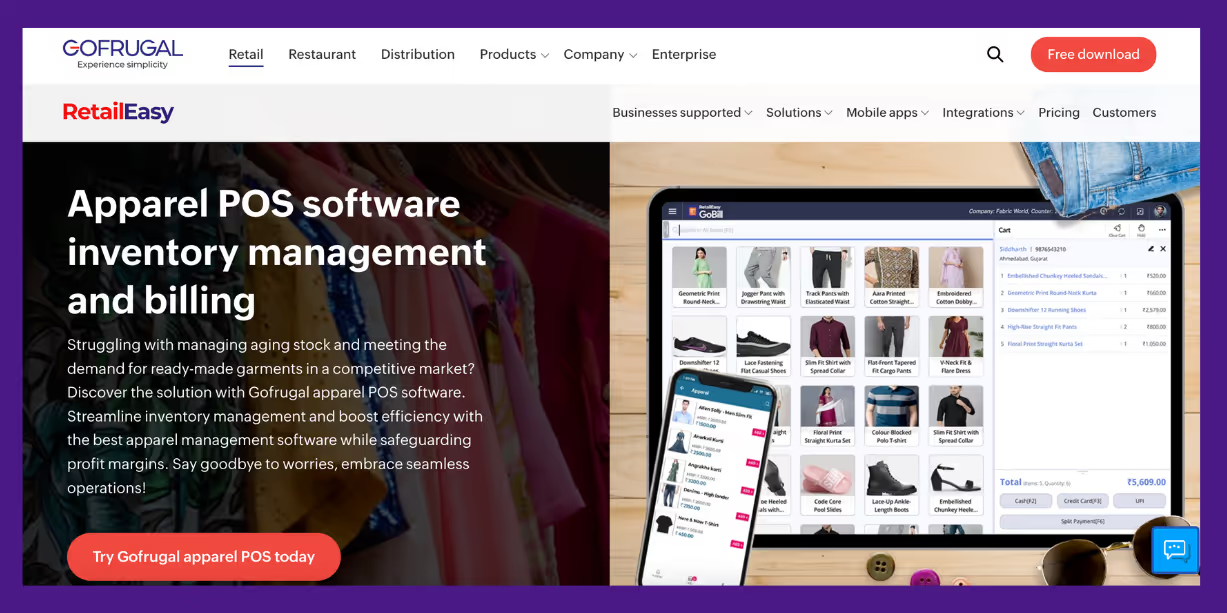
GoFrugal is a supply chain and inventory management tool that works for small to mid-sized apparel retailers and wholesalers. It's useful for brands looking for a system that connects inventory from both online and offline stores.
Key features
- Tracks inventory in real-time with barcode and RFID support
- Automates purchase orders based on stock levels
- Syncs inventory across multiple stores and warehouses
- Integrates with e-commerce platforms, POS systems, and marketplaces
- Reporting for analyzing sales trends and inventory movement
Pricing
Contact their team for pricing
3. Odoo
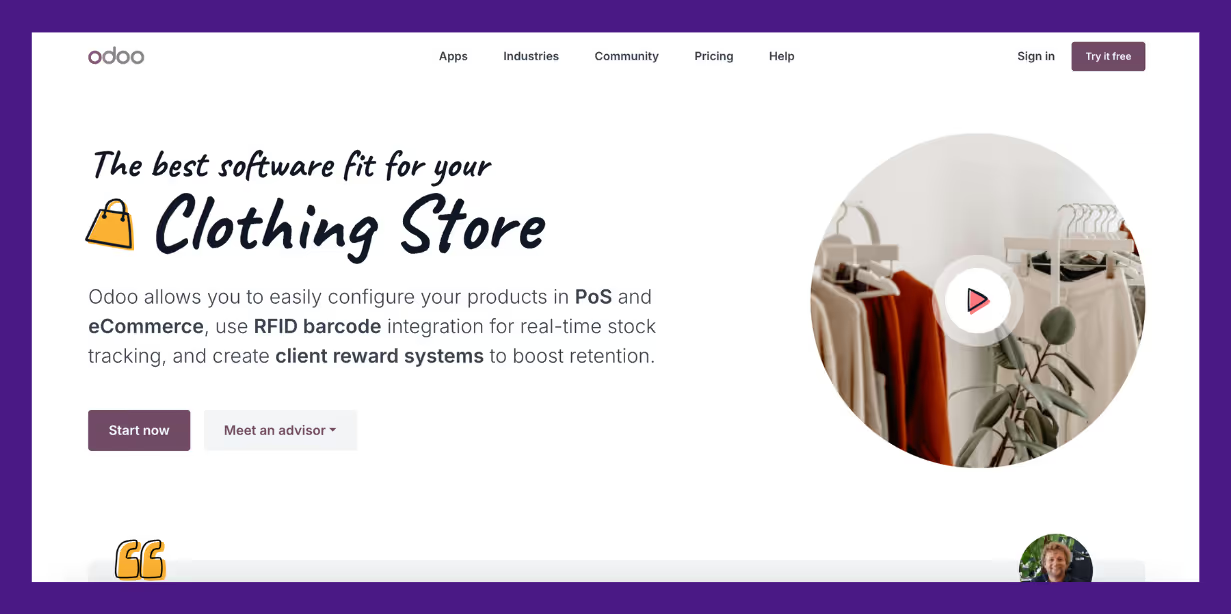
Odoo is an open-source ERP system that offers a range of apps, including inventory, manufacturing, and purchase.
It’s highly customizable, making it suitable for apparel brands that need flexibility in their supply chain processes. Businesses can choose only the features they need, making it a scalable option.
Key features
- Real-time inventory tracking across warehouses
- Automated demand forecasting and replenishment
- Customizable workflows for procurement and sales
- Multi-channel order management including e-commerce and retail
- Open-source flexibility for business-specific integrations
Pricing
Odoo’s pricing starts at $31.10
You can learn more about how dedicated fashion inventory software supports real-time tracking, variant-level forecasting, and replenishment for apparel brands.
4. Logility
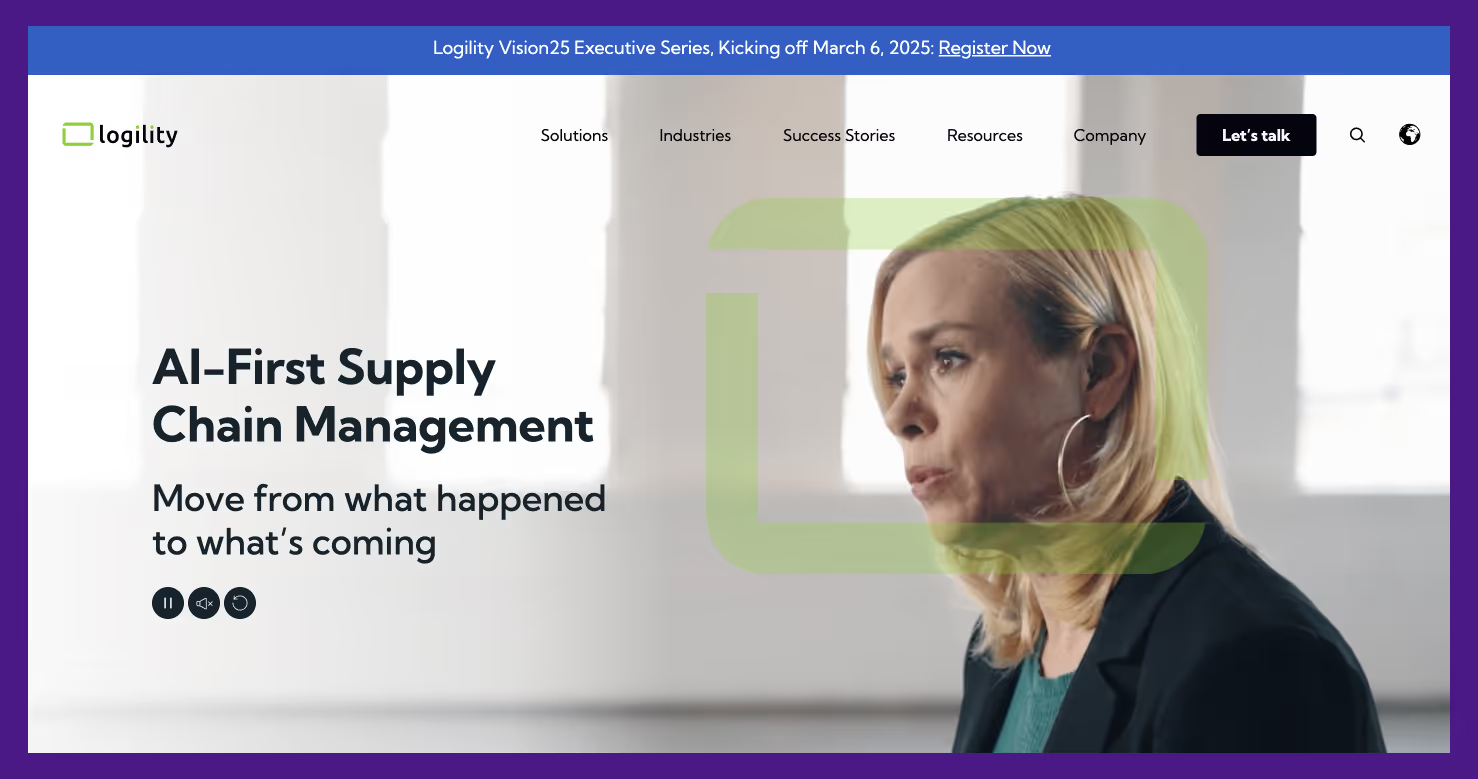
Logility is a supply chain planning tool used by apparel brands that require demand forecasting and supplier coordination. It focuses on using AI to predict demand, manage inventory levels, and improve procurement efficiency.
Key features
- AI-powered demand forecasting and scenario planning
- Allows designers, suppliers, and retailers to collaborate
- Set up tolerances and minimum order quantities
- Demand sensing techniques for new production
- Omnichannel order management
Pricing
Contact their team for pricing
5. Oracle SCM Cloud
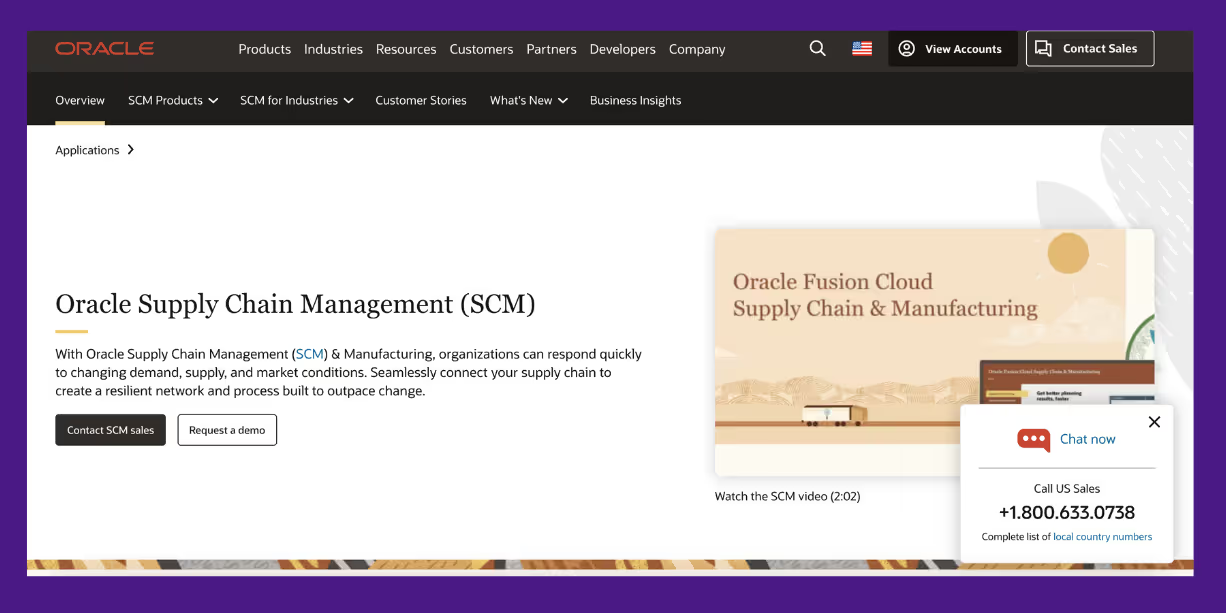
Oracle SCM Cloud is a supply chain management system suitable for large apparel brands and enterprises. It uses AI and machine learning to improve and automate various aspects of your supply chain, from planning to execution.
Key features
- AI-powered demand forecasting
- Automated order processing
- Blockchain-based supply chain tracking
- Ability to collaborate and communicate with suppliers
- Omnichannel order management
Pricing
Contact their team for pricing
6. Kinaxis
Kinaxis is a supply chain planning platform that helps apparel brands respond quickly to demand fluctuations and supply chain disruptions. It provides predictive analytics and automation to improve decision-making.
Key features
- Continuously updates supply plans with real-time data
- AI-powered demand forecasting
- Scenario planning & risk assessment to mitigate disruptions
- Centralized view of inventory, suppliers, and logistics.
- Enables collaboration with suppliers
Pricing
Contact their team for pricing
7. Logiwa
Logiwa is a warehouse and fulfillment management system that works well for apparel brands handling multi-channel distribution. It helps businesses manage high SKU counts, seasonal demand shifts, and returns while ensuring fast and accurate order fulfillment.
Key features
- Automated order routing and fulfillment
- Supports barcode and RFID scanning
- Insights into warehouse performance and operations
- Dynamic wave picking and batch processing
- Multi-warehouse management
Pricing
Contact their team for pricing
8. FreightPOP
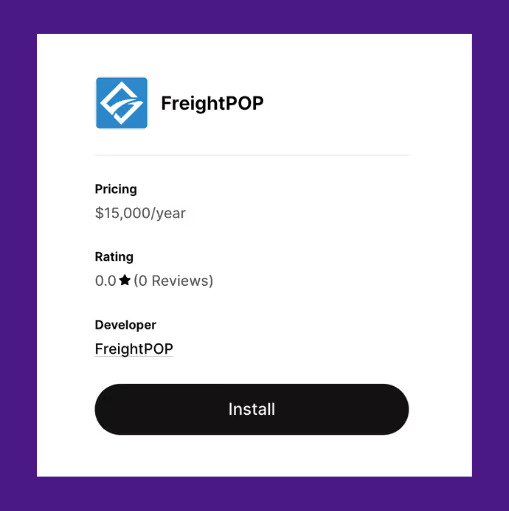
FreightPOP is a logistics and shipping management tool that helps apparel brands compare carrier rates, automate shipments, and track deliveries. It is useful for businesses managing high shipping volumes or working with multiple carriers.
Key features
- Rate comparisons across multiple shipping carriers
- Automated shipping label generation and tracking
- Integrates with inventory, ERP, and e-commerce platforms
- Audits freight costs and identifies cost-saving opportunities
- Supports parcel, LTL, FTL, and international shipping
Pricing
Contact their team for pricing
How to Pick the Right Apparel Supply Chain Management Software
With eight options on the table, making a choice can be tough. Here are a few factors to narrow down the list.
1. Assessing your business needs and challenges
Before you start looking at different software options, take a step back and evaluate what your business actually needs. Not every apparel brand has the same challenges—what works for a large retailer might be overkill for a small Shopify store.
Start by asking yourself:
- Where are the bottlenecks? Are you struggling with inventory mismatches, late customer deliveries, long lead times, or stockouts?
- How complex is your supply chain? Do you manage multiple warehouses, work with different suppliers, or sell on multiple platforms?
- What tools are you already using? Your new software should integrate seamlessly with your existing tech stack to avoid redundant manual work.
Understanding your specific challenges will help you filter out solutions that don’t fit and focus on the ones that will actually solve your problems. The right software is not the one with the most features—it’s the one with the features that matter to your business.
2. Evaluating scalability and flexibility
Your business today isn’t the same as it will be in a year. Maybe you’re adding new product lines, expanding to multiple warehouses, or selling on new platforms. The software you choose should be able to grow with you, not hold you back.
Ask yourself
- Can it handle more products, more orders, and more suppliers as you scale? A system that works fine now might struggle when your sales double.
- Does it adapt to different business models? Whether you add pre-orders, dropshipping, or wholesale, your software should support these changes without requiring a complete overhaul.
- How customizable is it? Every business operates differently—look for a software that lets you tweak workflows, reports, and integrations to fit your specific needs.
A rigid system will slow you down as your business evolves. Prioritize software that’s scalable and flexible, so you’re not stuck switching systems every time you make a major move.
Looking to refresh your store? Check out these top 10 Shopify themes for clothing stores.
3. Considering user-friendliness and support
Let’s say you buy the most popular, most expensive, or the most fancy-looking software out there. The minute you start training your team on how to use it, it's one hell of a task.
If the team is spending hours trying to figure out basic functions or constantly fixing errors, it’s only adding to their workload, not reducing it.
Look for a software with
- An intuitive interface: You and your team should be able to navigate it without needing weeks of training.
- Reliable customer support: Issues will come up. Make sure there’s a responsive support team available through chat, email, or phone.
- Comprehensive onboarding and resources: Good software should offer tutorials, guides, and an easy setup process.
Before committing, check Shopify App Store reviews to see what other users say about ease of use and support. Also, take advantage of free trials or demos as this is the best way to see if the software fits your workflow before making a decision. If it feels clunky or confusing during the trial, it’s not going to get any easier later.
4. Prioritize transparency in pricing
Hidden fees can quickly turn an affordable apparel supply chain management software into a costly one. Some software charges extra for more users, higher order volumes, or advanced features you assumed were included.
Before committing, check:
- Is the pricing based on the number of orders, SKUs, or users?
- Are essential features like forecasting and automation included, or do they cost extra?
- Are there long-term contracts, or do they offer monthly subscriptions that can be scaled up/down as needed?
Go for a solution with clear, predictable pricing so you’re not surprised by unexpected costs.
5. Make sure it fits your business model
Not all supply chain management software is built the same. Some are designed for large enterprises with complex logistics, while others cater to small to mid-sized e-commerce businesses. Choosing the wrong one can mean paying for features you don’t need or missing essential ones.
Ask yourself
- Does it support your sales channels? If you’re selling on Shopify, marketplaces, or wholesale, the software should handle all of them seamlessly.
- Can it manage your fulfillment process? Whether you use in-house fulfillment, third-party logistics (3PLs), or dropshipping, the software should align with your operations.
- Does it work for your product type? Apparel businesses have unique challenges like size variations and seasonality, so make sure the software is built to handle them.
A software designed for your business model will be far more effective than a one-size-fits-all solution.
Best Practices for Implementing Apparel Supply Chain Management Software
Let us now go over some best practices for smoother implementation.
1. Get your data in order before implementation
Before switching to a new supply chain management system, clean up and organize your data to prevent errors and delays. If your inventory records are inaccurate or your supplier details are outdated, even the best software won’t work effectively.
Start by
- Standardizing SKUs: Ensure product codes are consistent across all platforms
- Updating stock levels: Double-check inventory counts to avoid discrepancies
- Cleaning supplier information: Remove old contacts, update lead times, and verify active partnerships
- Organizing order history: Ensure past sales and purchase records are accurately tracked for better demand forecasting
Good software won’t fix bad data. The more organized your records are before implementation, the smoother the transition will be.
2. Start with a trial or pilot run
Jumping into a new system without testing it first can lead to disruptions and costly mistakes. Instead of fully switching over immediately, run a trial or pilot test with a small portion of your inventory, a single warehouse, or a limited set of suppliers.
This allows you to
- Identify any integration issues with your existing tools
- Test how well the software handles real-time inventory updates and order management
- Train a small team first, so they can help onboard others when you fully implement the system
Use this trial period to fine-tune workflows and catch any problems before scaling up. A phased approach ensures a smoother transition without disrupting daily operations.
3. Train your team properly
Throwing new software at your team without proper training is a recipe for frustration. If they don’t know how to use it, mistakes will pile up, operations will slow down, and you’ll probably hear a lot of complaints. The goal isn’t just to introduce a new apparel suplly chain management software, it’s to make sure everyone actually feels comfortable using it.
Here’s how to make training smooth and effective:
- Make it role-specific: Your warehouse team doesn’t need to learn supplier management, and your finance team doesn’t need to mess with inventory tracking. Teach people what’s relevant to their job, so they’re not overwhelmed with unnecessary features
- Use different training methods: Not everyone learns the same way. Mix hands-on practice with video tutorials and step-by-step guides. Most software providers have onboarding resources, use them.
- Have a go-to expert on your team: Pick one or two team members to become the software pros. They can help answer quick questions, troubleshoot small issues, and make adoption easier for everyone else.
A little effort upfront saves you a ton of headaches later. When your team knows what they’re doing, the software actually works the way it’s supposed to, and that’s when you’ll see the real benefits.
4. Set up automation for key processes
Repetitive tasks slow you down and eat up valuable time. Automation takes those off your plate, making your supply chain more productive without extra effort.
Instead of constantly checking stock levels and placing orders manually, automation ensures that when inventory runs low, a purchase order is created automatically or with a click. The less time you spend on manual tasks, the more you can focus on actually running and growing your business.
Dive deeper and get a complete breakdown of purchase order management for clothing stores in this guide.
Learn how dedicated apparel order management software can automate purchase orders, track supplier timelines, and simplify restocking for clothing brands.
Manage your Supply Chain End-to-End with Prediko
In the apparel industry, supply chain disruptions can make or break your business. Stock out of a bestseller? You lose sales. Order too much? Your cash is stuck in unsold inventory. The old way of managing stock with spreadsheets and gut instinct just doesn’t cut it anymore.
Prediko makes apparel supply chain management easier and smarter, giving you access to automated purchase orders, real-time inventory tracking, and AI-powered demand forecasting. Use the app free of cost for 14 days and experience the difference Prediko can make in your supply chain.
.avif)
How to Set Up and Manage Shopify Multiple Warehouses [2026]
Find out how Shopify multiple warehouses work, how to set them up, and how to keep inventory synced across stores, warehouses, and 3PLs using Prediko.
What happens when your store grows beyond a single warehouse?
Suddenly, it’s not just about keeping products in stock, but deciding which location should ship each order, how to balance inventory across regions, and how to stop stock from sitting idle.
That’s the reality of running Shopify multiple warehouses. It gives you more flexibility and reach, but it also adds complexity that needs to be managed carefully.
We’ll break down how to handle multiple warehouses on Shopify, how to know if you’re ready to add more, the setup and migration process, and the role Prediko plays in keeping everything under control.
Understanding What Shopify “Multiple Warehouses” Means
In Shopify, multiple warehouses are managed through locations. A location can be a warehouse, a retail store, a third-party logistics provider, or a dropshipper. Each location tracks its own inventory and fulfills orders separately.
When you connect fulfillment apps, such as a 3PL or dropshipping partner, Shopify automatically creates new locations for them. This way, all stock levels across your business are recorded in one system.
Shopify also allows multi managed inventory, meaning a single product can be stored in more than one location at the same time. Orders are then routed according to where inventory is available and where the customer is based.
Having multiple warehouses in Shopify helps reduce delivery times, cut shipping costs, keep stock levels accurate, and give more flexibility in how orders are routed across regions or sales channels.
Do You Need Multiple Warehouses on Shopify?
Not every store needs more than one warehouse. The decision usually depends on scale, geography, and product mix.
Adding another location brings benefits, but also adds complexity in stock allocation and coordination. The key is knowing when the benefits outweigh the complexity.
Here’s how to assess that decision.
Signs It’s Time to Add Another Warehouse
✅ Order volume: Once daily orders climb above 100–200, single site fulfillment starts to strain
✅ Geographic spread: If a large share of orders ship to regions far from your current warehouse, delivery times and costs rise
✅ Shipping cost delta: Compare what you pay now versus what you would save if you stocked closer to customers
✅ SKU footprint: Larger catalogs and bulky items are harder to manage from one site
✅ Returns complexity: Frequent or regional returns can make a single warehouse inefficient
To make warehouse decisions easier, here’s a simple framework.
Step 1: Are you shipping more than 100 orders a day?
- No: One warehouse is likely enough.
- Yes: Move to step 2.
Step 2: Are customers spread across distant regions?
- No: A single warehouse is still manageable.
- Yes: Move to step 3.
Step 3: Compare current shipping costs with projected costs if you add another warehouse.
- If savings outweigh the overhead of running a new site: Add another warehouse.
- If not: Stick with one.
Example: A Shopify store selling sports equipment ships 500 orders a day from one East Coast warehouse. Half of its customers are on the West Coast. Shipping from the East costs $12 per order, while West Coast fulfillment would cost $7.
On 250 daily West Coast orders, that’s a saving of $1,250 a day or over $30,000 a month. The savings more than justify the cost of operating a second warehouse.
Step-by-Step Shopify Multiple Warehouses Setup
Here’s how to set up multiple warehouses from scratch and keep inventory accurate across all locations.
1. Add and name locations
Go to Shopify Admin → Settings → Locations → Add location.
Give each warehouse a clear name (e.g., New York DC or West Coast 3PL) and enter the full address.
This address is used for shipping rates and tax calculations, so accuracy matters. Once saved, the location appears in your fulfillment list.
2. Configure fulfillment priority
In Settings → Locations, drag and drop your warehouses into the right sequence. The first location with stock available will be used to fulfill the order. Merchants often
- Rank by geography to ship from the closest site
- Rank by cost if one warehouse is cheaper to operate
- Use priority rules for markets, for example, keeping EU orders within Europe
3. Assign inventory to locations
Each product needs to be linked to the right warehouses. Open a product in the admin, scroll to the Inventory section, and select Edit locations.
Check the boxes for each site that stocks the product, then enter the quantity on hand. Shopify will now track stock separately for each warehouse.
4. Bulk editor and CSV options
If you need to update many SKUs at once, use Shopify’s bulk editor. Go to Products → Inventory, select the variants to edit, and click Bulk edit.
Add columns for each warehouse, type in the correct quantities, and save.
For even larger catalogs, export your inventory as a CSV. Update the quantities for each location in a spreadsheet, then re-import the file back into Shopify. This method is faster when migrating thousands of SKUs or setting up a new warehouse.
Learn More: Shopify Inventory Management Guide for D2C Brands
How Shopify Chooses Fulfillment Location
Shopify looks at three things when deciding where to route an order: the fulfillment priority list you set, whether a single location can fulfill all items, and the routing rules you apply.
1. Fulfillment priority
Locations are arranged in a priority list under Settings → locations.
Shopify checks this list from top to bottom and assigns the order to the first location that has enough stock to fulfill the item(s).
2. Minimizing splits
- If one location has all items, Shopify routes the full order there
- If no single location can cover everything, it applies your routing rules
- With “Minimize split fulfillments” enabled, Shopify selects the location that can ship the most items together, even if another warehouse is physically closer
3. When orders get split
Orders split only when no single location has all items. Shopify sends as much as possible from the highest-priority location, then routes the rest to the next available site.
This is where extra shipping cost and slower delivery can appear if stock is spread too thin.
4. Single-location fulfillment
When there is only one location, every order goes there. The only requirement is that the location is active and set to fulfill online orders.
Common pitfalls to avoid include.
- Leaving inactive or “storage-only” sites in the list as they may receive orders by mistake
- Adding a 3PL but forgetting to update the priority sequence as orders route incorrectly
- Counting damaged or reserved stock as “available” as causes unexpected backorders
Regularly reviewing your settings helps prevent split shipments, delays, and misrouted orders.
Advanced Rules and Automation While Using Multiple Warehouses on Shopify
Once multiple warehouses are active in Shopify, rules and automation become important for keeping fulfillment predictable.
With advanced settings, you can control which warehouse fulfills each order, define exceptions, and manage stockouts without disrupting operations.
1. Allocation rules
You can set rules that decide which warehouse gets the order. Common approaches include ranking locations by priority, choosing the warehouse closest to the customer, or minimizing split fulfillments.
Rules can also be set by market, so customers in Europe are always served from an EU warehouse. (See the list of top 3pls in France, a major EU country)
2. Automation triggers
Automation can determine when orders should be routed to different warehouses. For instance, high-value orders might go to a 3PL with stricter packaging standards, while oversized items are sent to locations equipped to handle them.
Shopify apps can add even more triggers, such as routing based on order tags, sales channels, or shipping methods.
3. Backorder strategies
If one warehouse runs out of stock, Shopify can route the order to the next location with available inventory.
Some merchants prefer to allow backorders instead, keeping the order tied to a primary warehouse until replenishment arrives. This avoids split shipments but requires accurate incoming PO data.
Migration Process to Go From a Single Location to Multiple Warehouses
Scaling from one warehouse to many isn’t just about adding space, it’s also about redesigning how inventory, fulfillment, and data stay in sync.
Here’s a step-by-step process for making the transition.
1. Audit SKUs
Review your product catalog before adding new warehouses. Remove inactive or duplicate SKUs and clean up bundled products that could cause confusion when stock is split.
Ensure barcodes and product identifiers are consistent so fulfillment errors don’t appear once multiple locations are active.
2. Freeze sync windows
Pause automated syncs from ERPs, apps, or connected systems during setup. This prevents changes from being overwritten while new locations are created and tested.
Once all warehouses are live, you can safely re-enable syncs.
3. CSV export
Export your current inventory into a CSV before making changes. This file works as a backup and lets you quickly restore stock counts if an error occurs during setup.
4. Set fulfillment priority
Add your new warehouses in Settings → Locations and arrange them in the correct order. Merchants typically:
- Rank by geography, so orders ship from the closest warehouse
- Rank by cost, so the lowest-cost warehouse is used first
- Rank by market, so international orders stay within the same region
5. Phased migration
Don’t move everything at once.
Start with a small group of SKUs or a single warehouse. Route only a portion of orders there, monitor performance, then expand gradually. This staged rollout reduces the risk of widespread issues.
6. QA checklist
Before going live, place test orders across locations.
Verify that stock counts update correctly, orders follow the fulfillment priority you set, shipping rates display as expected, and returns route to the right warehouse.
Run these checks for both domestic and international orders if you sell globally.
How Prediko Helps Manage Shopify Multiple Warehouses
Prediko is designed to help Shopify merchants manage inventory across multiple warehouses without relying on spreadsheets or manual processes.
It combines real-time tracking, demand forecasting, and automation to keep stock accurate, orders routed correctly, and replenishment timely.
Here are the features that make this possible.
- Centralized inventory tracking: View inventory across all Shopify warehouses, 3PLs, and POS locations in a single hub. No more switching tabs or reconciling spreadsheets.
- Real-time sync: Every sale, return, or transfer updates instantly across all locations, reducing errors and avoiding duplicate stock counts.
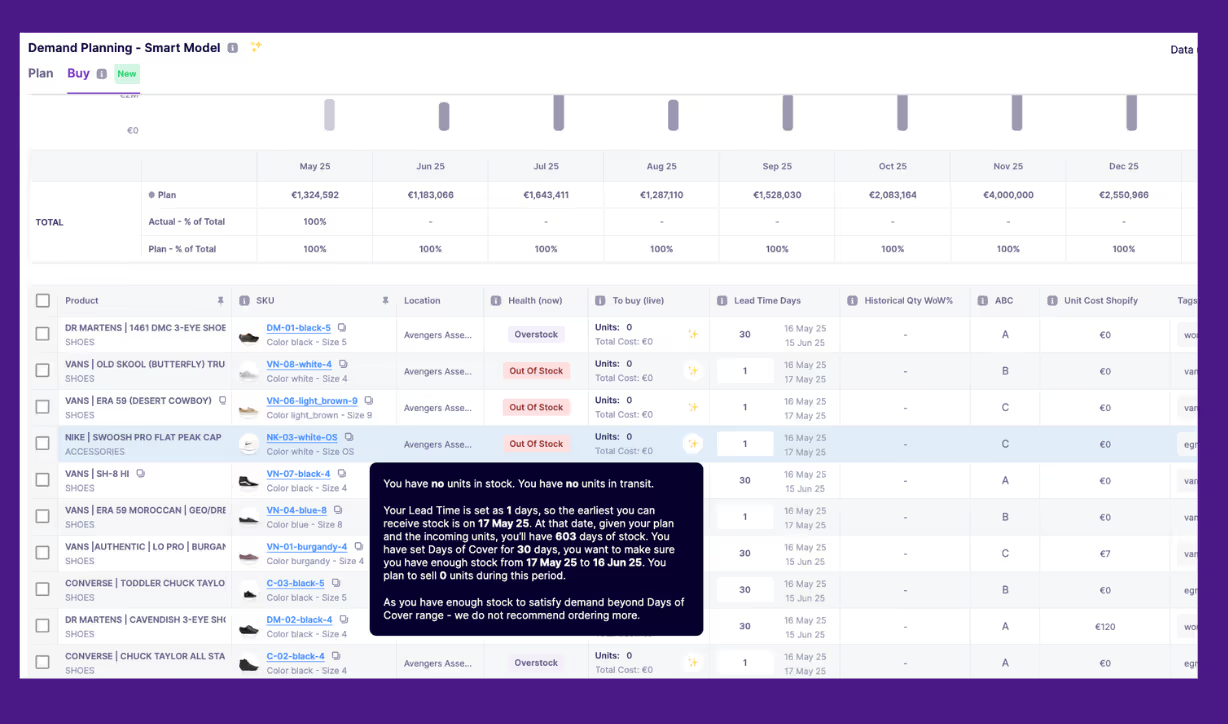
- AI-demand and supply planning: Prediko’s forecasting drills down to the SKU and location level. By analyzing historical sales data, seasonality, and growth trends, it predicts where, when, and how much stock will be needed.
- Automated transfers: Move inventory between warehouses with AI-backed recommendations that balance stock efficiently and cut shipping costs.

- Automated replenishment alerts: Prediko generates alerts when stock falls below thresholds at any of your warehouses. Easily generate and track POs for multiple warehouses, ensuring each site has what it needs, when it needs it.
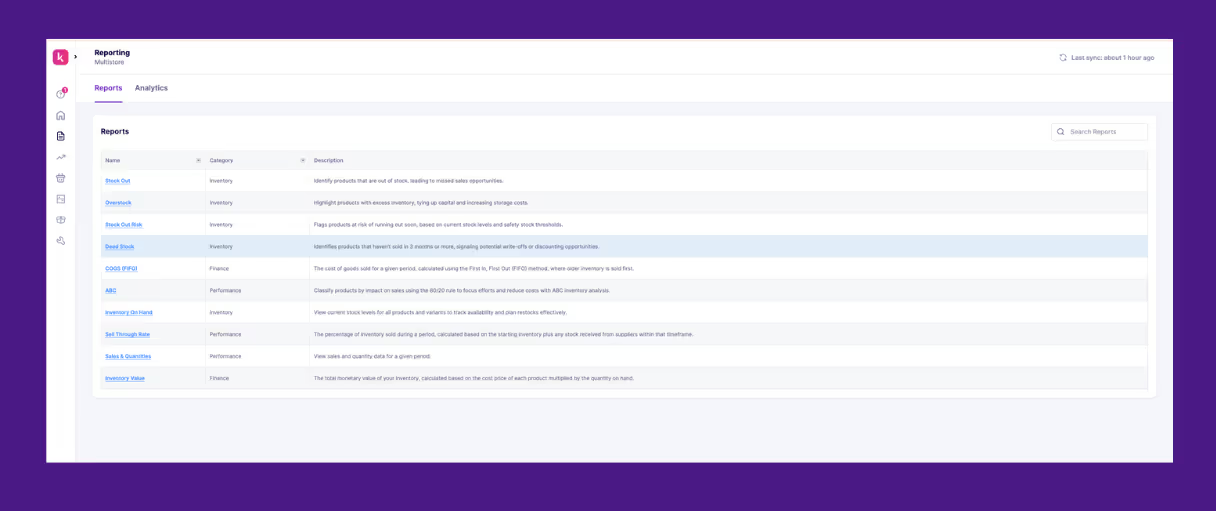
- Detailed analytics and reports: Prediko offers in-depth analytics and 20+ reports to identify location-specific sales trends, stock movement and health, along with incoming POs, inventory value, and more. You can also schedule reports to your inbox for timely action.
Make Multi-Warehouse Inventory Work for You
Multiple warehouses on Shopify can either improve fulfillment or create inventory chaos. By setting them up correctly, prioritizing locations, and managing stock in real time, you can cut costs, avoid split shipments, and keep customers happy.
Prediko makes it easier with AI-powered forecasting, real-time inventory sync, automated purchase orders, and full visibility across every warehouse. Instead of draining cash flow, your inventory starts driving growth.
Start your 14-day free trial to see how Prediko simplifies multi-warehouse inventory management.
Frequently Asked Questions (FAQs)
.avif)
Learn To Build Supply Chain Resilience For Future
Learn how you can easily build supply chain resilience for your D2C and B2B business.
Supply chains are getting cooler, well at least we think that they are. Up until a few years ago supply chains were necessary cost centres that didn’t do much more than fulfil the promise of delivering goods to a warehouse; but since the boom of e-commerce they are coming into their own and we are all pushing and looking for our supply chains to be more intelligent, digital and resilient.
On one hand supply chains have become easier to operate with constantly improving technology, globalisation and diversified consumer habits, but equally we face a more volatile economy, greater environmental hazards and material shortages.
Supply chain resilience in difficult times
That's why Kimai shifted away from an excel spreadsheet to a software app to help them plan their demand. And that's how they were able to save 20 hours / week with help of Prediko
By insisting on resilience with your supply chain you are supporting the team that operate your inventory and helping to build robust processes so your business can navigate the unexpected, smoothly.
At Prediko we like to look at problems with a solutions focused perspective so before you hit the ground running take a read through our top tips on building supply chain resilience.
Time to go digital
By investing and implementing digital solutions into your supply chain you are apply to gain access to invaluable data that improves transparency, traceability and your power to react to changes. Brands using apparel supply chain management software can track inventory movement, supplier timelines, and replenishment needs from a single source of truth. We discuss this point in a webinar with Limited Supply Slack community.
We discuss this point in a webinar with Limited Supply Slack community
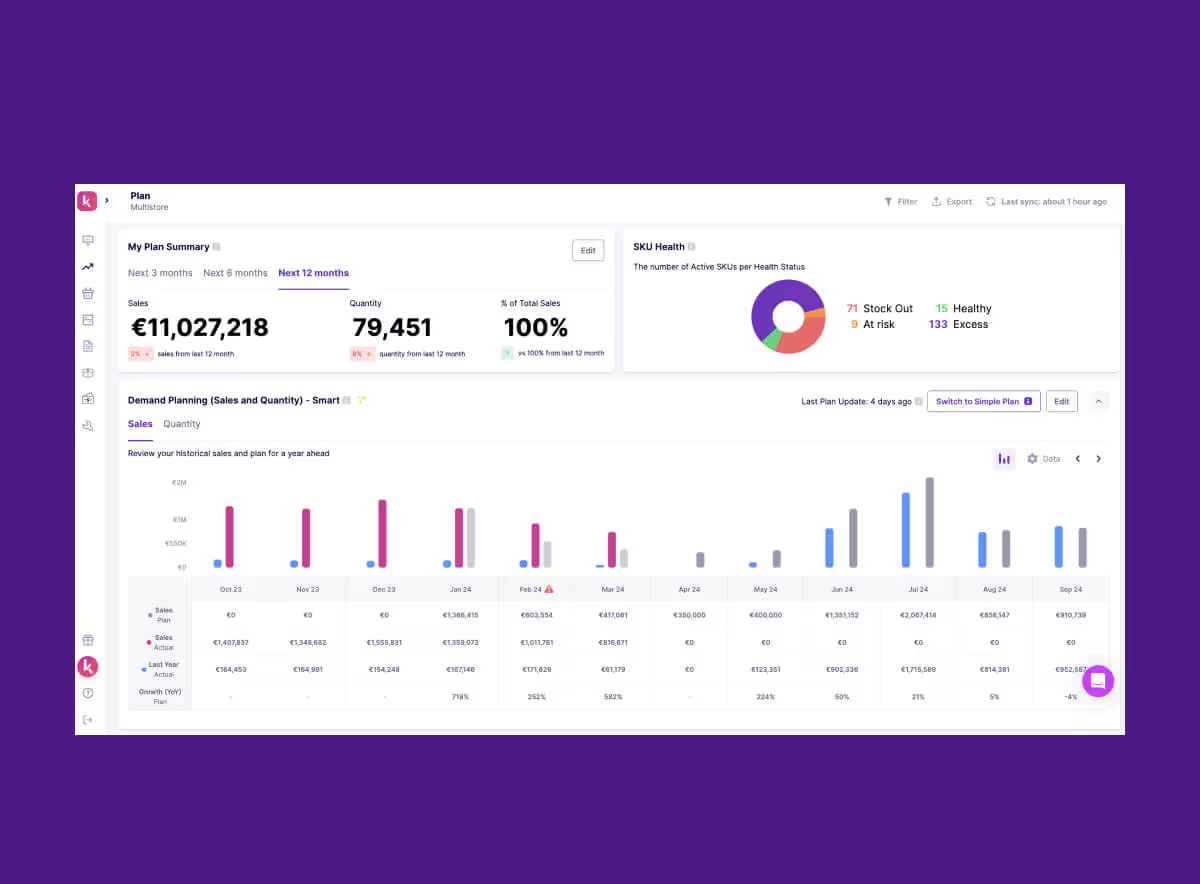
Although it can take time to educate teams to adopt these practices, everyone should consider this a form of invaluable future proofing that can greatly increase margins in the long term. Within Prediko dashboard, you can have visibility on all your inventory, it’s health and recommendations for immediate ordering, all at one glance!
In industries like Building Materials Industry Digitalization, going digital ensures smoother operations and enhanced resilience by enabling real-time inventory tracking and predictive analytics.
Communication is the key when it comes to building supply chain resilience
The first rule of all relationships is the importance of putting communication first. By insisting on clear communication and collaboration between suppliers, retailers and customers, you have the opportunity to reduce tensions between these forces. If communication is easy, you are able to raise potential issues earlier on, find solutions and accordingly adjust expectations.
Age of eCommerce
A rapid shift towards an eCommerce first sales approach has been an adjustment, the shipping of single units and the packaging required for this has increased economic risk and jeopardised margins.
To combat this issue, it's important to design your products to fit with all routes of sale and adjust distribution channels to be suited.
That's why for D2C brands, it becomes important to invest in eCommerce inventory forecasting.
Supporting talent
Correct technology is one part of ensuring supply chain resilience but its also vital to have the right teams to support and manage these tools. Invest in making hires who are keen to try out new tools, curate and develop systems that make product acquisition easy, are attuned to potential problems and the solutions needed to weather them. That's why it is important to invest in inventory tracking apps that can help when supply chains are disrupted.
International outlook
Before the pandemic we might have considered it easier to have fewer suppliers in fewer locations, but in fact that can leave businesses incredibly vulnerable when local shocks occur- That's why it's very important to choose your suppliers.
An unforeseen environmental occurrence might paralyse your entire supply chain.
By insisting on diversified locations you will have bought yourself time to source solutions if one branch of your supply chain has been temporarily put out of commission.
At Prediko, we look at the health of your supply chain overall, with forecasting, live lead times and a real time dashboard, you will be able to ensure resilience is being maintained at across the board. To discuss our features in more detail, please reach out from the website and we’ll be in touch.





.avif)