


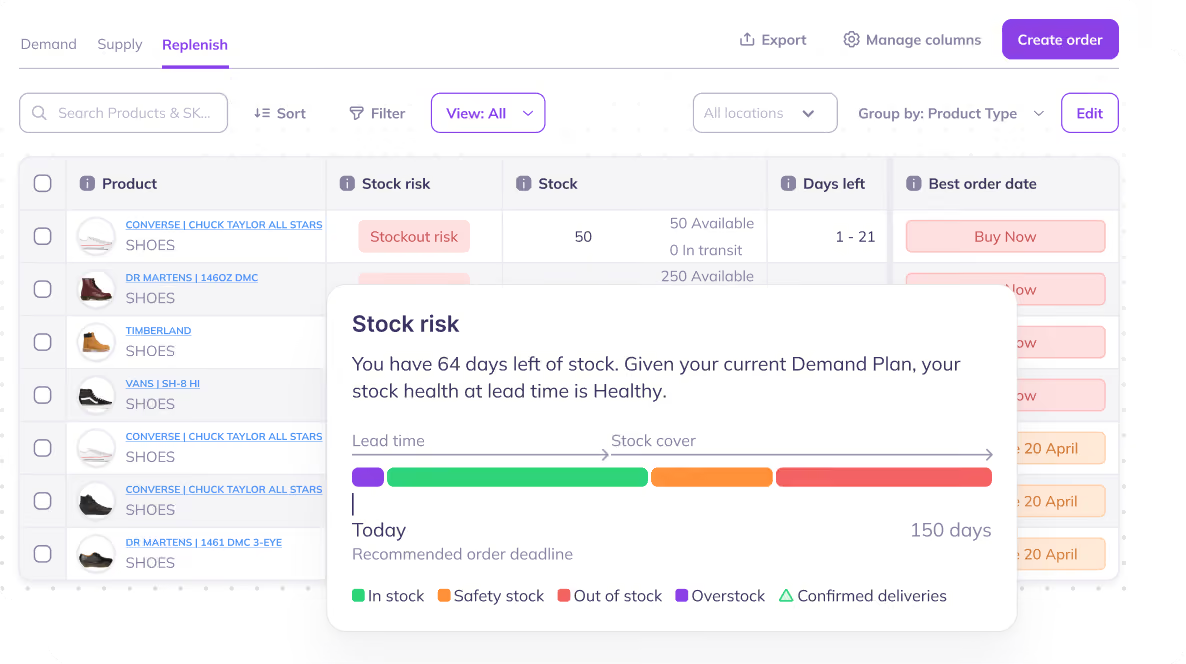
Inventory is often one of the largest balance sheet items for Shopify D2C brands, representing 20–30% of total assets as per U.S. Census Bureau retail inventory data
In order to create a profitable business, it is important to setup inventory management properly.
Setting Up Inventory Management in Shopify
Before diving into inventory management strategies for Shopify, ensure that your products and SKUs are properly set up within Shopify.
Here's a quick walkthrough:
Step 1: Activate inventory tracking
- Log in to your Shopify admin
- Navigate to "Products" and select a specific product
- Scroll down to the "Inventory" section
- Enable the "Track quantity" option. This allows Shopify to monitor the available quantity for each product or variant
- You can even view the history of inventory adjustments by clicking on "Adjustment History"

Step 2: Choose your inventory policy
- Select "Continue selling when out of stock" . Ideal for products with reliable restocking or for pre-orders.
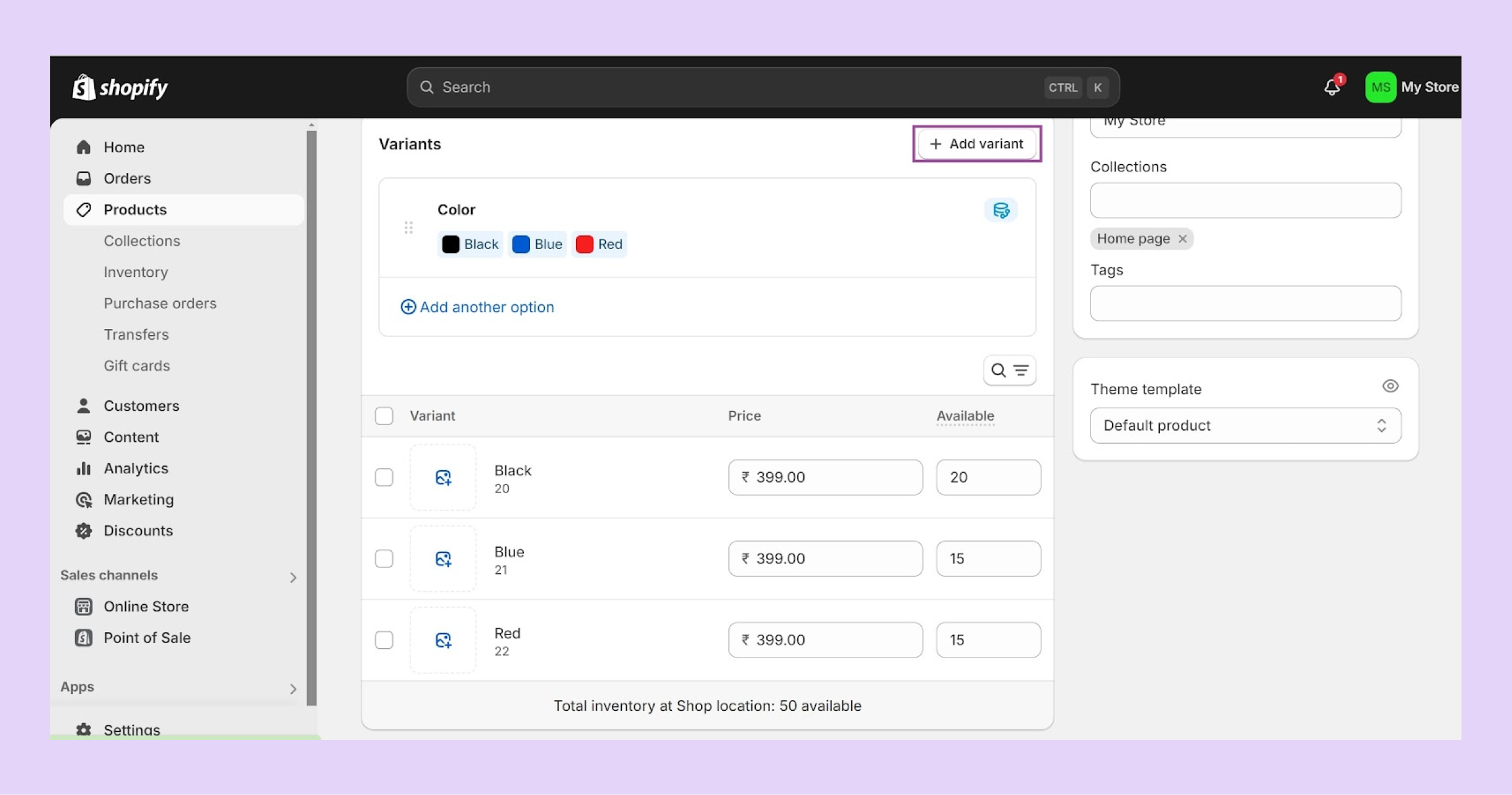
Step 3: Define product variants (if applicable)
- Products with multiple variations (size, color, etc.) require variant creation
- Access the "Variants" section within your product listing
- Create individual variants for each option, enabling separate stock tracking
Helpful Read: Shopify Variant Inventory Tracker: Automate to Reduce Manual Oversight
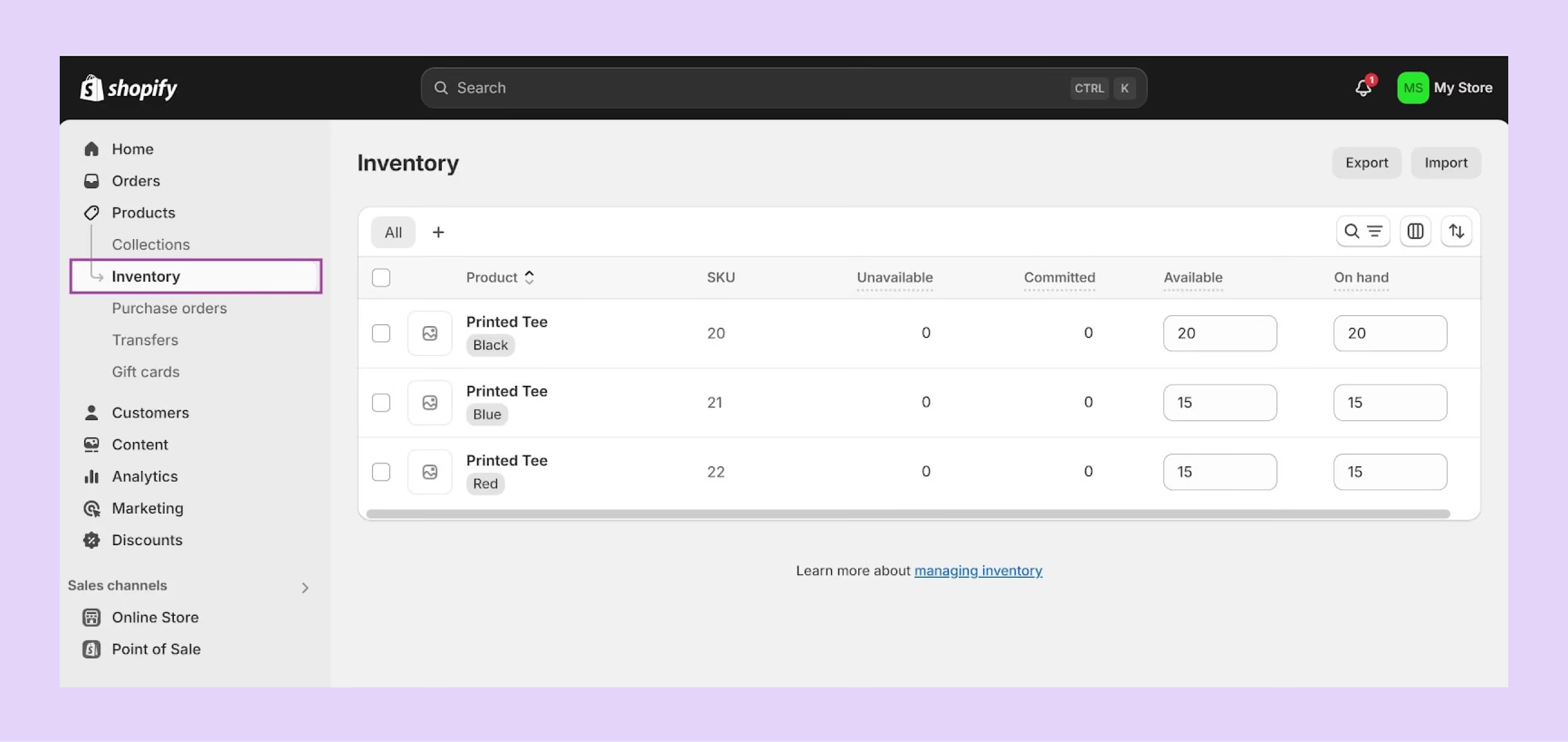
Step 4: Initial inventory entry
- Set initial stock levels for each product or variant
- Locate the "Inventory" section of your product listing
- Enter the starting quantity for each product or variant
Different Features of Shopify's Inventory System
There are multiple features within Shopify's native inventory management system. We cover all of them in details:
1. Inventory Tracking on Shopify
Tracking inventory as it moves through the supply chain is crucial for Shopify stores of all sizes, especially quickly scaling D2C startups.
Shopify allows customers to “track quantities” but the manual approach makes its inbuilt features a parallel step from managing spreadsheets.
2. Inventory Sync on Shopify
Managing multiple stores on Shopify becomes more complex when inventory data isn't centralized. Each store operates independently, with varying demand based on factors like region, seasonality, and local trends.
Without a unified view of inventory levels, it's easy to overstock in one location while experiencing shortages in another. This can lead to increased operational costs, lost sales, and dissatisfied customers.
Shopify brands looking to streamline stock movement between locations should implement a centralized system for inventory sync and Shopify inventory transfer.
3. Multi-Channel Inventory Management on Shopify
Shopify brands are increasingly adopting a multi-channel approach to reach a wider audience and boost sales. Maintaining accurate stock levels across multiple platforms is crucial to avoid stockouts and overstocking.
4. Purchase Orders for Inventory Management on Shopify
Currently, Shopify’s inbuilt PO system relies solely on manual inputs. Every purchase order or purchase order update needs to be manually entered into the system.
5. Reporting for Managing Inventory on Shopify
Shopify offers very basic inventory reporting features, including average inventory sold per day, percent of inventory sold, ABC analysis, sell-through rates, and inventory snapshots.
Built-In Limitations of Shopify Inventory Management
Shopify includes native inventory tracking features that work well for small or early-stage brands. However as brands grow, they face a lot of challenges with limitations of Shopify's in-built inventory management system
1. No Native Demand Forecasting
One of the most significant limitations is the absence of advanced demand forecasting.
Shopify allows you to view historical sales data, but it does not:
- Predict future demand
- Account for seasonality trends
- Forecast by SKU, location, or channel
As a result, merchants frequently experience:
- Stockouts during high-demand periods
- Overstocking slow-moving SKUs
- Excess tied-up working capital
- Inaccurate purchase orders
2. Limited Replenishment Automation
Shopify does not offer built-in automated replenishment workflows. Brands cannot:
- Calculate reorder points dynamically
- Auto-create purchase orders based on projected demand
3. Weak Multi-Channel Inventory Synchronization
Many Shopify merchants sell on:
- Amazon
- TikTok Shop
- Retail POS
- Wholesale
- Marketplaces
- 3PL networks
Shopify supports multi-channel selling, but inventory synchronization across channels is fragmented. This becomes particularly problematic during peak sales events like BFCM.
4. Limited Inventory Analytics & KPIs
Shopify provides standard reporting, but it lacks advanced inventory intelligence metrics such as:
- Sell-through rate
- Inventory turnover ratio
- Weeks of stock remaining
- Forecast accuracy tracking
- Service level performance
- Dead stock identification
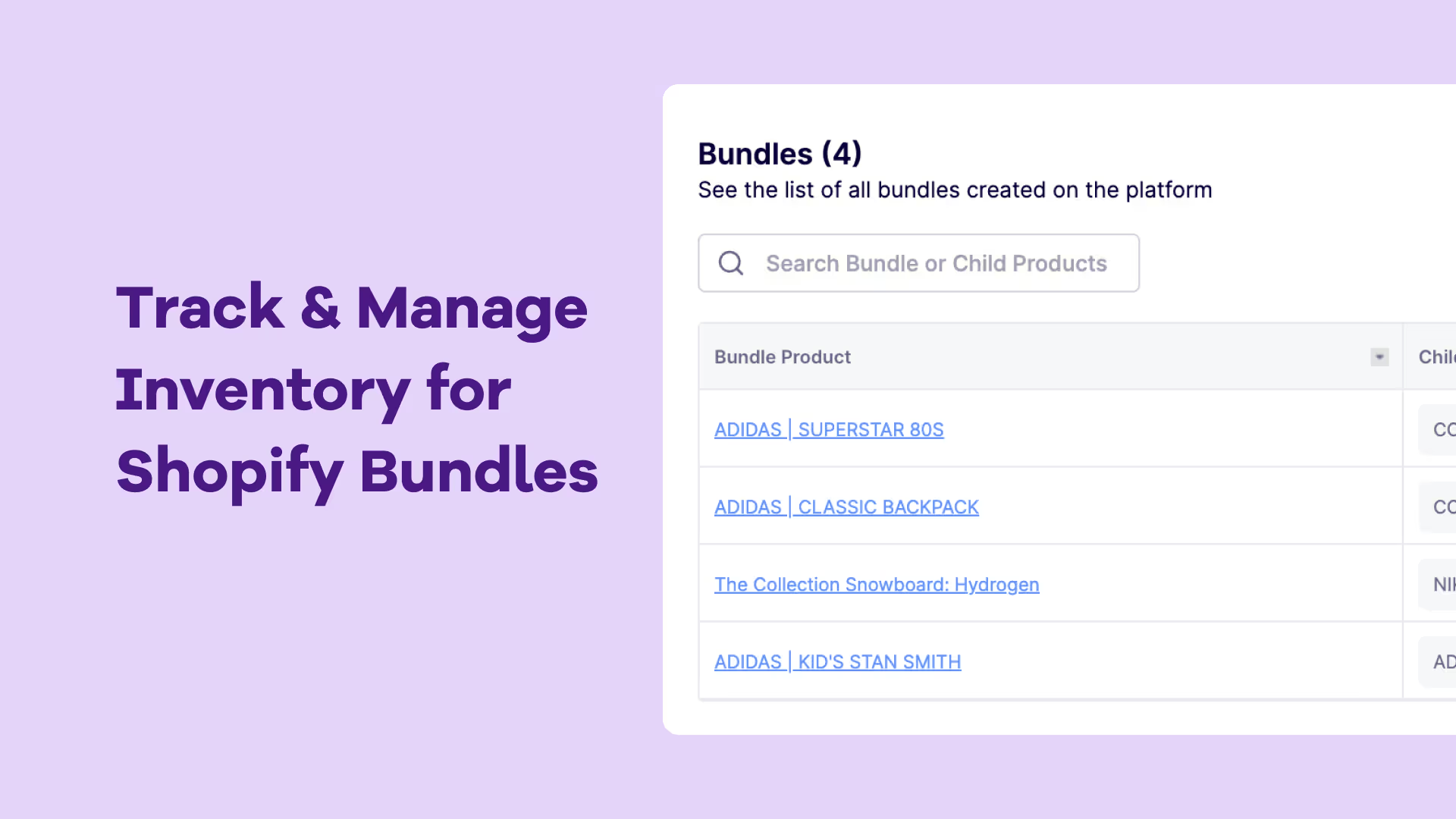
5. Complexity with Bundles & Variants
As product catalogs grow more complex with bundles, kits, and variant-heavy SKUs, native inventory management on Shopify is not able to handle that.
Shopify does not automatically:
- Decompose bundles into component-level forecasting
- Adjust replenishment by raw SKU demand from bundled sales
Best Practices for Better Inventory Management on Shopify
Better inventory management on Shopify is achievable with the right practices. Here are some of the most popular ones:
1. Regular stock audits and stock takes
Maintaining accurate inventory records is fundamental to effective management. Regular stock audits and physical stock takes helps in maintaing good control over Shopify stock levels.
2. Managing routing and reorder points
By defining when and how much to reorder, Shopify brands can optimize inventory levels, reduce carrying costs, and improve cash flow.
3. Using barcodes and scanners for accuracy
By assigning unique barcodes to each product, Shopify brands can streamline the receiving, putaway, picking, and shipping processes.
Strategies for Managing Inventory on Shopify
Effectively managing inventory requires selecting the right strategy to optimize stock levels,Here's a breakdown of some key inventory management strategies commonly utilized for Shopify brands:
1. Just-in-Time (JIT) Inventory
Concept: The core principle of JIT is to minimize inventory holding costs by receiving products only when they are needed for production or sale. This approach ensures fresh inventory while maximizing storage space and reducing carrying costs.
Ideal for: Shopify brands with high product turnover, short lead times, and predictable demand. For example, fast-fashion Shopify brands can benefit from JIT to avoid holding onto outdated styles.
Example: A clothing brand utilizes JIT to ensure they have the latest seasonal trends in stock, minimizing the risk of holding onto unsold items from previous seasons.
2. First-In, First-Out (FIFO)
Concept: This inventory management technique assumes that the first products received are the first ones sold. FIFO ensures older inventory is sold first, minimizing the risk of obsolescence or product deterioration.
Ideal for: Brands with perishable goods or products with expiration dates, such as food and beverage stores or pharmaceutical suppliers on Shopify.
Example: A grocery store utilizes FIFO to ensure older produce is sold before fresh deliveries arrive, minimizing spoilage and waste.
3. Last-In, First-Out (LIFO)
Concept: LIFO assumes the most recently received products are sold first. This method can be advantageous in times of inflation, as the cost of recently purchased goods reflects current market prices.
Ideal for: Shopify brands experiencing price fluctuations, such as construction materials or commodities with volatile markets.
Example: A lumberyard utilizes LIFO to sell newer stock purchased at higher prices first, potentially lowering their overall tax burden.
4. Safety Stock
Concept: Maintaining a buffer of additional inventory beyond the expected demand helps mitigate risks associated with stockouts due to unexpected surges in demand or unforeseen supply chain disruptions. While this may need additional storage space and increased costs, it does safeguard against unpredictable problems when it comes to suppliers.
Ideal for: Brands with unpredictable demand or products with long lead times. This can be particularly relevant for seasonal businesses or those reliant on overseas suppliers.
Example: An online toy store maintains a safe stock of popular items during the holiday season to fulfill unexpected demand spikes and avoid stockouts.
5. Dropshipping on Shopify
Concept: The seller doesn't hold any physical inventory in this model. Orders are forwarded directly to a third-party supplier responsible for storage, packaging, and shipping the product to the customer. While dropshipping comes with its own benefits, it leads to reduced quality control.
Ideal for: Shopify brands with limited capital or those testing new product lines without upfront investment in inventory. Dropshipping offers a low-risk entry point but may yield lower profit margins due to supplier markups.
Example: A Shopify startup clothing brand utilizes dropshipping to launch its initial product line without committing to large inventory purchases.
6. Economic Order Quantity (EOQ)
Concept: EOQ is a mathematical formula that helps determine the optimal order quantity to minimize total inventory costs. It considers factors like holding costs, ordering costs, and demand to calculate the most cost-effective amount to order at a time. This is one of the most profitable methods as it is customized to the business model and accounts for various factors. However, a brand needs software infrastructure that provides accurate data to implement this method.
Ideal for: Shopify brands with predictable demand patterns and stable supplier relationships. EOQ can help optimize ordering frequency and minimize storage costs.
Example: An office supply store utilizes EOQ to calculate the most cost-effective quantity of printer cartridges to order based on historical demand and supplier discounts for bulk purchases.
How to Improve inventory management for your Shopify store
1. Inventory turnover
Understanding and optimizing inventory turnover is pivotal for Shopify store success.
By calculating the inventory turnover ratio, brands can gauge the efficiency of their inventory management. A high turnover ratio generally indicates strong sales and efficient inventory utilization, while a low ratio might signal excess stock or slow-moving items.
To enhance inventory turnover, strategies such as implementing targeted promotions, offering discounts on slow-moving items, and effectively managing product lifecycles can be employed.
2. Inventory optimization strategies
Several advanced techniques can help optimize inventory levels and reduce costs. Economic Order Quantity (EOQ) is one such technique. Safety stock optimization, often employing statistical models, helps balance the risk of stockouts against excess inventory.
ABC analysis categorizes inventory items based on their value and usage, enabling brands to focus on managing high-value items more closely.
3. Supply chain collaboration
Building strong relationships with suppliers and fostering collaborative partnerships can yield substantial benefits. Vendor Managed Inventory (VMI) empowers suppliers to manage inventory levels based on point-of-sale data, reducing the burden on the retailer.
Collaborative Planning, Forecasting, and Replenishment (CPFR) involves sharing sales forecasts and crucial data with suppliers to improve visibility and responsiveness.
4. Inventory visibility and stock control
Achieving real-time visibility into inventory counts is essential for efficient operations. RFID technology offers a robust solution for tracking product movement throughout the supply chain. Warehouse management software (WMS) provides control over inventory storage, picking, packing, and shipping processes.
5. Risk management and mitigation
The supply chain is subject to various disruptions, including natural disasters, economic fluctuations, and geopolitical events. Developing comprehensive contingency plans, such as alternative sourcing options and disaster recovery procedures, is crucial for mitigating risks.
Additionally, investing in insurance coverage can protect against financial losses due to unforeseen circumstances. Implementing robust security measures is essential to safeguard inventory from theft and damage.
6. Automate restocking
Automate demand planning and restocking if you have multiple locations and warehouses setup on Shopify. This can be done using the right inventory mangement software.
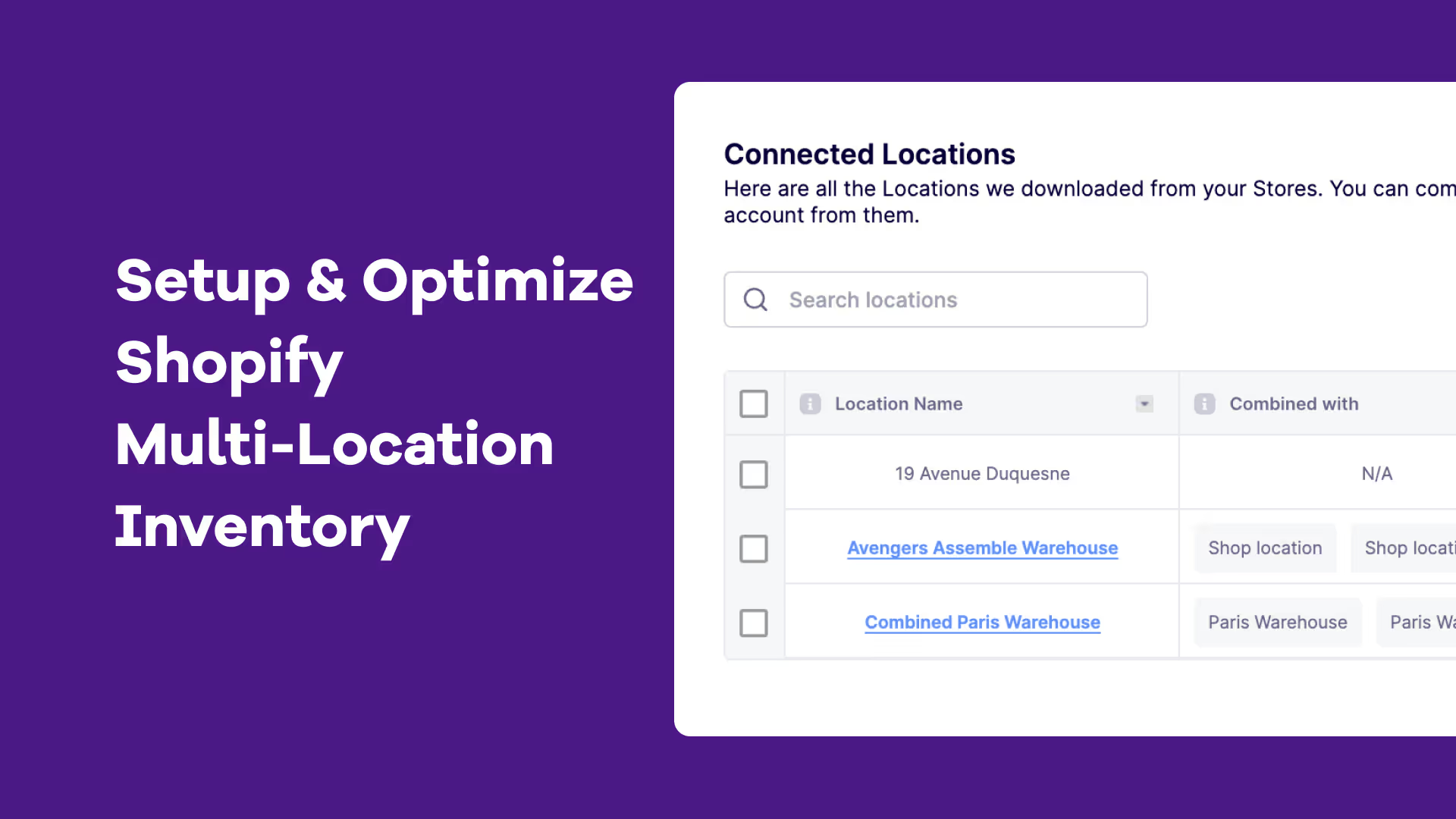
Managing Inventory Across Multiple Locations in Shopify
Shopify does allow merchants to assign inventory across multiple locations, such as:
- Warehouses
- Retail stores
- 3PLs
- Fulfillment centers
- Dropshipping suppliers
However, managing multi-location inventory efficiently requires more than simply splitting stock quantities.
How Shopify Handles Multi-Location Inventory
Shopify enables:
- Stock allocation by location
- Location-based fulfillment priority
- Transfer tracking between locations
- Visibility into stock levels per location
This works well for small setups. But complexity increases rapidly when:
- Demand differs by region
- Lead times vary per warehouse
- Multiple fulfillment partners are involved
- Transfers are frequent
- Forecasting must be location-specific
Key Multi-Location Limitations on Shopify
1. No Location-Specific Forecasting
Shopify does not forecast demand at the location level. For brands shipping internationally or using distributed warehouses, this creates imbalance.
- Overstock in one warehouse
- Stockouts in another
- Increased transfer costs
2. Manual Inventory Transfers
Although Shopify allows stock transfers, planning them is manual. There is no system-driven suggestion for:
- When to rebalance inventory
- Which SKUs to move
- Optimal transfer timing
- Minimizing freight costs
3. Lead Time Variability Not Modeled
Different warehouses often have:
- Different supplier lead times
- Different receiving schedules
- Different demand velocity
Shopify does not dynamically adjust reorder calculations by location.
4. 3PL Visibility Limitations
When using third-party logistics providers, real-time inventory synchronization can lag.
Operational friction often includes:
- Delayed updates
- Data mismatches
- Limited forecasting integration
- Manual reconciliation work
When Do Brands Outgrow Shopify’s Native Inventory Management?
Gartner reports that 56% of supply chain leaders say their inventory managements tools are not sufficient to support growth after a certain scale.
Brands typically need more advanced inventory management or an inventory management software or app when they:
- Exceed 500–1,000 orders per month
- Expand to multiple warehouses
- Launch wholesale or marketplace channels
- Run aggressive paid acquisition
- Experience frequent stockouts
- Hold over 100 SKUs
- Operate internationally
Features of an Ideal Shopify Inventory Management Software
One of the biggest benefits of using Shopify is the strong ecosystem of Shopify Apps. Look for inventory management apps that integrate with your accounting, shipping, and order management systems. This will help optimize operations as your team won't have to tackle multiple tools and tabs at the same time.
Look for software that offer the following core features:
1. Real-time inventory updates
Find software that provides real-time visibility into stocks across all channels, ensuring consistency and preventing stockouts or overstocks.
2. Multi-location inventory management
For businesses with warehouses or fulfillment centers at multiple locations, software capable of managing inventory across different locations is crucial. Real-time tracking of stocks and transfers between locations is essential for optimizing operations and reducing costs.
Read Our Complete Guide to Multi-Location Inventory in Shopify
3. Demand forecasting
Predictive analytics is vital for aligning inventory with customer demand. Look for an inventory management system that offers robust forecasting capabilities, utilizing historical sales data, market trends, and other relevant factors to optimize stock levels and minimize lost sales.
4. Purchase order management
Efficient purchase order management is essential for maintaining optimal inventory levels. Choose a Shopify inventory management system that has automated purchase order creation, helps track order status, and integrates with suppliers for seamless collaboration.
Also read: Best Purchase Order Management Shopify Apps
5. Barcode scanning and serial number tracking
Barcode scanning and serial number tracking enhance inventory accuracy and traceability. Software that supports these features enables efficient stocktaking and reduces human error.
6. Scalability and customization
As brands grow, your inventory management needs will evolve. Pricing structures are often a good indicator of scalability.
If the inventory management software offers pricing based on the number of seats it may not be suitable for growing teams. If the pricing is based on sales volume, the system might not be able to scale with your business. Choose software that can adapt to your changing revenue size. Also, look for customization options to fit your specific needs.
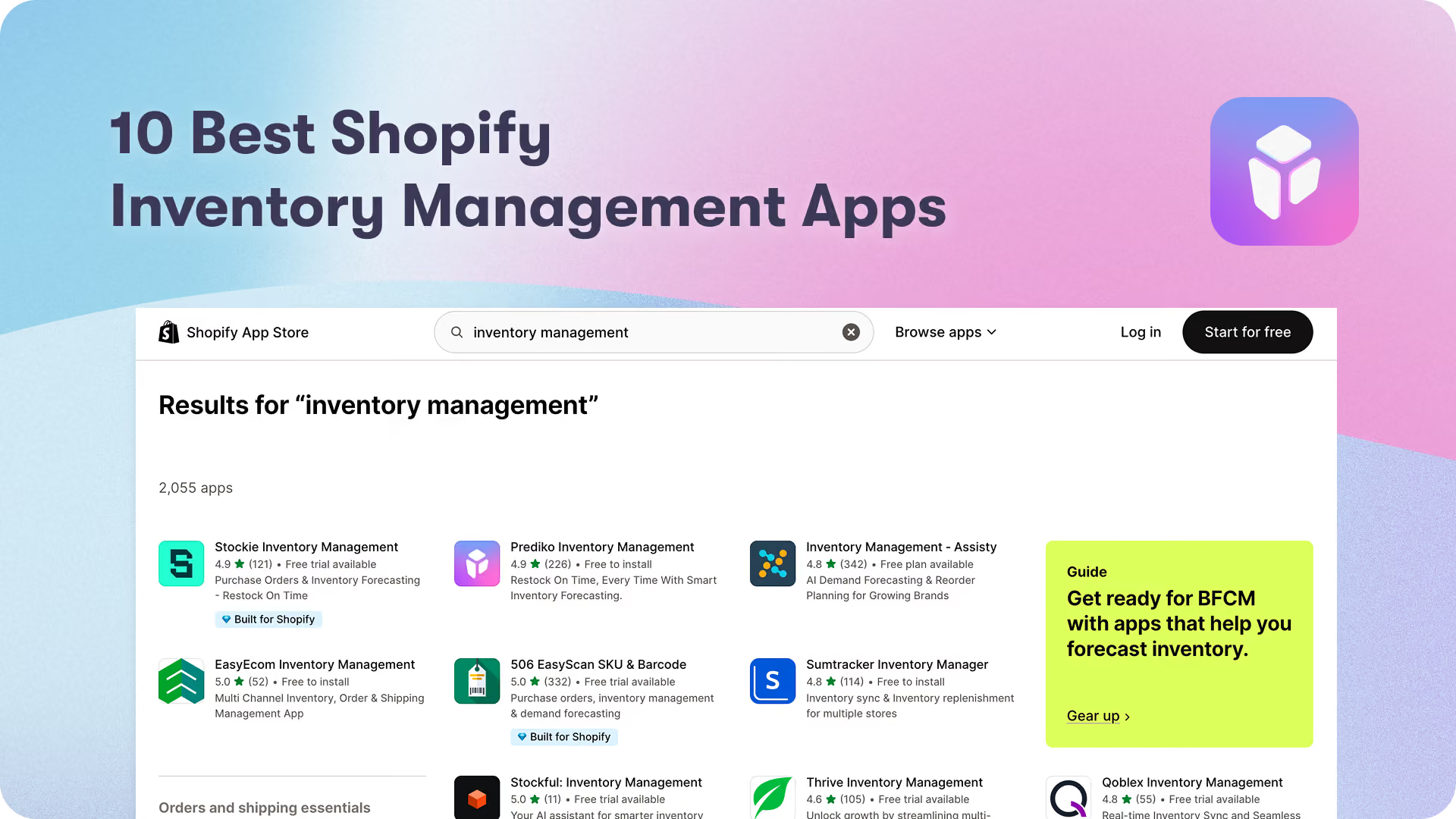
Prediko is a Shopify app that advances Inventory Management on Shopify
By leveraging the power of AI, Prediko empowers Shopify brands to take their inventory management to the next level.
See Prediko in action:









.avif)