Faster &
Accurate Stocktakes For Shopify with Barcode Label Scanning
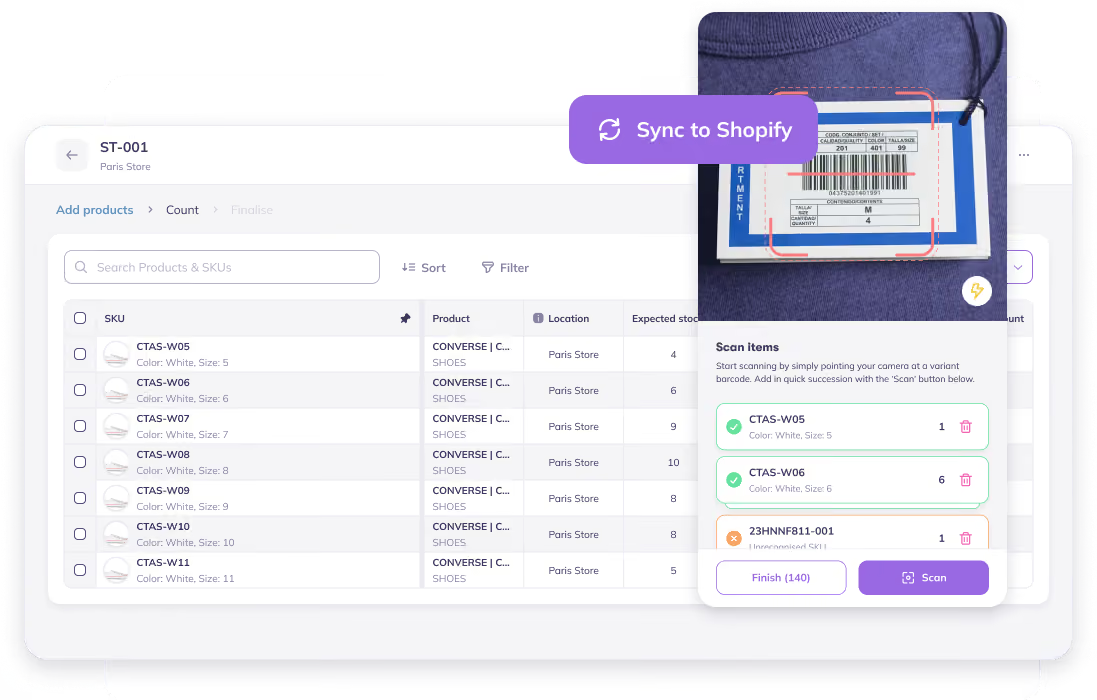
Count a warehouse, spot the gaps before you commit, and push the real numbers straight to Shopify, with a full audit trail of what changed and why.






.avif)
.avif)










.avif)









Kickstart an Inventory Count in Seconds
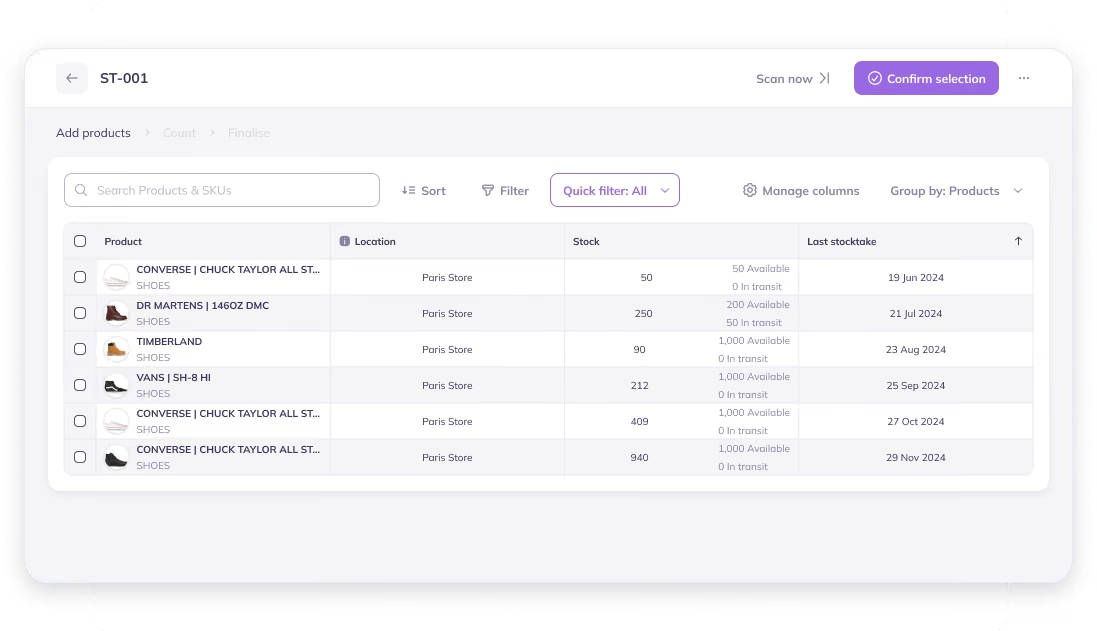
Prediko turns a physical inventory count into a real, trackable workflow
- Begin a count for a single warehouse in one click
- Name it yourself, or let Prediko auto-name it
- Every count is logged, so nothing gets lost
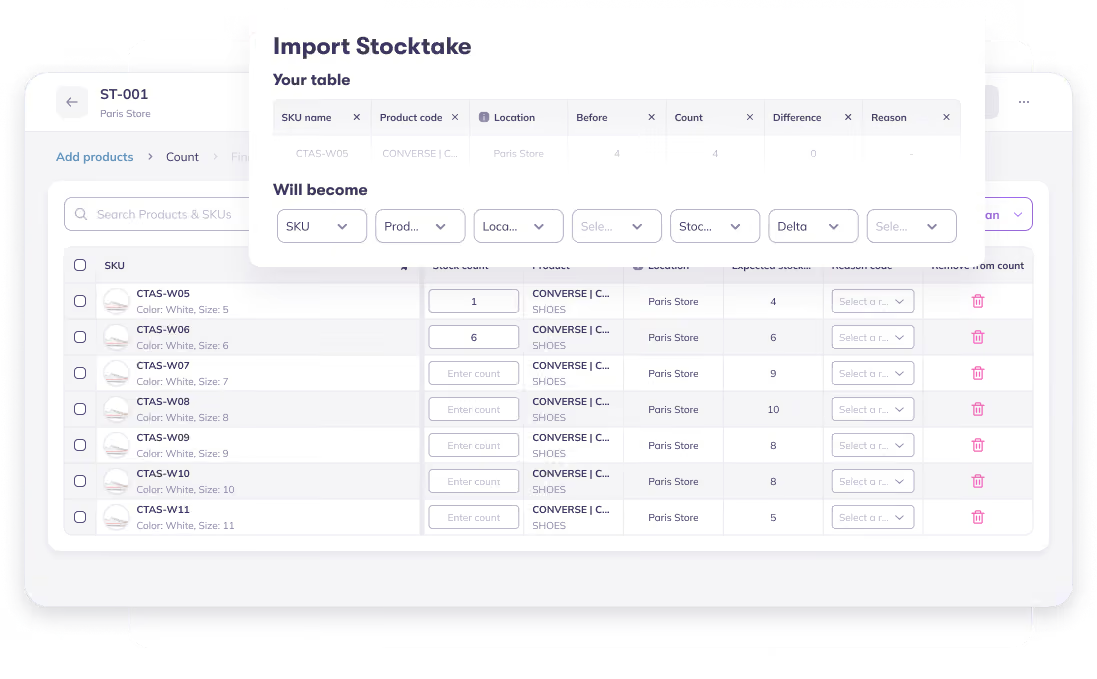
Count Inventory Your Way: Scan, Import or Type It In
However, your team actually works the floor, Prediko keeps up.
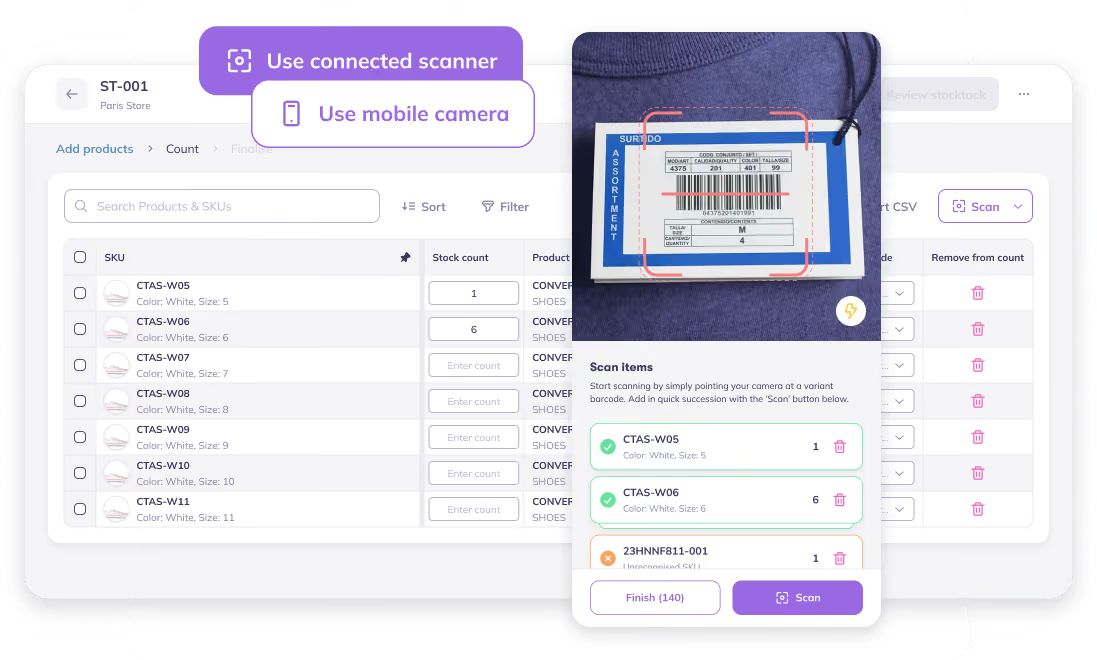
- Scan barcodes one by one; each scan adds +1 to that SKU's count
- Import a spreadsheet of counts if that's already how your team works
- Filter to a set of SKUs and type counts in manually, no scanner needed
Count Using a Barcode Scanner or Your Phone Camera
Prediko’s counting setup moves with your team without keeping them tied to one desk.
- Connect a barcode scanner for fast, high-volume counts
- Pair a mobile device when your team needs to move between aisles, stores, or warehouses.
- Undo a mis-scan instantly without stopping the count
- Whichever method you use, the rest of the workflow stays the same
View Live Stock Changes and Generate a Detailed Adjustment Report
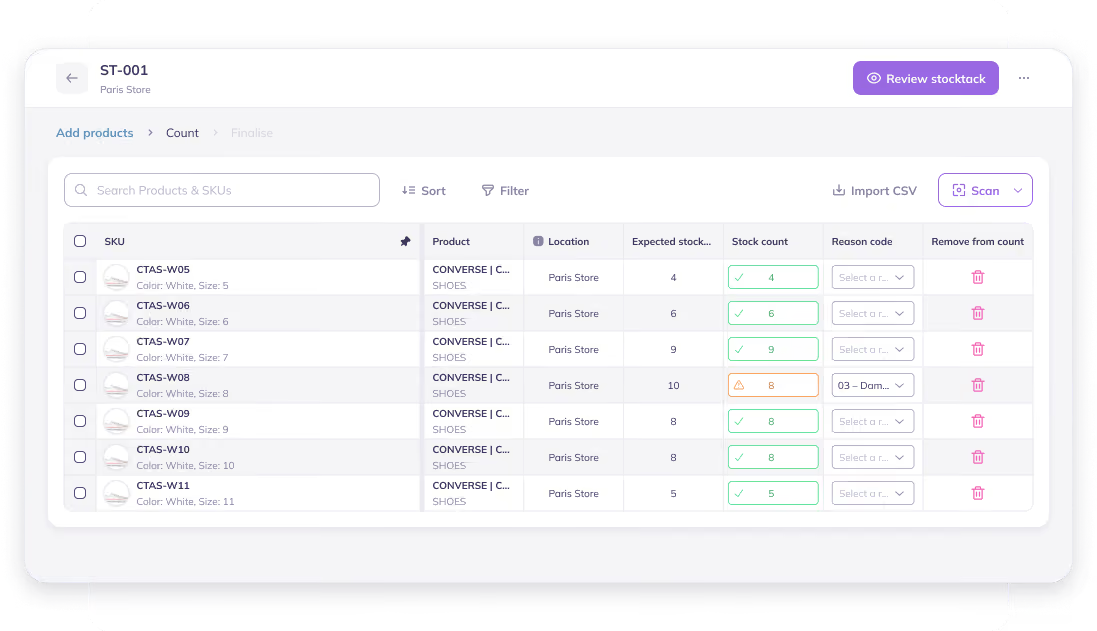
Prediko shows stock adjustments live, SKU by SKU, while you count, then creates a detailed report explaining the patterns in discrepancies
- Add a reason to every adjustment, from damage and returns to counting errors
- Review changes as they happen in a dedicated Live Adjustment View
- Access a separate Stock Adjustment Report for the complete adjustment history
Update Your Shopify Inventory with New Counts in a Click
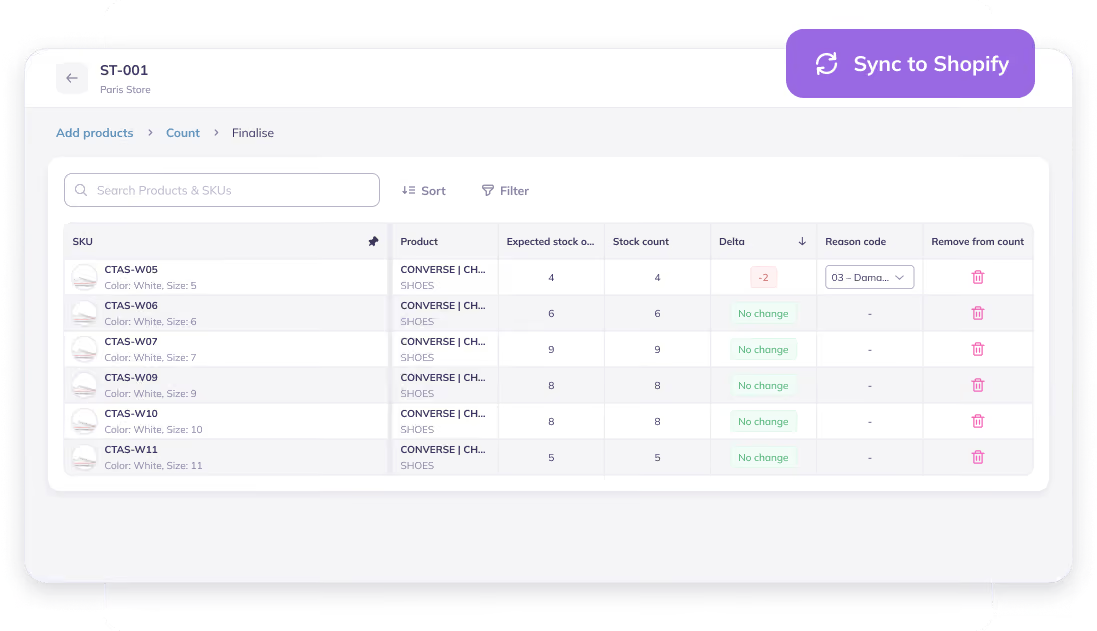
Once you're confident in the numbers, complete the inventory count and Prediko takes it from there.
- Sets your stock records to the counted numbers
- Pushes those exact numbers to Shopify, no manual re-entry
- Keeps a full audit trail of what changed, so you always know why the numbers moved



"Amazing App. Gives a great visual on current and future inventory. We decreased stockout from 4% to 1% in 2 months with Prediko. That’s hundreds of thousands of extra revenue per year unlocked! Team are super supportive to any requests too! Would highly recommend!"

"The software and customer service are amazing! Prediko’s advanced analytics and reporting tools empowered us at Kate Hewko to predict demand patterns accurately, optimizing stock replenishment and reducing stockouts."

"Prediko helps me forecast my sales accurately and tells me how much I should order. Plus as a whole it's much more robust than my previous software (Cogsy), which is something I needed for a business as SKU heavy as mine."


.avif)


Let’s answer some FAQs

Occasionally, different variants, even from different vendors, end up with duplicate barcodes generated by Shopify. When that happens, scanning one item can silently update the wrong variant without appearing as an error. Prediko offers a live view of every scanned item, so you can catch mismatches before syncing the count back to Shopify.
There's no universal number, but a common rule of thumb is to investigate anything over roughly 5% variance on a product/SKU. Investigate discrepancies that are unusually large, affect high-value SKUs, or could cause a stockout or overstock.
You can do it manually. Prediko lets you type counts in, import a spreadsheet, scan with a barcode scanner, or use your phone for faster counts.
Run a separate count for each warehouse, store, or location. This keeps quantities, variances, and Shopify updates tied to the correct location.





.avif)