Create and Manage Inventory Transfers Across Locations
Manage inventory transfers end-to-end with full visibility across locations and intelligent recommendations on what to transfer & how much. Rebalance stock based on demand, reduce stockouts, and avoid unnecessary purchasing.






.avif)
.avif)










.avif)







.avif)


Set Up Inventory Transfers in Minutes
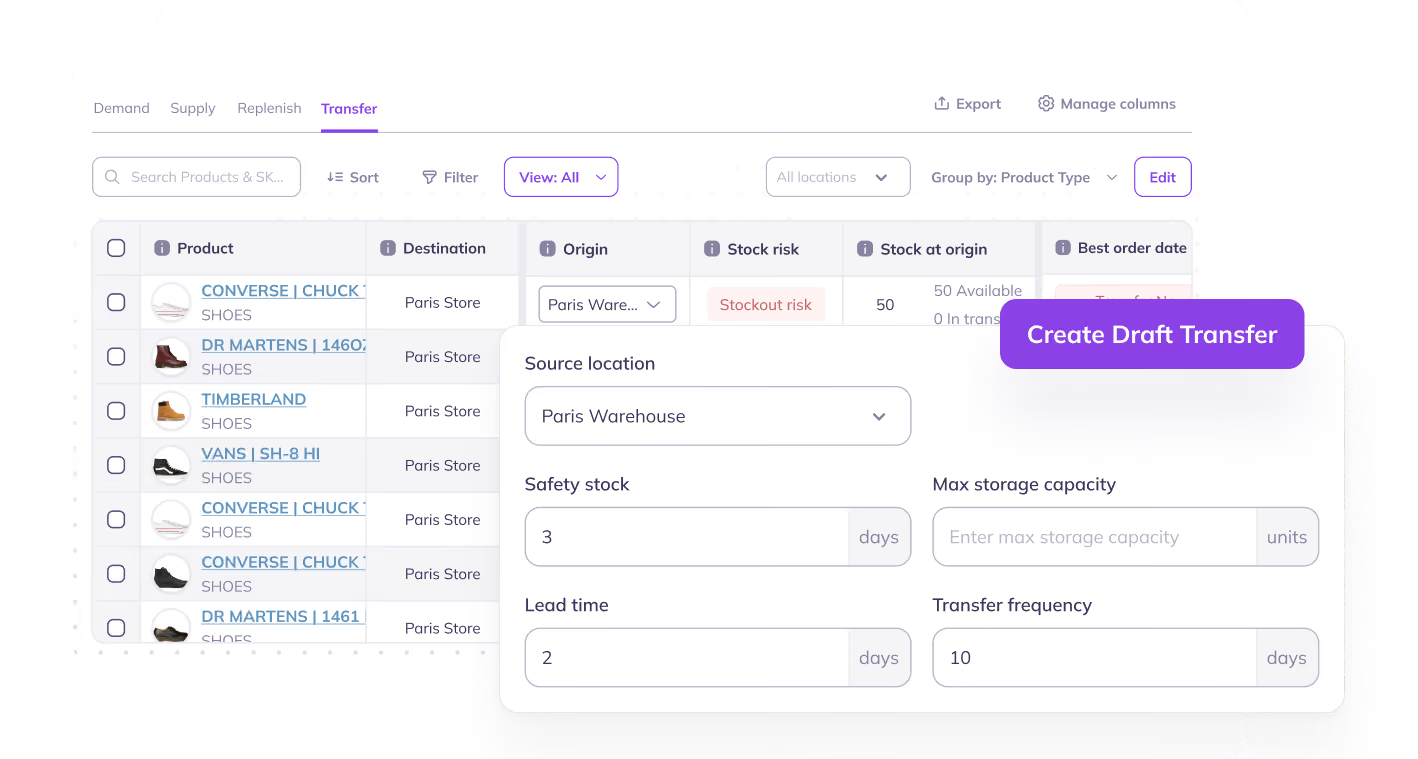
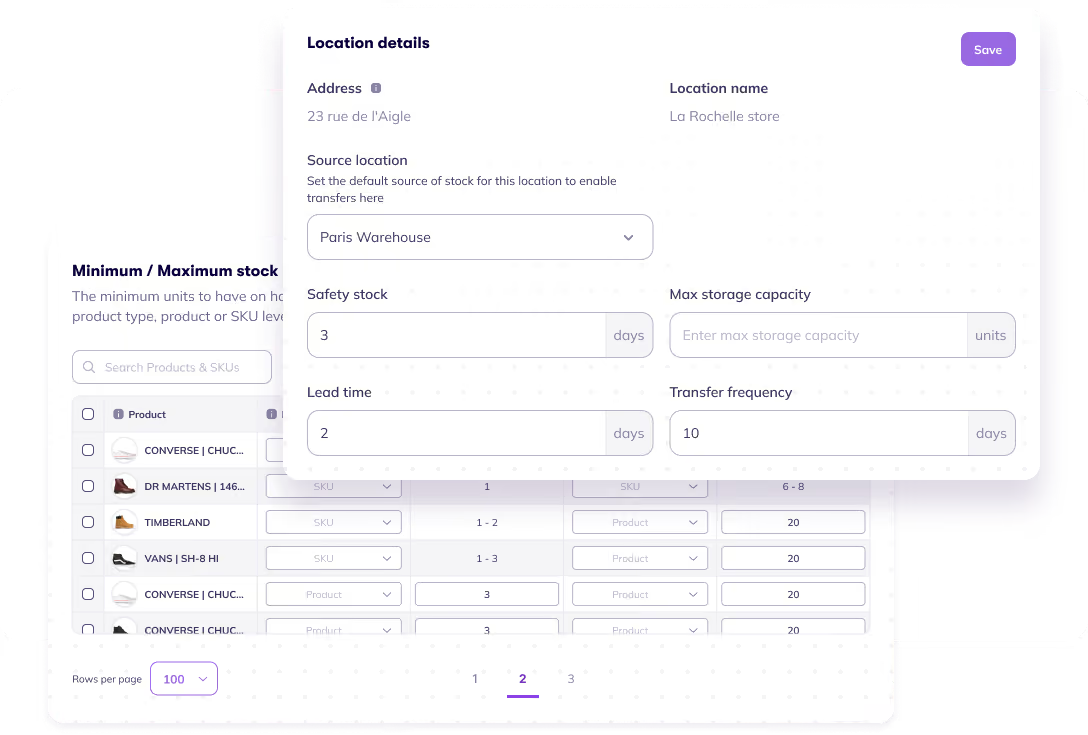
Prediko works with your existing inventory setup, so you can start planning and executing transfers without spending time on setup or process changes.
- Instantly sync your locations, SKUs, and inventory data
- Choose locations to be included/excluded from transfers
- Set minimum & maximum stock levels for each location
- Keep location-level inventory accurate with regular Shopify stocktakes before deciding what stock to move.
Make Smarter Transfers With AI-Powered Recommendations
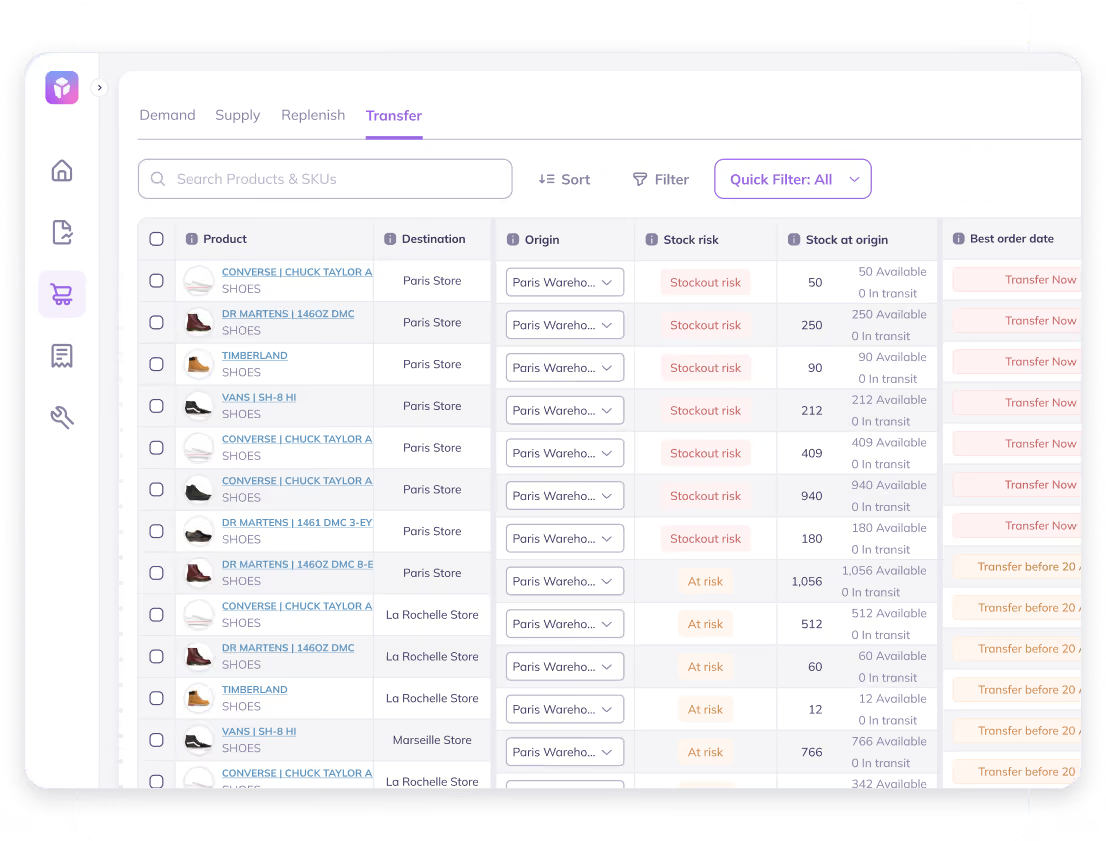
Instead of manually identifying imbalances, Prediko’s AI continuously analyzes your inventory and demand across locations to recommend the most effective transfers.
- Auto-detect shortages & excess across locations
- Get suggestions on what to move, where, & how much
- Factor in demand, stock levels, and constraints
Stay in Control From Transfer Order Creation to Stock Reciept
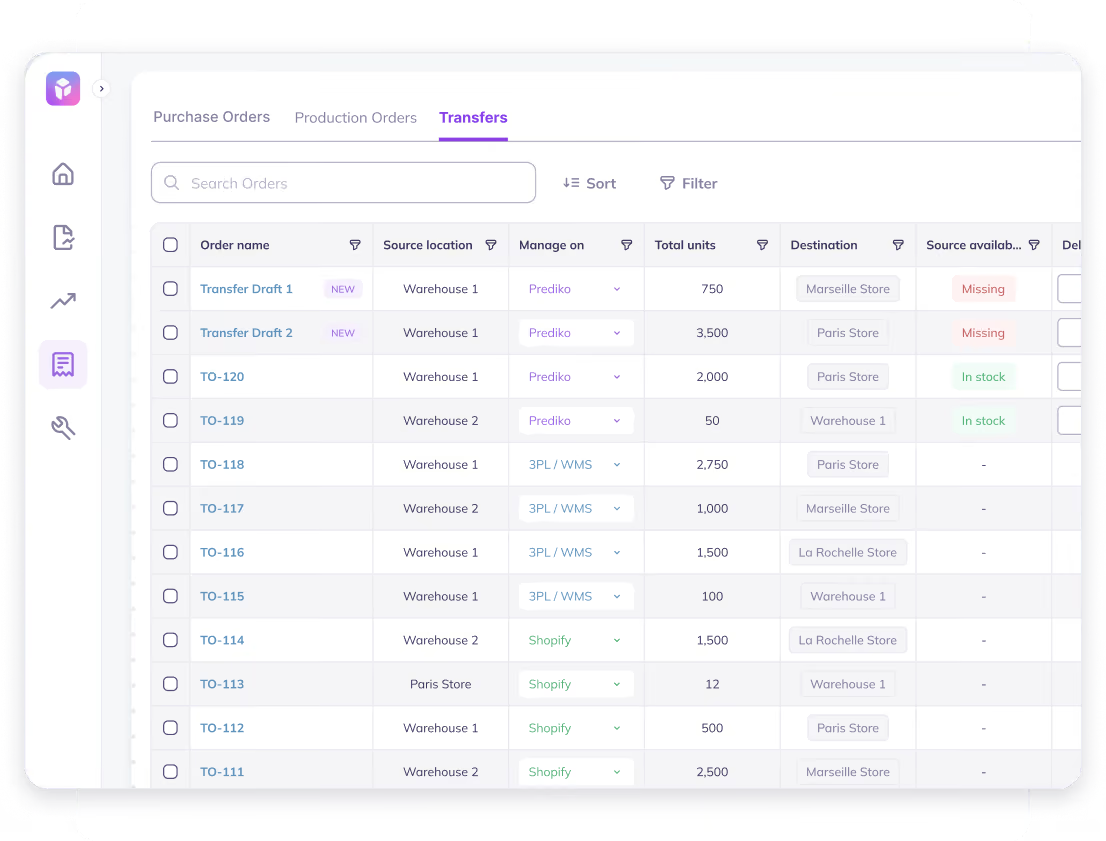
Prediko gives you a complete view of every transfer as it moves through its lifecycle, so you're always in the loop
- Track transfers across every stage: draft, in transit, partially received, completed
- Find what matters by filtering transfers by SKU, location, delivery date, or status
- Maintain a centralized view of all transfer activity across locations
- Print barcode labels directly from Transfers to label inventory as it moves between locations.
Execute Bulk Transfers Across SKUs & Locations
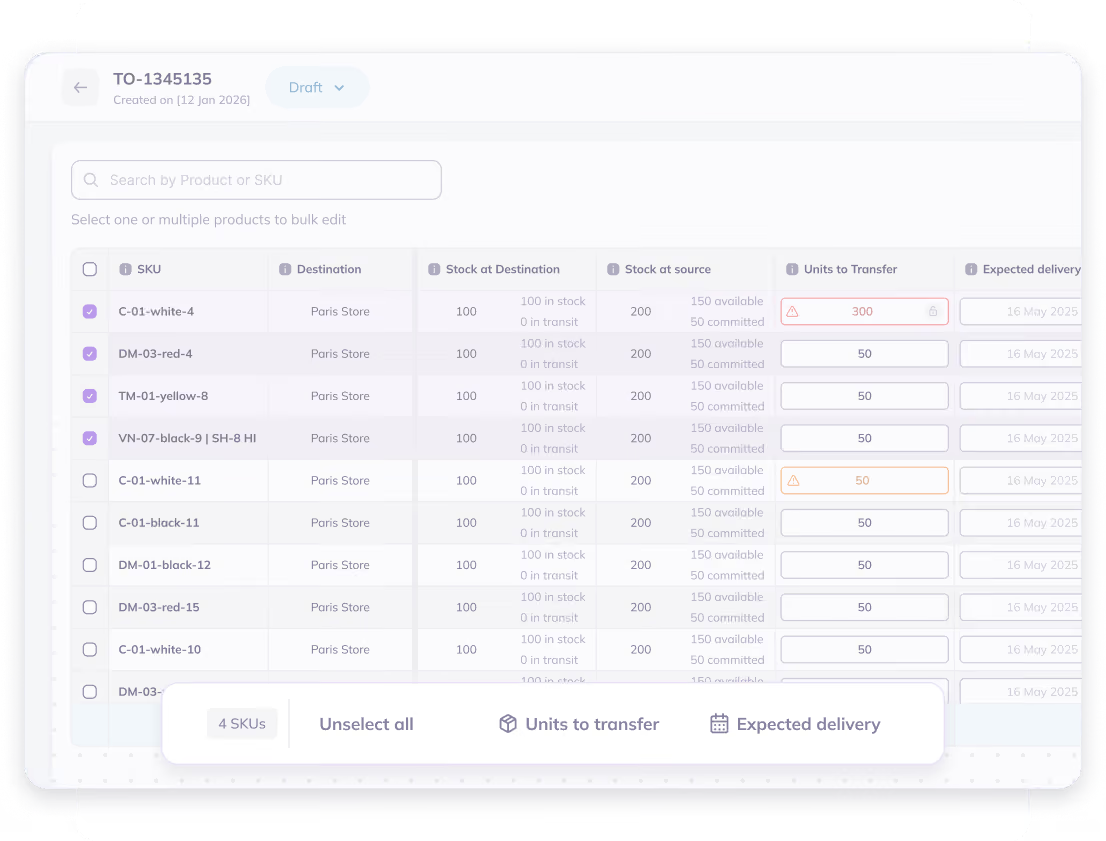
Move inventory across multiple SKUs, bundles, and locations in a single transfer order, without any spreadsheet mess. Bulk update quantities and destinations in seconds.



“Since relying on Prediko for forecasting and replenishment planning, we have not experienced unexpected stockouts. Supply planning and ordering are probably 90% easier and more reliable compared to our previous setup.”

“Now we can see throughout the whole year what deliveries we already have, what is the plan and how much we still need to order.”

"Amazing App. Gives a great visual on current and future inventory. We decreased stockout from 4% to 1% in 2 months with Prediko. That’s hundreds of thousands of extra revenue per year unlocked! Team are super supportive to any requests too! Would highly recommend!"





Let’s answer some FAQs

Inventory transfers in Shopify allow you to move stock from one location (warehouse/store) to another to balance inventory and meet demand.
You create a transfer order, select source and destination locations, add SKUs and quantities, and track it through stages like in transit and received.
They let you move excess stock from one location to another, helping fulfill demand without placing new purchase orders.
You can filter transfers by SKU, location, transfer status (draft, in transit, completed), delivery date, and other stock conditions to quickly find what needs attention.
Shopify is deprecating its inventory management app, Stocky, and its transfer feature has already been phased out. You can easily use Prediko to do it by enabling transfers, get transfer recommendations, and create draft transfer in just a few clicks,





.avif)