The Shopify Barcode Scanner for Faster,
Accurate Stocktakes
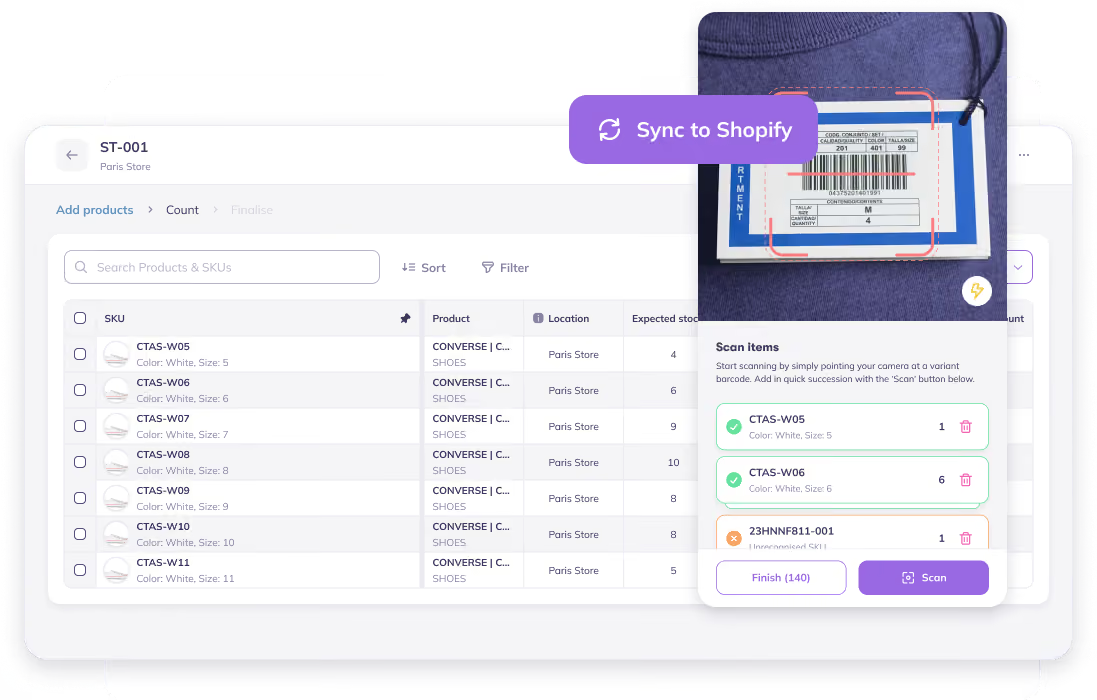
Replace your existing system with Prediko stocktake workflows. Count a warehouse, spot the gaps before you commit, and push the real numbers straight to Shopify, with a full audit trail of what changed and why.








%25201%2520(1).avif)



.avif)










.avif)


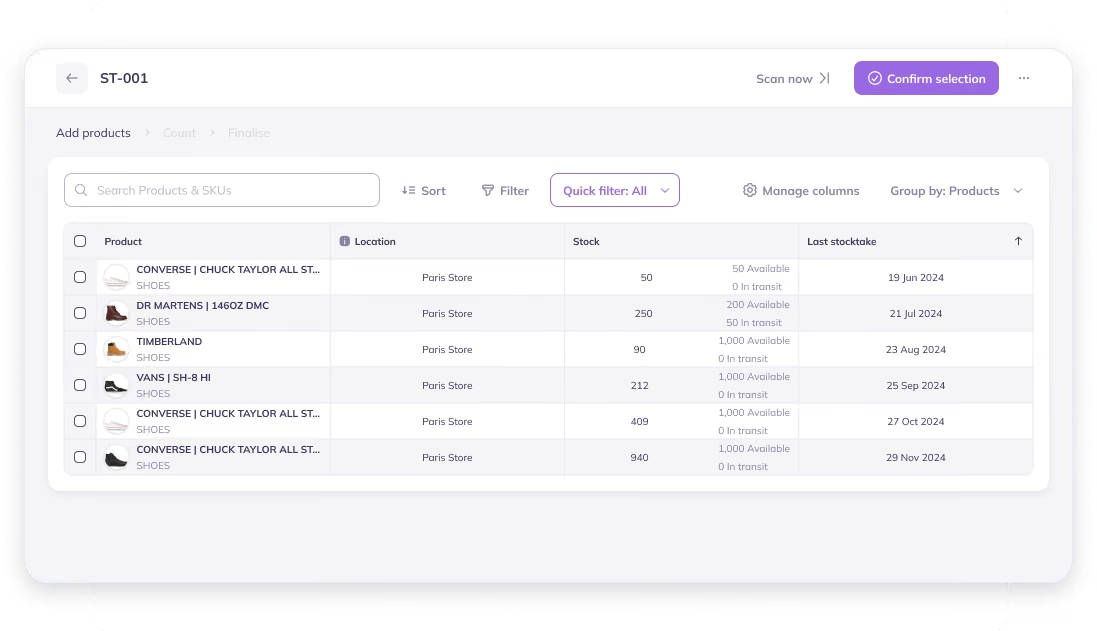
Start a Count in Seconds. No Migration Needed.
Stocky never saved historical stocktake data, and none of it carries over when the app shuts down. Prediko turns a physical inventory count into a real, permanent, trackable workflow.
- Begin a count for a single warehouse in one click
- Name it yourself, or let Prediko auto-name it
- Every count is logged, so nothing gets lost
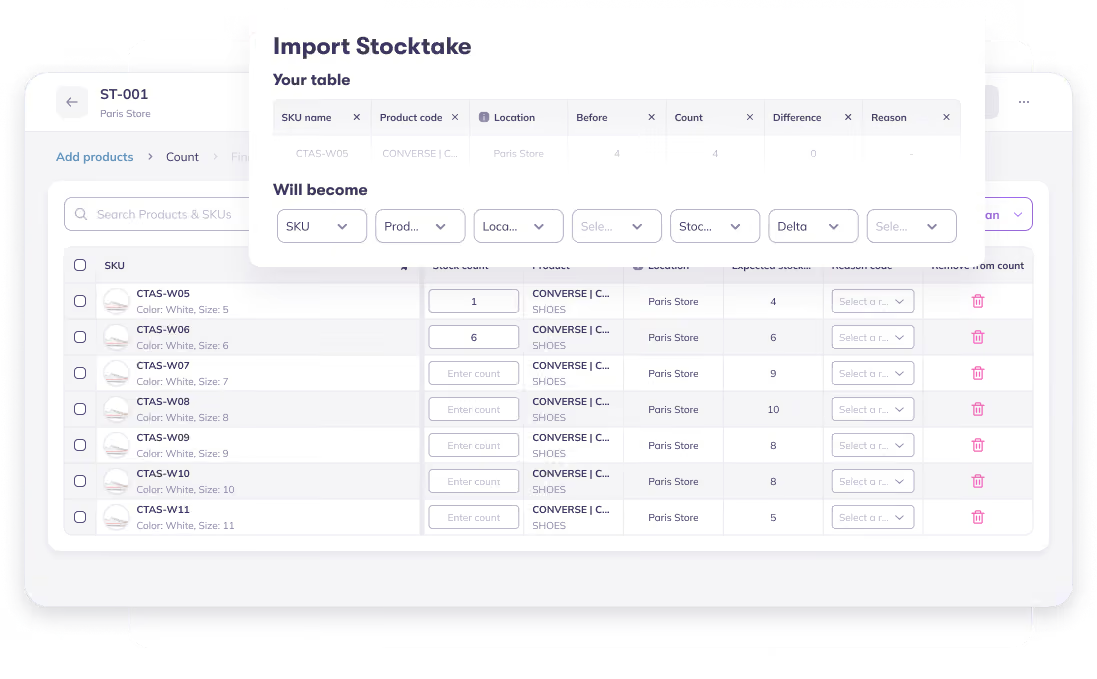
Flexible for Every Workflow: Scan, Import, or Type It In.
Prediko keeps up with how your team actually works the floor.
- Scan barcodes one by one; each scan adds +1 to that SKU's count
- Import a spreadsheet of counts if that's how your team works
- Simply filter to a set of SKUs and type counts in manually
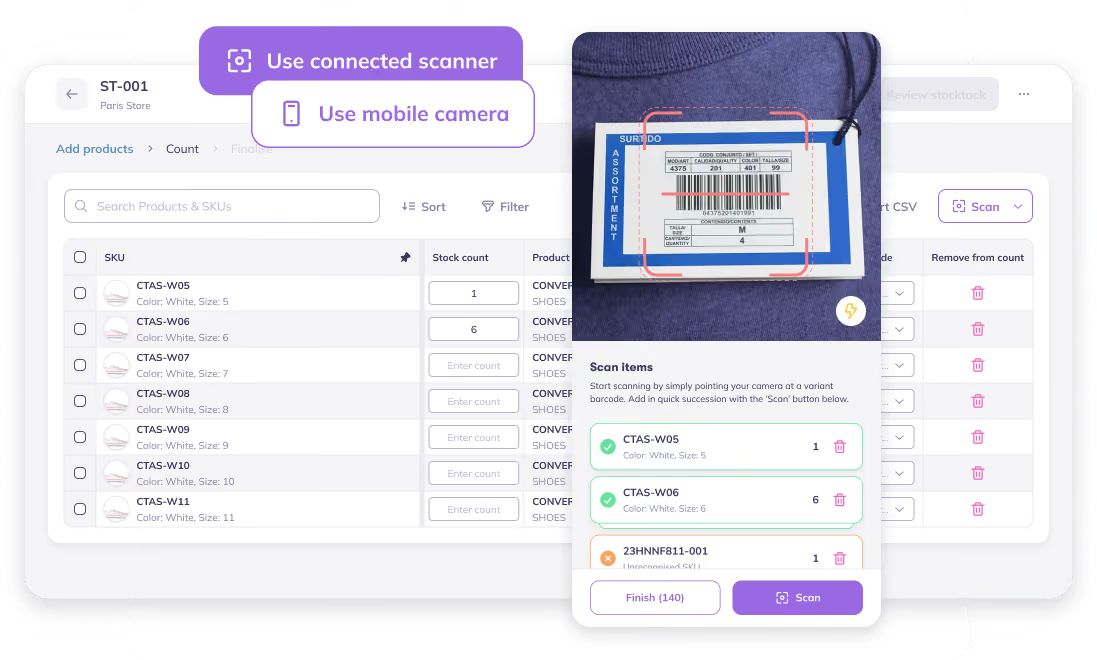
Scan With a Device That Works for You
No more being stuck with a desktop barcode scanner for Stocky stocktakes. Prediko’s counting setup moves with your team without keeping them tied to one desk.
- Connect a barcode scanner for fast, high-volume counts
- Pair a mobile device so your team can move between locations
- Undo a mis-scan instantly without stopping the count
- Whichever the method, the rest of the workflow stays the same
View Live Stock Changes and Generate a Detailed Adjustment Report
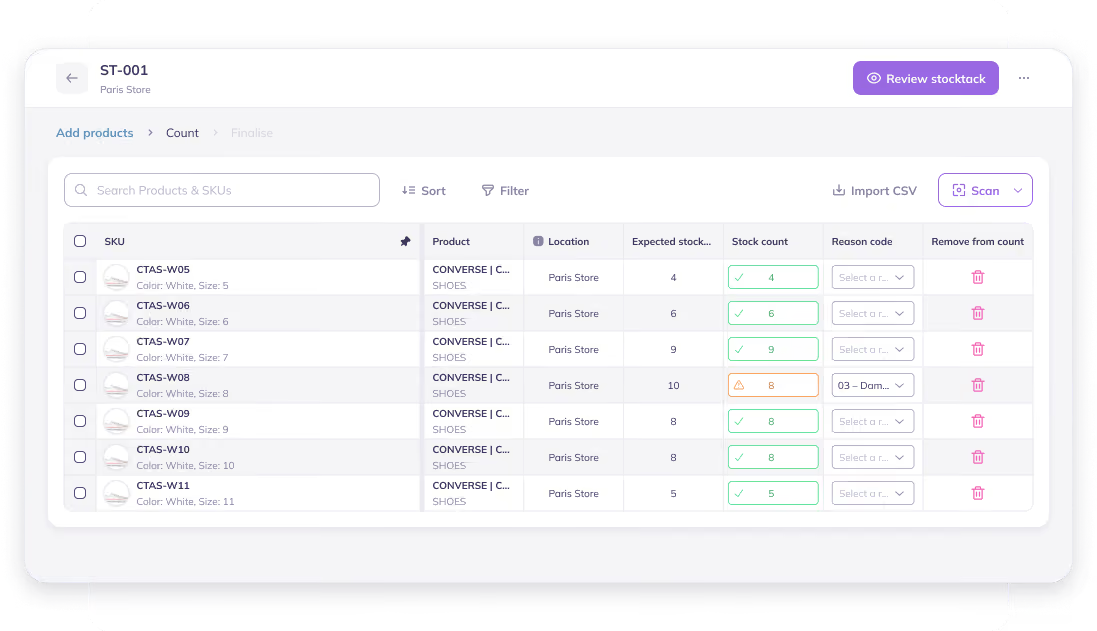
Prediko shows stock adjustments live, SKU by SKU, while you count, then creates a detailed report explaining the patterns in discrepancies
- Add a reason to every adjustment, from damage and returns to counting errors
- Access a separate Stock Adjustment Report for the complete adjustment history
- Review changes as they happen in a dedicated Live Adjustment View
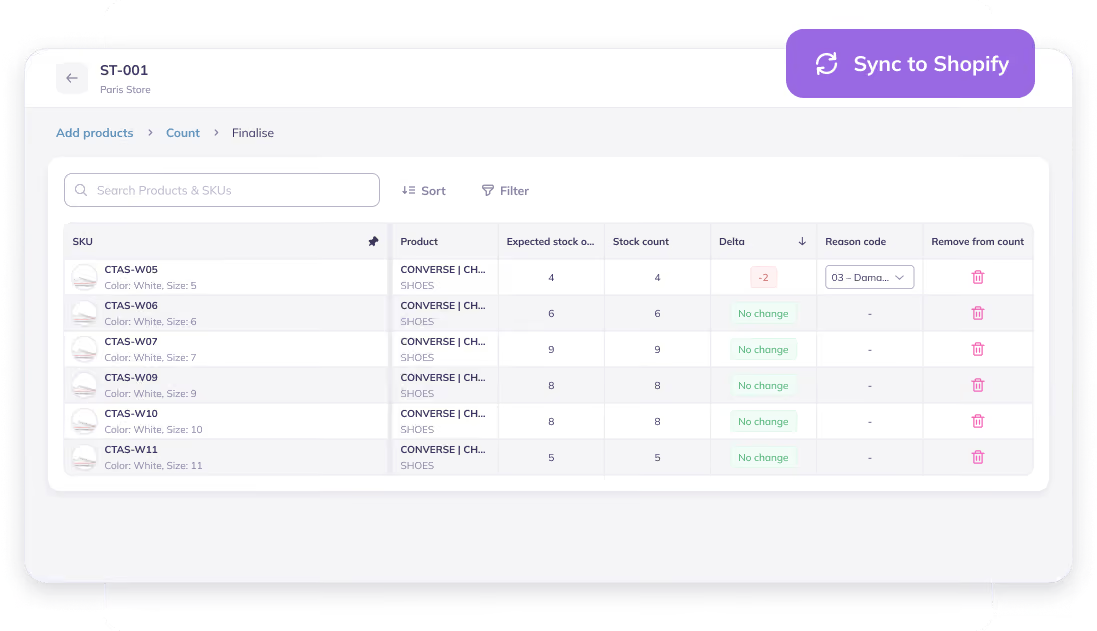
Push the Final Count to Shopify With an Audit Trail Stocky Never Had
Once you're confident in the numbers, complete the count and Prediko takes it from there.
- Sets your stock records to the counted numbers
- Pushes those exact numbers to Shopify, no manual re-entry
- Keeps a full audit trail of what changed, so you always know why the numbers moved
Prediko vs. Stocky For Stock Takes






50+ Brands Migrated from
Stocky to Prediko

We tried Prediko as a replacement for Stocky since that's being deprecated, and it has quickly become an indispensable tool for our business. The approach of starting from a demand plan that we input is exactly what we were looking for and it's full of super useful features that gives us full visibility and control of our inventory. Plus, their support is very responsive when you need them.

Solid forecasting & business planning app. Makes keeping on top of stock levels easy useing sophisticated forecasting. We moved from Stocky app and have never looked back.
.png)
Working to migrate from Stocky. The free trial, complementary onboarding call and chatting with support has been most helpful in my decision process.

Let’s answer some FAQs

Stocky data won’t automatically move into Shopify’s replacement tools. Export any stocktake, purchase order, supplier, and report data you want to keep before Stocky becomes unavailable after August 31, 2026.
Prediko is built for complete stocktake workflows: count by scanner, phone, spreadsheet, or manual entry, review live variance, and push the final numbers directly to Shopify with a full audit trail.
Not fully. Quick Count lets POS teams scan products and adjust inventory from a mobile device, but it is primarily a quantity-adjustment tool. It doesn’t provide the same structured stocktake workflow, live reconciliation, flexible count inputs, and detailed audit trail..
Yes. Prediko lets you use your phone’s camera as a barcode scanner during a stocktake, so you can count products without a separate handheld scanner. However, Stocky's barcode stocktakes only work on desktop with a dedicated USB or Bluetooth scanner and doesn't work inside Shopify POS or POS Go at all.



Make smarter forecasts and create POs faster
Get a demo
All rights reserved