Stocky Shopify Has Officially Shut Down
Update: Shopify's general access to Stocky ended on August 31, 2026.
Starting September 1 2026, inventory management moved fully into Shopify Admin and Shopify POS, and the Stocky APIs stopped working the same day, so any integration built on top of them no longer functions.
The app was also removed from the Shopify App Store on February 2, 2026, so merchants can no longer reinstall it.
Shopify’s native inventory management system does cover many basic workflows, but several Stocky capabilities are not yet available.
So most Shopify brands will follow one of two paths. They will either move workflows into Shopify’s native inventory tools or adopt a dedicated inventory planning system that integrates with Shopify
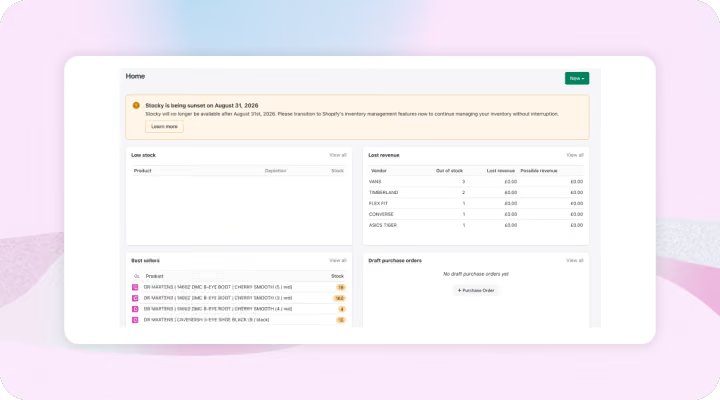
What Happens To Your Stocky App Data After Shutdown?
Merchants will keep read-only access for at least 90 days after August 31. Purchase order reports, inventory history, and historical cost data can still be exported as CSV during that window.
- Stocky APIs stopped working on August 31, 2026
- Historical Stocky data will not automatically migrate into Shopify
- Merchants must manually export Stocky reports if they want to retain historical records
- Supplier records cannot be exported from Stocky now.
Targeted extensions for certain accounts on Stocky
Shopify has granted a limited number of merchants an extension until March 2027.
This applies only to stores still actively using Stocky stock counts or the Stocky Purchase Orders API, and Shopify is notifying those merchants directly.
This was not offered to a large base and isn't a change to the general timeline above. Merchants should not assume they're covered by default. Those who believe they qualify and haven't heard from Shopify can reach out to have it escalated.
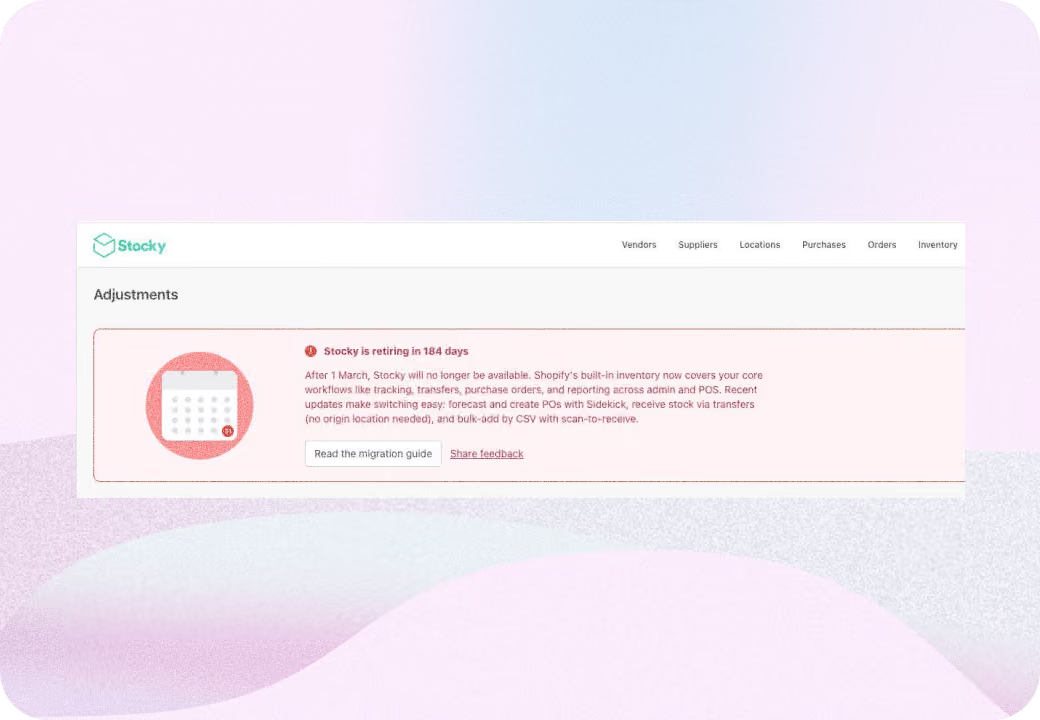
Main Migration Options From Stocky For Shopify Merchants
The right migration option depends on the complexity of your operations and how much automation you need around purchasing and forecasting.
Merchants looking to migrate immediately can have a look at our list of the best Stocky App alternatives
Stocky Features Shopify Does Not Replace
Several workflows that merchants relied on in Stocky are not currently available inside Shopify’s inventory system.
Shopify community discussions and r/Shopify reddit discussions highlight a few common gaps merchants are observing:
- Min and max replenishment automation
- Automatic purchase order generation based on inventory settings
- Custom purchase order fields or status designations
- Supplier codes on purchase orders
- Bulk CSV import for purchase orders
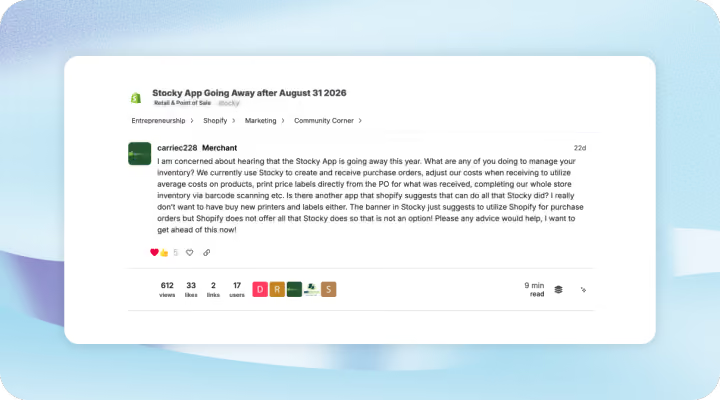
How To Choose The Right Stocky App Replacement
Merchants should look at these operational factors before selecting the right replacement to Stocky:
Number of SKUs or Locations or Stores
Single store merchants with a small number of SKUs may find Shopify’s built in inventory tools sufficient. Businesses with multiple locations or complex replenishment needs often require a planning layer.
Integration impact
Apps and internal tools that rely on Stocky APIs will need to be updated since those APIs will stop functioning after August 2026. So the replacement that you select should have good integrations with the existing tools and systems in place
Cost considerations
Using Shopify’s native inventory system keeps software costs low. Merchants evaluating replacements to Stocky usually go for an external Shopify inventory management software or ERP. These introduce subscription costs but provide deeper operational capabilities.
Hybrid Inventory Stack Shopify Brands Are Adopting After Stocky
Shopify merchants are adopting a hybrid approach for new inventory operations.
In this setup Shopify Admin and Shopify POS remain the system of record for inventory levels. A specialized inventory planning tool handles forecasting, purchase planning, and supplier workflows.
This structure allows merchants to maintain operational clarity without trying to recreate every Stocky feature inside Shopify.
Merchants should take this opportunity to redesign how purchasing, forecasting, and inventory operations run for their Shopify store.
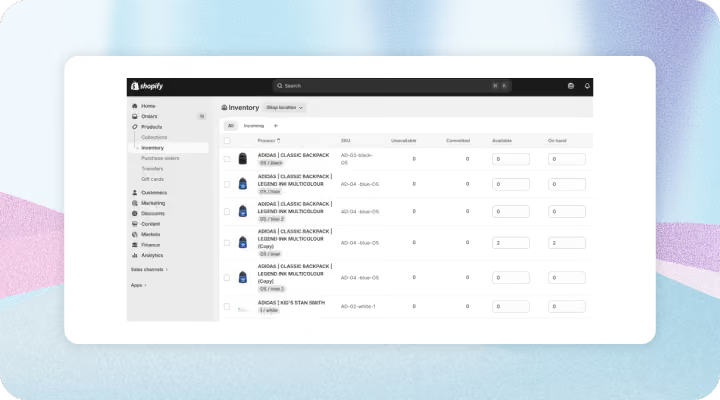
Stocky Migration Checklist
Following these major steps will help you reduce risk during migration.
See the complete checklist
- Identify the Stocky workflows your team uses today
- Export historical purchase orders and reports
- Test receiving, transfers, and inventory adjustments
- Update integrations that depend on Stocky APIs
- Train operations teams on new workflows before switching systems
Frequently Asked Questions
Is Shopify discontinuing Stocky?
Yes. Shopify has confirmed that the Stocky app will shut down on August 31, 2026. The app was also removed from the Shopify App Store on February 2, 2026, which means merchants can no longer reinstall it.
What does the Stocky app do?
Stocky helps Shopify merchants manage operational inventory workflows that go beyond basic stock tracking. Common uses include creating purchase orders, managing supplier relationships, forecasting demand, planning replenishment, receiving inventory with barcode scanning, and performing stock counts across multiple locations.
How do you do a stocktake in Stocky?
In Stocky, a stocktake allows merchants to count physical inventory and reconcile it with the quantities recorded in Shopify. Teams typically create a stocktake session, scan or enter product quantities during the count, and then apply adjustments.





.avif)











.avif)